
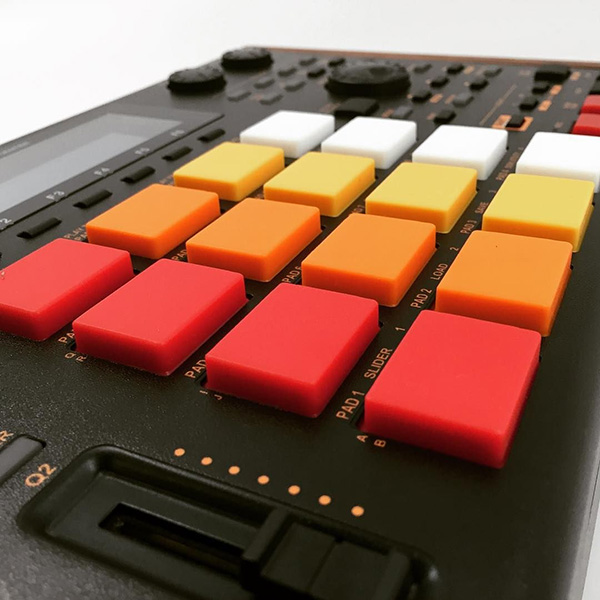
Support and discussion for all of Akai’s modern standalone MPCs including the MPC X / X SE, MPC Live 1, 2 & 3, MPC One / One+, MPC Key 37/61.
User avatar
By bredal187 Thu Nov 12, 2020 6:46 pm
Just reported this to Akai, but wanted to spread the word since the feature is important to me, and might be to you as well.

Steps

Seq 1 -> Make a 1 bar beat and set Start 1 / End 1
Seq 2 -> Make a 1 bar beat on bar 2 and set Start 2 / End 2

Play Seq 1 then Seq 2. When Seq 2 starts playing it will start from bar 1 which will be silent because nothing is on bar 1 and when bar 2 starts playing it will continue to loop bar 2.

The problem is it shouldn't play bar 1 to begin with.
By CharlesRandolph Thu Nov 12, 2020 7:39 pm
bredal187 wrote:Just reported this to Akai, but wanted to spread the word since the feature is important to me, and might be to you as well.

Steps

Seq 1 -> Make a 1 bar beat and set Start 1 / End 1
Seq 2 -> Make a 1 bar beat on bar 2 and set Start 2 / End 2

Play Seq 1 then Seq 2. When Seq 2 starts playing it will start from bar 1 which will be silent because nothing is on bar 1 and when bar 2 starts playing it will continue to loop bar 2.

The problem is it shouldn't play bar 1 to begin with.


How can you have a Bar 2, when the beat is 1 bar long? :lol:
Last edited by CharlesRandolph on Thu Nov 12, 2020 7:48 pm, edited 2 times in total.
User avatar
By bredal187 Thu Nov 12, 2020 7:42 pm
maybe i didnt make myself clear.

You have to make a beat (rythm / melody / sound) within the range of a bar as described
By CharlesRandolph Thu Nov 12, 2020 7:48 pm
bredal187 wrote:maybe i didnt make myself clear.

You have to make a beat (rythm / melody / sound) within the range of a bar as described


But seriously, the issue is: Sequence 2 reverts back to Start 1 / End 2 instead of starting at Start 2 / End 2. So the basically when switching sequences it uses the play button position, instead of the play/start button position.

Solution: Make two sequences and start them both on the one.
User avatar
By Monotremata Fri Nov 13, 2020 2:35 am
I know Ive left a sequence start/stop messed up before (I do it all the time to work on smaller sections in huge sequences) and it played it as it was set in Song Mode. Took me awhile to figure why my song was messed up heh. Song mode should follow each sequences settings even though it tosses all that out the window when you convert it. Maybe it broke at 2.8 or something, I cant remember the last time I did that but it's been awhile.
By CharlesRandolph Fri Nov 13, 2020 7:36 am
The convert is another can of worms. :lol: Yeah, in this case it's best to create different sequences and start everything on the one, until they decide to address this issue. Hard to say because it's been like this for as long as I can remember.
User avatar
By bredal187 Fri Nov 13, 2020 8:21 am
My problem is i made a 16 bar beat with a lot of automation for the first 12 bars, like an intro, and after that seq is done i want to switch to seq2 and repeat the last 4 bars and have multiple seq's with variations during the 4 bar loop.

You might think that i could just delete the first 12 bars of each track and move the last 4 bars to the beginning and set that Start / End to 4/4 but the automation is not locked to the notes, so the track is still ****. Deleting the autmation events doesnt solve the problem as the setting for the effects and filters that have been automated doesnt match the last 4 bars when moved....
By CharlesRandolph Fri Nov 13, 2020 8:49 am
The best thing to do is to create a new sequence and redo the last 4 bars and the automation. The way that you're working is 100% possible, but Akai Pro so far hasn't address issues like these.
User avatar
By bredal187 Fri Nov 13, 2020 9:42 am
That is surely the best thing I could do, but I feel the best thing Akai could do is fix it :-)
By CharlesRandolph Fri Nov 13, 2020 1:33 pm
bredal187 wrote:That is surely the best thing I could do, but I feel the best thing Akai could do is fix it :-)


True, but never let them stop your music. Find a solution and move forward because the current way you want to work doesn't work. Also this is one reason to always do automation at the end during mixing process.
By halfcut Wed Sep 01, 2021 11:53 pm
I think I've just discovered this massive oversight too - Really hope there's a simple setting - but it basically renders the start point in a sequence totally pointless if all the Audio starts on the first bar?! :?
By HouseWithoutMouse Thu Sep 02, 2021 6:01 am
Quote from Modes / Main Mode / Sequence Section

To set the start point and end point of loop, tap the Start or End field (respectively) and then use the data dial or the –/+ buttons, or double-tap the field and use the numeric keyboard that appears.


The way I read that is, they're not the start and end of the sequence, they're the start and end of the LOOP. Start of loop. Not start of sequence. The sequence has a loop. The loop has a start point.
