Support and discussion for all of Akai’s modern standalone MPCs including the MPC X / X SE, MPC Live 1, 2 & 3, MPC One / One+, MPC Key 37/61.
By J.O.BEATS Wed Sep 11, 2024 7:44 pm
Did I miss this before or did they just release 2.15.1? Looks like improved algorithm for better sounding stems?

User avatar
By Oscar South Wed Sep 11, 2024 8:51 pm
Elijah wrote:
Oscar South wrote:Had a weird bug today where I wasn’t able to save a project I was working on — anyone run into anything like this?

When I removed and reinserted the SD card while working, I couldn't save my project anymore.


Might have dislodged it at some point
By jpeg Thu Sep 12, 2024 9:28 am
mpc_fan_2022 wrote:
jpeg wrote:anyone feel that the gain staging or sound engine is different in 3.0; as certain beats that had a lilttle bit of drive in 2.15 are massivly distorted in 3.0; even some beats that had no noticible distorition in 2.0 have lots of distortion in 3.0


No need to "feel" anything. Bounce the sequence in MPC Software, then bounce the same sequence in MPC 3 and compare the audio. You can objectively compare the differences in the resulting audio files. :popcorn:


without bouncing the audio I can hear the difference by ear; wanted to see if anyone else noted difference in the audio engine
User avatar
By THXjay Thu Sep 12, 2024 10:04 am
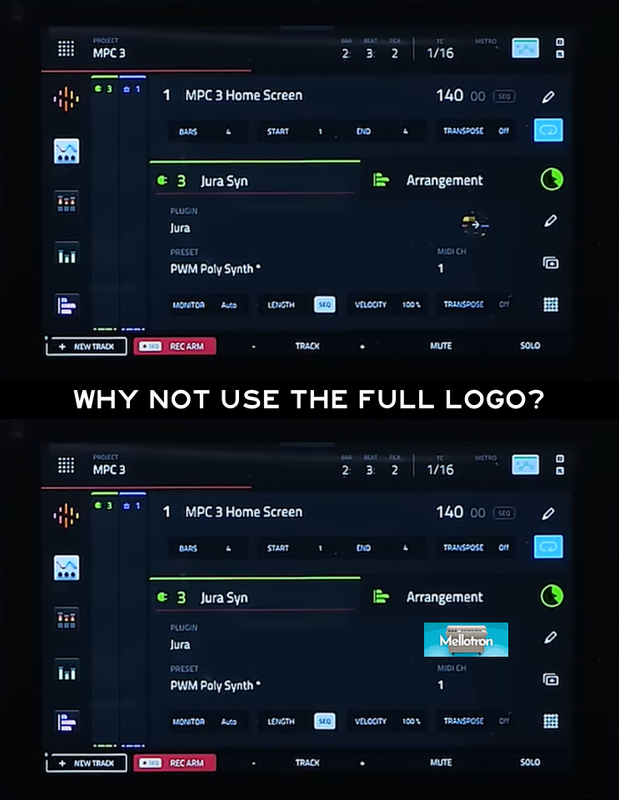
I know this is a little thing but, sometimes that's what makes things better :)

Image
I know it's the wrong one, it was just a quick mockup.
User avatar
By MPC-Tutor Thu Sep 12, 2024 12:46 pm
BDRAKE wrote:I love how he summed up the arranger view. I agree with him
https://www.youtube.com/watch?v=nsk-UsC ... NolS_3_jpx


Yes it's good to see a youtube influencer being more honest about this, although conan calls it a project overview, strictly speaking it's a 'sequence view', your project could have many sequences and each one can be viewed in its own arranger.

But yes, as I've been saying, too much hype on what is really just a different view of your current sequence with links through to all the same MPC2 editing options. Yes it provides a different way of interacting, the split screen is a good quick alternative to the full grid screen, and using the loop region is handy (but currently still locked to bar increments).

But until you can start directly editing audio and MIDI on the arranger tracks themselves, including moving 'blocks' around it's just a bit underwhelming and I'm pretty sure it's not what most people were expecting. Of course most youtube guys seems to be hyping it as the second coming.
By droctii Thu Sep 12, 2024 3:48 pm
Logrinn wrote:
droctii wrote:Does anyone know how to delete or edit locators in the Arranger?


Yes. It’s on page 41 in the new V3 Quick Start Guide that came with the update. Ie the ”Locate popup”.


Thanks a bunch!
By J.O.BEATS Thu Sep 12, 2024 4:33 pm
Yeah the arranger definitely is not what people think/thought it would be. I gave it a go but reverted back (mostly because I work a lot in controller mode these days) but wasn’t overly impressed. Not looking forward to being “forced” into it eventually
By HouseWithoutMouse Thu Sep 12, 2024 5:24 pm
Many MPC users have been asking for the arranger, and Force users have been asking why the heck do you want that, have you ever tried it. Well now it is there, have fun.
User avatar
By Jean-Marc Liotier Thu Sep 12, 2024 6:09 pm
In Roland Zenbeats, grooving with LoopBuilder is pretty much the Force arranger grid experience - and recording to Timeline provides the "song mode arranger" where blocks can be copied/split/moved around etc. But for all the platform's CPU, RAM and hardware-independent greenfield approach on tablet operating systems, it is nevertheless gimped in its own manner: populating the Timeline from the LoopBuilder is a one-way process - no changing in Timeline and pushing the changes to LoopBuilder. Mashing up a DAW and a groovebox in one seamless experience is hard.
By HouseWithoutMouse Thu Sep 12, 2024 6:39 pm
Jean-Marc Liotier wrote:In Roland Zenbeats, grooving with LoopBuilder is pretty much the Force arranger grid experience - and recording to Timeline provides the "song mode arranger" where blocks can be copied/split/moved around etc.


:hmmm: What exactly is "the Force arranger grid"?
User avatar
By Jean-Marc Liotier Thu Sep 12, 2024 6:41 pm
HouseWithoutMouse wrote:
Jean-Marc Liotier wrote:In Roland Zenbeats, grooving with LoopBuilder is pretty much the Force arranger grid experience[..]
:hmmm: What exactly is "the Force arranger grid"?
It is in my imagination, as I never used a Force... I should have said "arranger grid" !
By Yorgos Arabatzis Thu Sep 12, 2024 8:58 pm
HouseWithoutMouse wrote:Many MPC users have been asking for the arranger, and Force users have been asking why the heck do you want that, have you ever tried it. Well now it is there, have fun.

Ye we got the arranger but why the heck we’ve lost clips…Makes no sense really..