Support and discussion for all of Akai’s modern standalone MPCs including the MPC X / X SE, MPC Live 1, 2 & 3, MPC One / One+, MPC Key 37/61.
By Itcantbecee Fri Jan 17, 2025 6:36 am
Hey guys. New MPC user here.
I'm in some trouble and I need help, whenever I export my mpc beat or stems to use in my daw, they always come out dry with no effects.
I have the latest version
My mpc effects are on the inserts m, submixes and master

User avatar
By Lampdog Fri Jan 17, 2025 2:16 pm
Mpc your using?
Firmware version?
Exact detailed steps when you go thru the screens?
By Itcantbecee Sat Jan 18, 2025 1:31 pm
Lampdog wrote:Mpc your using?
Firmware version?
Exact detailed steps when you go thru the screens?


MPC LIVE 2
2.15 LATEST
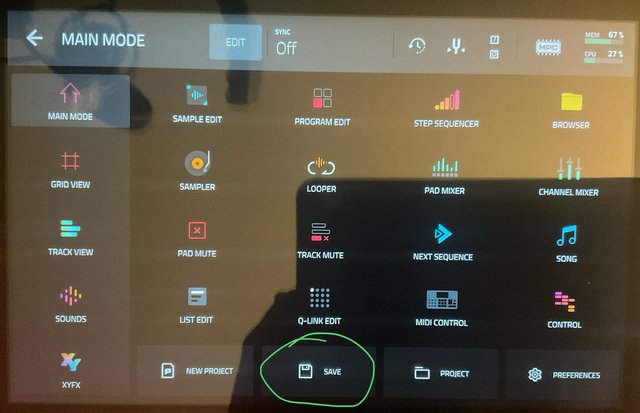
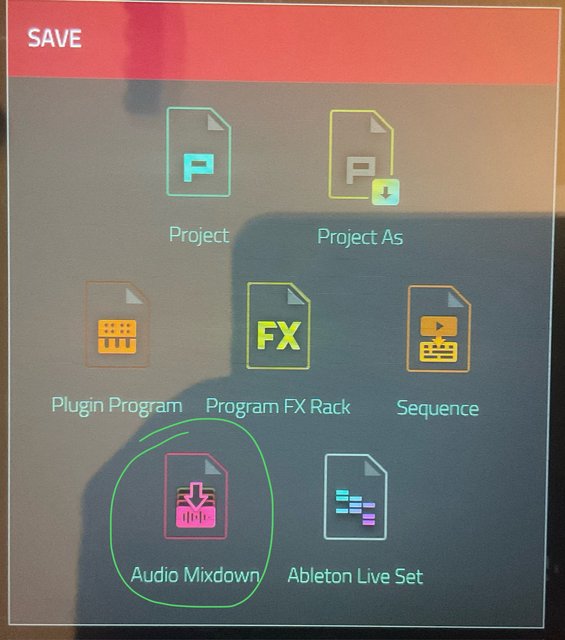
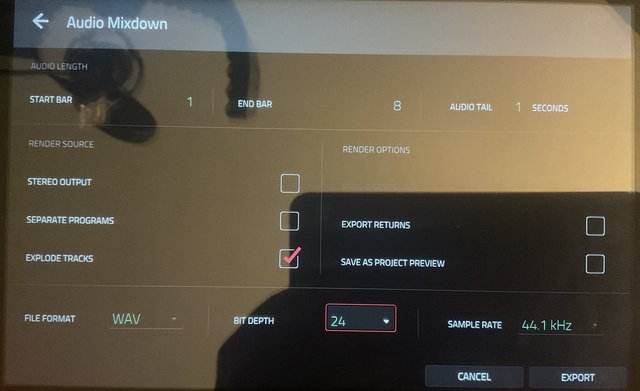
I go to the menu, then press the file icon on the bottom, save as audio mixdown. Click on explode tracks and click on export returns

Thanks
User avatar
By Lampdog Sun Jan 19, 2025 3:24 am
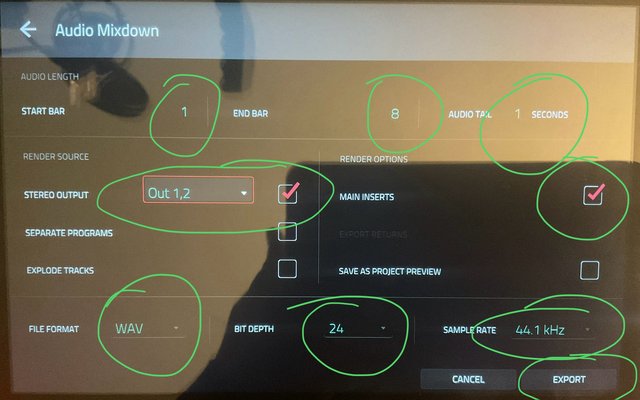
I got audio doing this.
I have no pads muted, no tracks muted, no submixes, all output to 1/2.
Just a test bar.
What I think may have happened is you listened to a muted exploded track export or a track with nothing on it but it still creates an exported wav (ie, assigning a drum program but never record drums).


Image
Image
Image
User avatar
By Lampdog Sun Jan 19, 2025 3:51 am
I tried another one.
Recorded to trk1. kik, snr, hhat, ohat.
MAIN (sequence page), track pencil icon, EXPLODE.
MENU, SAVE, AUDIO MIXDOWN. I didn’t use any submixes, efx, sends or returns.

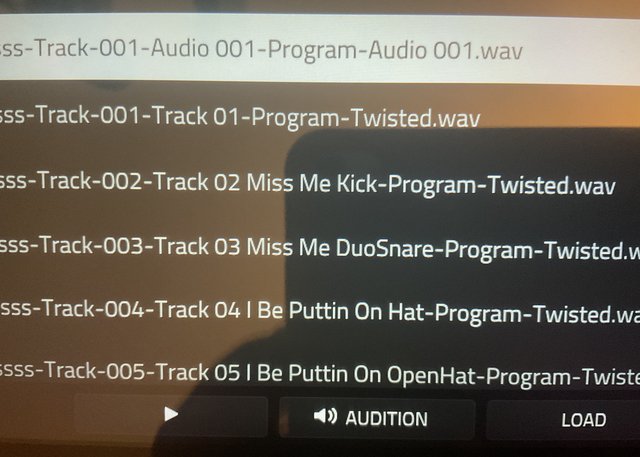
The very first file that shows up in the list is an audio track file. I never recorded an audio track file, it will have NO sound, scroll past it or delete it (hold shift while it’s highlighted), don’t need it.

Second file is the track (trk 1) I recorded all the drums too in the first place. It’s the one that is muted after you explode from the sequence page, keep scrolling.

Third file is where my tracks start to show up, kik, trk2.
Fourth file is where my tracks start to show up, snr, trk3.
Fifth file is where my tracks start to show up, hhat, trk4.
Sixth file is where my tracks start to show up, ohat, trk5.
These will have audio (your stems for daw).


Image

Image
By jamos Mon Jan 20, 2025 9:08 pm
Just wanted to validate your issue. It happens to me too, right now I've lost the delay effects on an Odyssey track. But the export process is so convoluted and SLOW that I don't have time to debug it, I will just add the effect in Reaper.
By jamos Tue Jan 21, 2025 4:21 pm
More validation. I have not tried straight track exporting recently but did a bunch yesterday and yes, most or all pad and track effects were missing.

I have resorted to a different method of exporting, which is to route each track to outputs 7/8 and then do a full stereo export for those outputs. It's tedious but not actually much slower.
By jamos Tue Jan 21, 2025 11:41 pm
Yeah, this just gets worse and worse. Another track that I am exporting - also an Odyssey with delay - is quite deranged. IIf I export with Solo off - that is, just routing the single track to 7/8 without soloing - The delay is at the proper time setting and mix (I think), but feedback is tremendously high so it goes on and on. But if I solo the track, then the delay time is incredibly short, but feedback is tamed.

I wonder if this is because I'm exporting at 48K? In any case, bottom line, export is unreliable and ****. Done with it.
By Itcantbecee Mon Feb 03, 2025 2:20 pm
jamos wrote:More validation. I have not tried straight track exporting recently but did a bunch yesterday and yes, most or all pad and track effects were missing.

I have resorted to a different method of exporting, which is to route each track to outputs 7/8 and then do a full stereo export for those outputs. It's tedious but not actually much slower.


You may have actually helped me, thx
By akimov Tue Feb 04, 2025 7:45 am
We're in trouble. Creativity is no longer used to compose music, but to work around bugs. What a time we live in!