Support and discussion for all of Akai’s modern standalone MPCs including the MPC X / X SE, MPC Live 1, 2 & 3, MPC One / One+, MPC Key 37/61.
By Mcplata Mon Oct 06, 2025 11:55 am
Hi,

I wanted to ask if the “define length” functionality from the new step sequencer in Live 3 will also be implemented in Live 2. I’d like to use it to create polyrhythms, but I’m not sure if the OS can handle it.

Sorry if this has already been covered — I’ve been a bit disconnected from the major OS updates and I’m not sure if it’s now possible. In the past, it wasn’t possible to define a different number of steps per channel in the sequencer to create polyrhythms.

Thanks!
By Elijah Mon Oct 06, 2025 2:19 pm
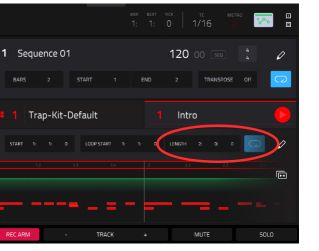
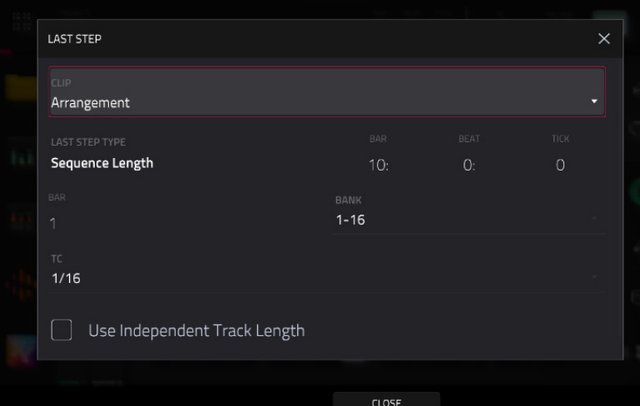
The LAST STEP button on the Live 3 seems to be just a shortcut for setting the length of an arrangement or a clip. In an arrangement, you can set the length in the Main tab of the instrument on the main screen, and for a clip, you can set it within the Clip tab.

Image
Image
By Mcplata Mon Oct 06, 2025 5:23 pm
Elijah wrote:The LAST STEP button on the Live 3 seems to be just a shortcut for setting the length of an arrangement or a clip. In an arrangement, you can set the length in the Main tab of the instrument on the main screen, and for a clip, you can set it within the Clip tab.

Image
Image


Umm I just try that and could be an option… but weird question…how you can define the number of steps of the sequencer based on that length? I mean There are 3 fields 0:0:0 it should be related to the resolution of the length? Seconds? Or how you can transform 16 steps on the 0:0:0 values?
By Elijah Tue Oct 07, 2025 1:22 am
Mcplata wrote:
Umm I just try that and could be an option… but weird question…how you can define the number of steps of the sequencer based on that length? I mean There are 3 fields 0:0:0 it should be related to the resolution of the length? Seconds? Or how you can transform 16 steps on the 0:0:0 values?


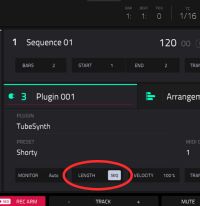
I think the length of the bar is set through the screen UI or other ways, and the beats are set using the step buttons at the top.

Image