Support and discussion for all of Akai’s modern standalone MPCs including the MPC X / X SE, MPC Live 1, 2 & 3, MPC One / One+, MPC Key 37/61.
By NinjaDog Sat Apr 11, 2026 3:14 pm
I'm pretty new and I am trying to figure out if there is a way inside sample edit to make some chops leave a gap and chop some more, for example chop the intro, skip the verse, chop the chorus? I'd like to be able to edit all my chops from 1 sample and be able to convert it to a drum track. Currently I'll get stuck having a 16 second sample in the middle of my chops. I realize I can make a custom track and assign pads manually but seems so much simpler if there is a way to skip chops in sample edit.

User avatar
By Lampdog Sat Apr 11, 2026 4:58 pm
I have XL, v3, you can assign slice numbers, they don’t “need” to stay in numerical order.

You can also unlock/detach slices from each other.
By NinjaDog Sat Apr 11, 2026 6:04 pm
Lampdog wrote:I have XL, v3, you can assign slice numbers, they don’t “need” to stay in numerical order.

You can also unlock/detach slices from each other.

I didnt know you can assign numbers.
I was talking more about something like this.

x|x|x|ooooooo|x|x|x|

Say I want to make 6 chops (the x's) I make my first 3 chops leave a gap (the o's) then make some more chops. Only I don't see a way to leave a gap within sample edit. What I have been doing is I'll have my 3 chops as normal, chop 4 will be a throw away chop to get me to chops 5,6 and 7. Or in other words I want to only keep the X slices.

I want to know if it's possible to do all that in sample edit so I can do a clean process slices to a drum track.
By Masi Sat Apr 11, 2026 6:52 pm
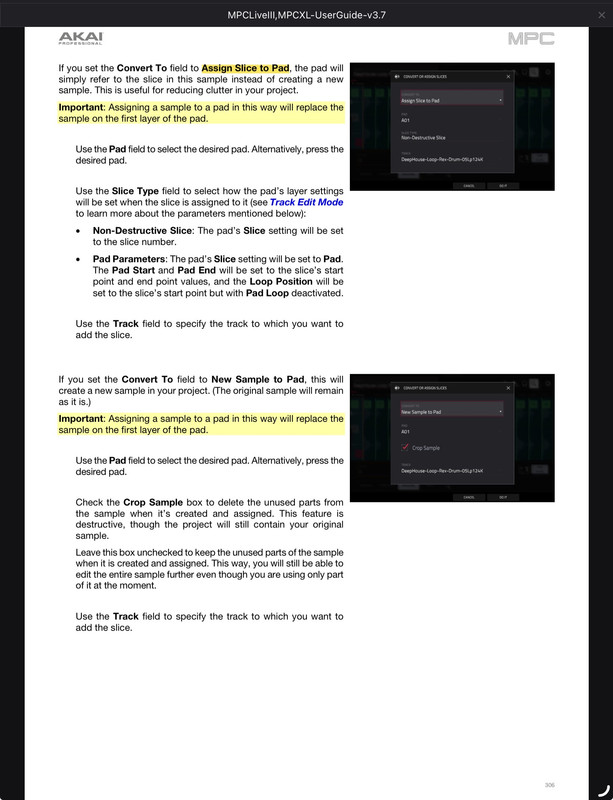
If you don't link the slices, ie the "link slices" button is unlit then each slice has its own start and end marker.

If you do it this way the "gaps" are not part of any slice.
User avatar
By Lampdog Sat Apr 11, 2026 9:52 pm
Or you can

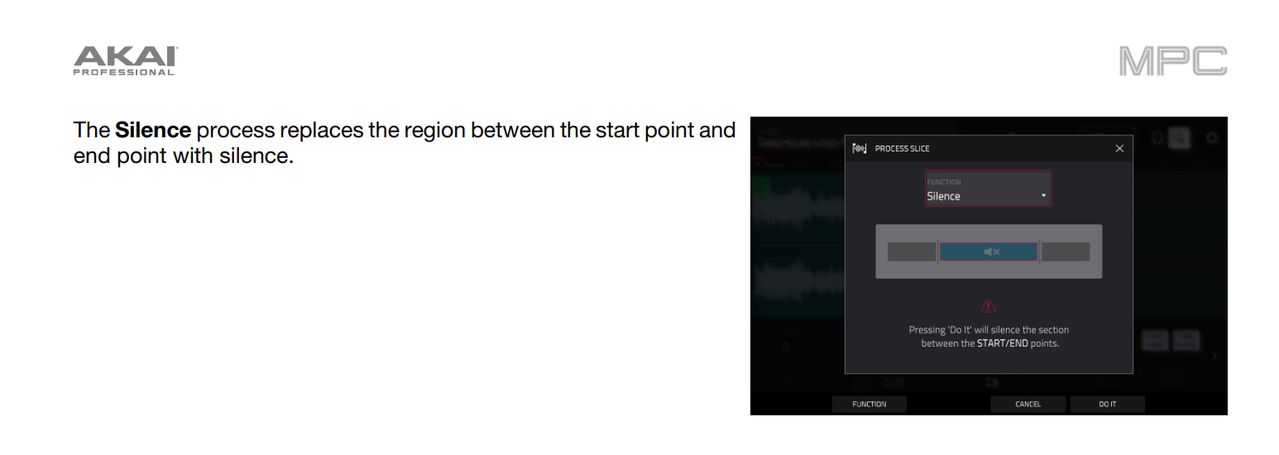
Set start/end markers where you want the silence to start and stop, PROCESS, then SILENCE that area, then CHOP.

It’s destructive but you can do it that way too,


Image
User avatar
By Lampdog Sun Apr 12, 2026 12:32 am
There’s so many ways to do this, destructively and non-destructively.
By NinjaDog Sun Apr 12, 2026 1:42 am
Thanks guys, deleting the middle section is kind of what I was going for although non destructive would be nice.

On the numbering thing. That something a One+ could do? I don't see an obvious way to do it. But if I could make my slice 4 whatever the last one on my group is that would be a good option.
By NinjaDog Sun Apr 12, 2026 3:51 pm
B-Wise wrote:You can also chop per pads in the drum track editor. This is one the coolest features on the modern MPCs. Would that help?

I have not yet explored that feature, thanks I'll look into it.