
Akai Force Forum: Everything relating to the Akai Force, the iconic 64 pad, clip-based standalone sampler/groovebox from Akai.
User avatar
By Miyaru Sat Jul 20, 2024 10:56 am
Hello everyone here at the forum,

I’m Miyaru, and new here one the forum and new to the Force.

Ordered one yesterday, should arrive today.

I want to buy a SD card for my Force.
What size and type do I need, I guess the faster the better to an extend.
Do I need a type 10, or does it needs to be faster?
What is the maximum size for a given card?
I also have an Intel 2,5 inch ssd, 256 GB, I want to add that to the force, what is the maximum size for an ssd anyway?

Thanx in advance, greeting from The Netherlands!

Miyaru.
User avatar
By Miyaru Sat Jul 20, 2024 7:00 pm
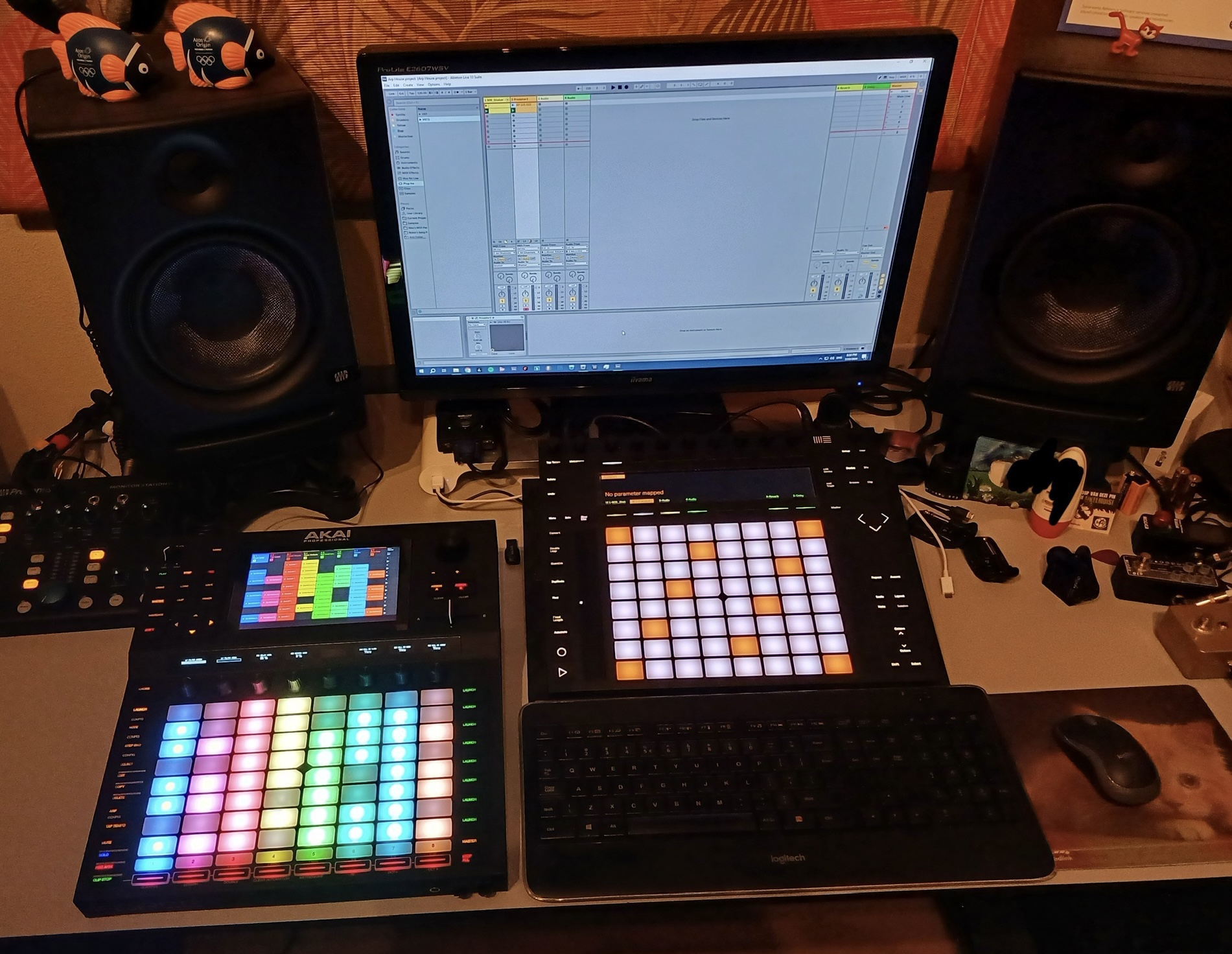
I do have a stand, being it an IKEA Laptop tilting stand, that I use for my Ableton Push2 right now.
If I like the workflow and the Force a lot, I sell my Push2, so I have room on the stand and my desk for the Force.

I'm very bussy the next couple of days, so there will not be much playing with the Force sad enough....... :(

But I choose and paid for the option to have a 60 day money back warranty, so I have some time to see if this is my way of working with this beautiful machine!
By HouseWithoutMouse Sat Jul 20, 2024 9:47 pm
I have a 1 TB Samsung EVO something SSD in the SATA slot and it's done its job well, as good as can be I think. Size-wise it's enormous, I will probably never fill it even 50%. Speed-wise, it doesn't matter what you put in there, the Force will strangle your loading speeds with its internal bus and with the software which does something inexplicably slow for each sample file it loads. The speed is OK for what you do with the Force, but compared to a similar SSD connected to a desktop PC it's very slow.

As a general bit of advice I'd say, don't try to make the Force be something else. It's a bit like Ableton, but not Ableton, it's a bit like an MPC but not an MPC, it's sort of like a DAW but not a DAW, and it's not a studio master multitracker even though there's the "arrange" thingy. It's Akai Force, an instrument and a tool - use it like you use an Akai Force. Read the manual, go through some tutorials. Bump into obstacles and bite a few bullets.

Think of samples and MIDI as important, plugins as secondary. Even with the bundled sample content you can get a lot of electronic music going, but do copy your favorite sample libraries to your SSD or memory card, and learn to use the file search features and favourite folder shortcuts. Try the autosampler, make keygroup sample programs of your own, and make your own drum kits from samples. If you have Ableton, try loading an Ableton session view project to the Force - some people use Ableton as a material-preparing stage for creating Force sets. For practice, try making thick chord samples by resampling i.e. internally sampling a sequence of simpler keygroup or plugin tracks. Then use those chord samples to make a tune.

I don't know what you'll get within 60 days. I've had a lot of fun since day one, but there is a learning curve. Frustration comes from trying to do something that doesn't work well. As I've learned to know the things that work well vs those that don't, the experience has gotten better all the time.
User avatar
By Miyaru Sun Jul 21, 2024 9:52 am
The learning curve is part of the fun for me. At least it was with all me previous devices and DAW’s.

I’m making music since 1983, when I started to play bassguitar in heavy metal bands. Along the way I was in pop bands. I started recording my own music in the 90’s on a Yamaha 4 track cassette recorder I borrowed from our female singer of the band.

Later on, I was invited to play bass on songs for a commercial CD release, which flopped. (Not due to me LOL). But the seed was planted after playing in a real studio, this was what I wanted!

In 1999 I went to the SAE college in Amsterdam to become and learn for studio sound engineer. I graduated and started to buil my own home studio. Got myself a Fostex D 108 8 track digital HD recorder and a Yamaha o1v mixingconsole. Meanwhile I had cubase too, after using Cakewalk for a short while.

Computers then weren’t what they are now, and I switched to complete hardware again with a Roland VS 2480CD digi 24 track recorder and a Yamaha RM1x sequence remixer (which I still own).

Later on switched back to Cubase, nowadays I’m on Reason 12 and Ableton Live Suite 10/Push2.

I had loads of learning curves, but I love to explore and learn!

I also still plays some bass, guitar and do songwriting, but mostly I like to do dance music.
Hence my DAW’s that I use…….

Thanx for the replies so far! It is appreciated!!!
User avatar
By 64hz Mon Jul 22, 2024 6:59 am
Haven’t touched a daw since reason 2 I think. :lol: I really love the force for what it can do. You will get the hang of it quick and there are some users on this forum that are really helpful so don’t be afraid to ask questions.
User avatar
By Miyaru Tue Jul 23, 2024 7:58 pm
B-Wise wrote:The best thing to do to get the most out of the Force is to make project templates so you don't have to keep setting things up from scratch each session. You can create a template folder with all your different templates.


Handy tip, thank you!!!!
By HouseWithoutMouse Tue Jul 23, 2024 9:02 pm
I like to start from scratch every time. Add a drum track, load some samples on the pads, make a loop with the step sequencer. Something new and different every time. I wish it was easier to save a project preview clip, now most of my projects have no preview. When projects have previews, it's super nice to browse through ideas.
User avatar
By Miyaru Wed Jul 24, 2024 12:03 am
HouseWithoutMouse wrote:I like to start from scratch every time. Add a drum track, load some samples on the pads, make a loop with the step sequencer. Something new and different every time. I wish it was easier to save a project preview clip, now most of my projects have no preview. When projects have previews, it's super nice to browse through ideas.


That’s where you have a point too….. Loads ro learn!