
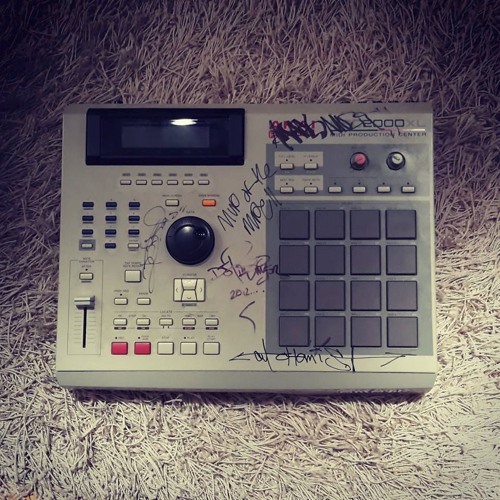
Reviews and questions about the entry-level MPC500
User avatar
By rushkeys Wed Oct 30, 2013 12:42 pm
New 500 user here.
Is it possible to edit filter settings in Step Edit? I'm reading about it at "Beat making on the MPC500 031 Sequencing Tricks Part 2", it says "Highlight V and move this to F to show the filter settings", however so far I only see V/D/T. Am I missing something?
I'm using OS Version 1.31

Thanks in advance
User avatar
By SimonInAustralia Wed Oct 30, 2013 1:10 pm
I think that you need to use a QF (Q-Link - Filter) event, which is used to record note variation data from the Q-Link slider or 12 notes when set to filter, rather than a pad/note event.

Step:↓QF:A 1: 75
User avatar
By rushkeys Wed Oct 30, 2013 2:22 pm
Thanks, already thought about that, but isn't there an other way to do this? Because QF allows to set -50/+50 range only.

Also found that: "highlight ‘V’ and jog wheel to the right until ‘T’ is showing." This parameter is always set to tuning and 000 unless you instruct the MPC otherwise." - but can't find any info how to do it.
User avatar
By SimonInAustralia Wed Oct 30, 2013 6:34 pm
rushkeys wrote:Thanks, already thought about that, but isn't there an other way to do this? Because QF allows to set -50/+50 range only.

Not sure how else to do it.

Yes, only allows -50/+50, in use, which is different to what is in the manual, which suggests it should allow a range of 0-100.


rushkeys wrote:Also found that: "highlight ‘V’ and jog wheel to the right until ‘T’ is showing." This parameter is always set to tuning and 000 unless you instruct the MPC otherwise." - but can't find any info how to do it.

Move the cursor across to the 000 field, use the data wheel to change it.
User avatar
By tapedeck Wed Oct 30, 2013 6:55 pm
SimonInAustralia wrote:
rushkeys wrote:Thanks, already thought about that, but isn't there an other way to do this? Because QF allows to set -50/+50 range only.

Not sure how else to do it.

Yes, only allows -50/+50, in use, which is different to what is in the manual, which suggests it should allow a range of 0-100.

set yer filter to 50 and you should have full range then. how i do it on xl.

maybe not an exact answer to yer question but could get you rolling at least.
User avatar
By Ill-Green Wed Oct 30, 2013 7:35 pm
SimonInAustralia wrote:I think that you need to use a QF (Q-Link - Filter) event, which is used to record note variation data from the Q-Link slider or 12 notes when set to filter, rather than a pad/note event.

Step:↓QF:A 1: 75

Also, you can change filter settings with velocity.
