
Post your views and questions about the Akai MPC2500
By beatmakerstefan Thu Jan 22, 2015 8:26 am
Hello, everyone!

I am in need of knowing how to install the
right side PCB board on my MPC 2500 it doesn't seem too hard, i have pulled the MPC apart before, I just want to know if there any roadblocks ahead, are there videos of any kind? please help!


User avatar
By Phonetic Thu Jan 22, 2015 11:53 am
beatmakerstefan wrote:Hello, everyone!

I am in need of knowing how to install the
right side PCB board on my MPC 2500 it doesn't seem too hard, i have pulled the MPC apart before, I just want to know if there any roadblocks ahead, are there videos of any kind? please help!



Nah, its pretty easy man. I would advise just being very gentle with it & remember where you get all your screws from. Oh yeah, make sure its unplugged from the wall too.
User avatar
By Star One Thu Jan 22, 2015 3:25 pm
Remove the shell, (If you need to know how check this:)


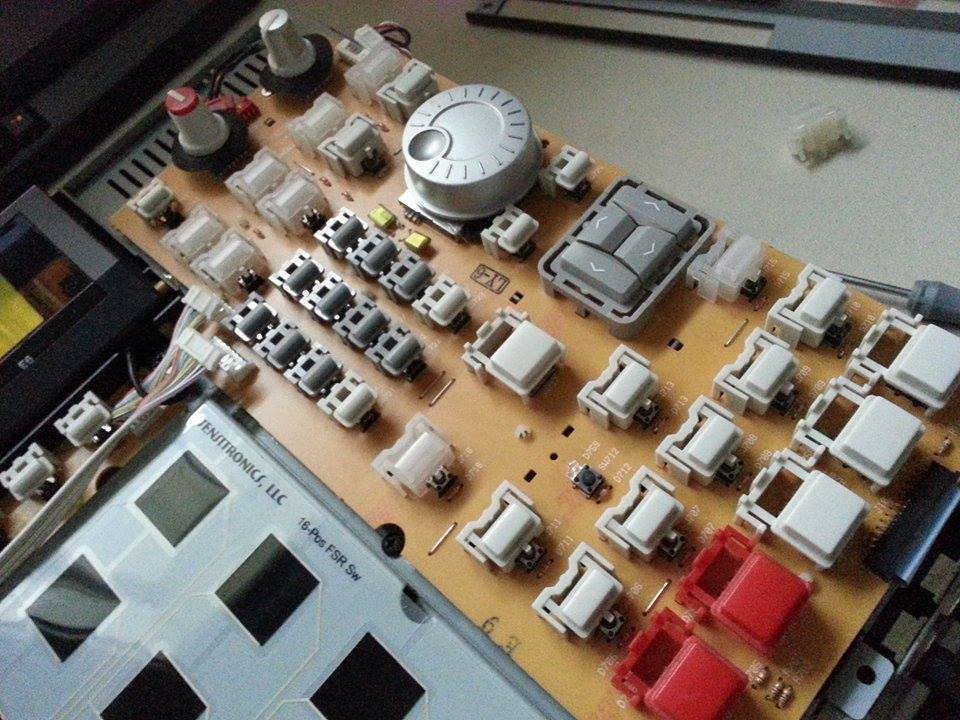
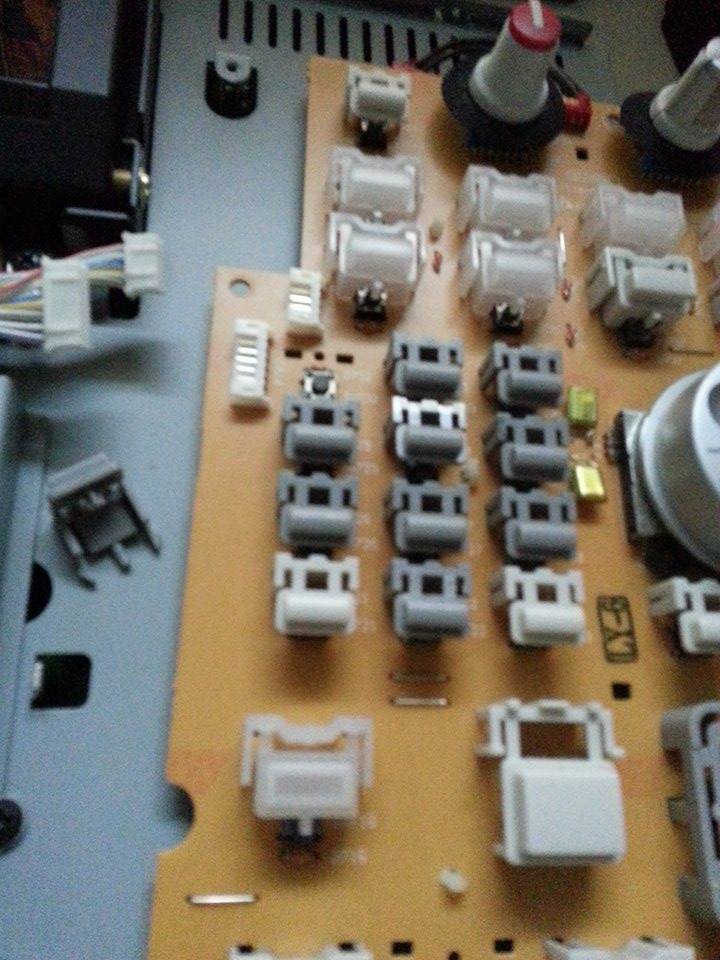
unhook the ribbon cable at the bottom by pulling the two black edges forward (ribbon slides right out with ease), and all the molexs (white plastic connectors with wires coming off them)

Image

Remove all the screws holding the PCB down, and lift it off the board.

Image

Then just set the new board back down, plug all the molex back in. And the ribbon cable, you slide in (While the black tabs are pulled out) till it hits and stops, push them forward to lock the ribbon in place.

I took these photos from my 2500XL thread, so they might not be specific enough, but hopefully so. It's very straight forward.

Edit:

This video shows how to remove that board if you need something more visual.


User avatar
By Star One Thu Jan 22, 2015 7:08 pm
beatmakerstefan wrote:Now the hard part... waiting for the PCB board to come in the mail!


:WTF: TOO TRUE! :lol: I am no good when it comes to waiting for stuff in the mail, it drives me completely mad! I'm getting better about it tho, but I totally agree xD THE hardest part

Make sure to always remember at the bottom of the PCB where the white ribbon cable is, you have to pull the two plastic clips forward to remove it :nod: I've seen the most problems come from just trying to pull it out.
User avatar
By Star One Fri Jan 23, 2015 2:59 am
It sits on the top side, just at the bottom half of the board. That's the first thing you'll unhook. Then remove all the screws, and then you can lift up enough to unplug the rest
User avatar
By Phonetic Fri Jan 23, 2015 9:57 am
I'm waiting for one in the post myself. My old one has quite a few war wounds, bad soldering experiments, slight cracks & ting. Its been soldiering on for a long time & its time I laid it to rest... Just gotta be patient now.
By beatmakerstefan Mon Jan 26, 2015 5:25 am
HAHA! see, thats risky business. I bought mine from a friend and believe beer was spilled on it! too bad that beer was wasted, it lasted a long time though.

I just got it in the mail, going to start putting it on now. Thank you Star One for the help. I'll make a quick beat when I fire it up and make sure its working.
By beatmakerstefan Mon Jan 26, 2015 8:14 am
So i installed the new PCB board and now the cursor button wont work and but it will trigger mode and the window button, and now my F1-F6 buttons won't work.. what do you guys think happened or went wrong? or could it be a defective PCB Board?
User avatar
By Star One Mon Jan 26, 2015 6:05 pm
beatmakerstefan wrote:So i installed the new PCB board and now the cursor button wont work and but it will trigger mode and the window button, and now my F1-F6 buttons won't work.. what do you guys think happened or went wrong? or could it be a defective PCB Board?


You stayed careful with the ribbon cable? It could be bad tact switches. If you have a known working tact switch on your old board, you could try and swap it out for one of the ones not working on your new one, to see if that is what it is.
User avatar
By Star One Tue Jan 27, 2015 5:05 pm
The cables from your machine right? By sketchy what do you mean? Maybe where the wire goes into the plastic connector, is pulled out not making contact where you plug it in. When removing those if you tug on the wires to pull them off, that can happen.
By beatmakerstefan Mon Feb 02, 2015 7:22 pm
Sketchy = Unsafe/ something is not right.

I think that is what happened, I think I might get it repaired if I cannot do it. You don't think soldering would be helpful, do you?