
Sub-forum for discussion about the DAWs and mobile apps that you use with your MPCs
User avatar
By Xandre Sat Mar 30, 2013 7:02 pm
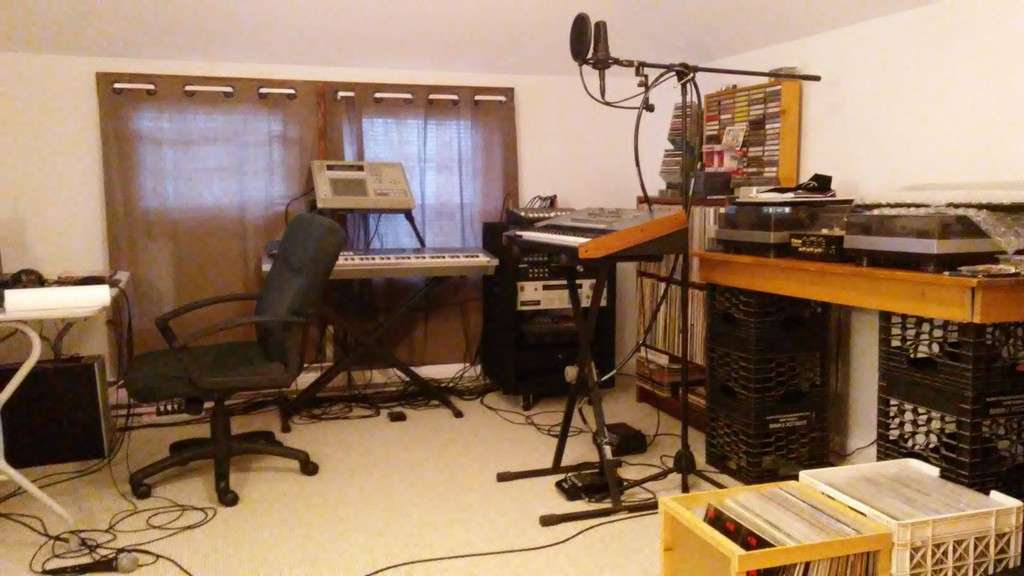
I may be tripping, but recently, my studio gear (keyboards, Akai MPC, sound modules) only produce sound when there is a Cubase 5 project open, with an armed audio track(!) For example, I used to be able to make a beat with my MPC and keyboards connected via MIDI, before I even started Cubase. Now, I won't hear ANY sound from ANY gear unless Cubase is open.

I'm using an M-Audio Profire 610 audio interface and I suspect it might be the culprit... but really not sure.

My speakers are connected to the 1-2 outs on the back of the Profire 610, they are on, and all other cable connections are correct. I recently had to upgrade from Windows XP SP3 32 bit to Windows 7 SP1 64 bit, because my PC had caught a virus and files had to be backed up, and the HDD was reimaged, I believe, before Win 7 was installed. So my computer system has been through alot of changes recently; wondering if this has anything to do with my problem?

Anyone have any experience or ideas as to what is going on here?
User avatar
By Metatron72 Sat Mar 30, 2013 7:23 pm
Off top my first guess might be be that the Pro Fire is not set as the default audio device on an OS level in Windows. It would be the most likely explanation if Cubase is outputting the interface's audio and you get no output otherwise.

Control Panel/Sound/Manage Audio Devices...Right click the Pro Fire's entry and set to default audio device.

May have no effect on your situation but also while in that settings dialogue, hit the communications tab, and for "When Windows detects communications activity" choose "Do nothing" and tick the box. (Probably nothing to do with your current problem, but you may avoid others using that setting. I think it's there to allow stuff like Skype audio to interrupt or lower the volume on your interface or internal sound)

If you have internal sound (motherboard, Realtek, Soundmax or something). Device Manager/Sounds, video and game controllers....Look for Realtek or Soundmax listing or one labelled audio that is not the Pro Fire. Right click, choose driver Driver tab, then choose disable.

Not sure if that will solve the problem but at least that's a clean slate of how the audio with an external interface should be set on Windows 7 so that your interface handles all the audio, and can still output internal sounds and external signals like your MPC and synths.

If the issue persists we can probably find other stuff to look at. Possibly uninstalling the audio completely and wiping all traces of it in the registry. (An even cleaner slate), I could walk you through that if needed and can point you to some free utilities that will assist a clean up to make way for a clean driver install.

Process of elimination is all you can really do with a situation like this. At worst I hope trying some of these things will help to narrow down the issue, at best I hope one of these simple settings changes sets things right.

One other thought, the Windows 7 default Firewire was changed from XP.

1- Go to Device Manager and find the "IEEE 1394 Bus Host Controllers" listing

2- Expand the "IEEE 1394 Bus Host Controllers" node in the device tree on the right hand pane

3- Right click the host controller node select "Update driver software ..."

4- Select "Browse my computer for driver software"

5- Select "let me pick from a list of device driver on my computer ..." and Check the box before “Show compatible hardware”.

6. Choose the second option---1394 OHCI Compliant Host Controller (Legacy), and click next to update the driver.

I actually owned a Pro Fire for exactly one evening. It only worked on one DAW I have and would not produce sound on an OS level outside of the one DAW app. And in 4 other DAWS it wouldn't work at all.

On that particular computer I have a JMICRON 1394 Firewire controller, which basically don't work on most everything on earth. Even when changing to the Legacy Firewire protocol stack.

If the Pro Fire had worked on your prior XP install I would think you're not unfortunate enough to have a JMICRON Firewire controller. While you are in Device Manager can you check and see the 1394 Firewire listing's manufacturer. I'm hoping it's Texas Instruments, these are still the best Firewire controllers. But to save like $1 99.9% of newer PC's don't use them. (Macs and custom built PC DAWS do still use the TI Firewire chipset.)
User avatar
By Xandre Sun Mar 31, 2013 12:46 am
Thanks for your detailed instructions.

I updated the Firewire driver to Legacy; also selected "do nothing" in the Communications tab under Sound/Manage Audio Devices.

I didn't disable my soundcard or make the Profire default because I still want to playback audio from iTunes from my soundcard.

I checked the Firewire manufacturer and it said VIA.

Under Device Setup in Cubase if I go to the Profire ASIO, there's a box that is unchecked for Direct Monitoring - should I check that?
User avatar
By Metatron72 Sun Mar 31, 2013 12:57 am
I only had that Pro Fire for one night like I said so I can't really remember it's control panel. But usually ASIO direct monitoring is for external gear going into the interface and the monitors hooked direct to the interface. I believe the purpose is so that the external signal being processed doesn't go through the CPU causing a few extra milliseconds of latency. Direct monitoring, I think it's sometimes called zero latency ASIO monitoring too, just passes the signal straight to the outputs.

So I guess it couldn't hurt to try that setting.

To be honest I'm just a computer nerd typing this stuff off top. I probably should look some of this up, specifically the Pro Fire's control panel and particulars so maybe I can help you further.

I never meant to be so nerdy about computers, I just got one years ago to strictly make beats. But over 8 years I think I've had about everything that could go wrong happen at least once. :lol:

So I don't know if anything I suggested will help, but at least changing some of these settings might help narrow down the unexpected behavior of the interfaces outputs.

I'm gonna look over the Pro Fire manual and Control Panel GUI and see if I can find any clues.