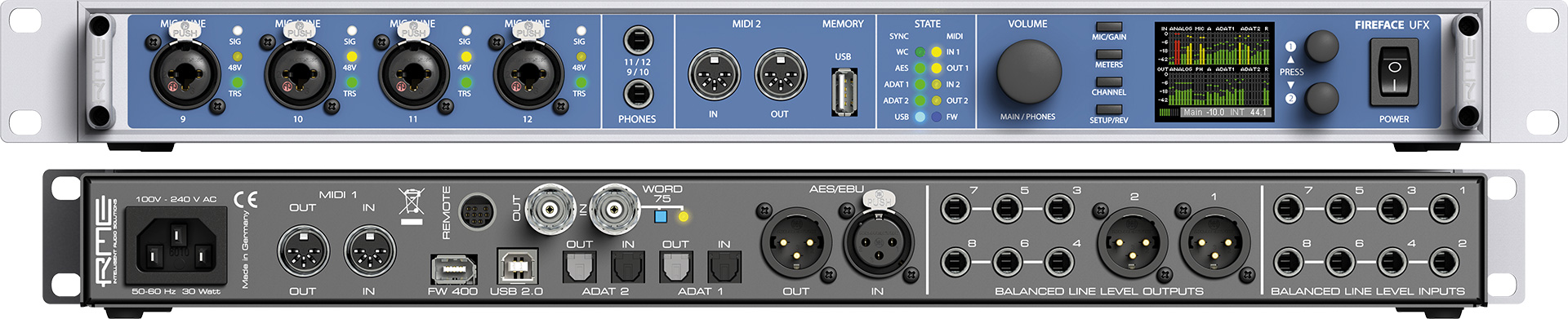
So what these specs tell me is....
1. Eight outputs (including main, total = 10) from mpc can connect to the Alto Mixer no problem.
2. Alto conncts to computer usb, no problem.
3. Alto outputs 2 channel audio to computer exactly as it was designed to do.
Mixing will be done IN the Alto as this is the ONLY place the 8 outs will be broken down into separate channels outside the mpc (there is a way around this but it's the "long route" in case you wanna get
those 10 tracks into computer).
---------------
http://www.altoproaudio.com/products/live-1604
10 XLR inputs with DNA(TM) microphone preamps
Dynamic compression (channels 1-6)
3-band EQ with sweepable mids
4 aux sends; pre/post switching on sends 1+2
60mm faders with mute and PFL/AFL solo functions
100 Alesis DSP effects
USB audio connectivity with level control
Balanced XLR, balanced/unbalanced 1/4” outputs
Headphone out with independent level control
Switchable Phantom PowerProfessional Mixing Features
The Alto Professional Live 1604 is a pro 16-channel, 4-bus mixer equipped with the tools you need to create the perfect mix. With flexible routing options and a multitude of onboard DSP tools, Live 1604 fits the demands of nearly any live performance environment. It features 10 balanced XLR inputs with switchable phantom power, 3-band EQs with sweepable mids for additional tonal shaping, four aux sends per-channel for external effects and monitoring, and a 9-band graphic EQ for main or monitor outputs. A headphone jack with an independent level control enables additional monitoring and mixing. 60mm faders with LED meters provide precise control and visual feedback for accurate, hands-on mixing. With its diverse connectivity options, Live 1604 can handle any sized event from small coffee house gigs to mid-sized ensembles to full-stage rock bands.
Analog Compression & Superior Sound Quality
Live 1604 offers high-fidelity sound and high-quality DSP tools in a single package. Each microphone channel is outfitted with a high-headroom ultra-low-noise DNA™ microphone preamp for unprecedented sound quality and a robust audio signal path. Live 1604’s high headroom results in cleaner mixes, a purer signal path, and loud, punchy audio. Onboard analog compression (channels 1-6) helps control dynamics and gel instruments together for a cohesive, defined mix. With high headroom, pristine sound, and built-in dynamic control, Live 1604 ensures that the full dynamic range of your mix comes across with striking clarity.
USB Audio Interface
Record your mix directly to a Mac or PC with a single USB connection. Live 1604’s built-in USB port allows engineers, producers, and performers toconvert two channels of 24-bit audio (Main Mix or Sub Mix 1/2) straight to a computer.Record live performances, band practices, theater performances, speaking events, and any other live sound event onto your computer for additional editing, mixing, and post-production. The USB connection is bi-directional, enabling sound files stored on your computer to be streamed to and played through Live 1604.
100 High-Quality Alesis DSP Effects
Live 1604 comes ready to handle any mixing situation with premium 24-bit Alesis effects built right into its design. Select from 100 DSP effects that give you additional creative control in any mixing environment. Choose from room and space delays, small and large hall acoustics, plate and spring reverbs, flangers, choruses, and more. The effects presets make it easy to dial in your favorite sound or experiment with different effect settings on the fly.
Color-coded Interface
Often, live sound environments are dimly lit and offer poor visibility to the mixing engineer. Live 1604 solves this problem by color coding each section of the mixer and providing brightly colored knobs so you can quickly and easily find what you need to adjust. Blue, green, red, yellow and white pots are instantly easy to identify in low lighting. LED indicators for output level, peak, and phantom power also assist in making sure that you have multiple visual cues that reflect everything you're hearing.
So what these specs tell me is that, 8 outs from mpc can connect to the Alto Mixer