Support and discussion for all of Akai’s modern standalone MPCs including the MPC X / X SE, MPC Live 1, 2 & 3, MPC One / One+, MPC Key 37/61.
By Massproduce201 Thu Mar 28, 2019 9:09 pm
Just bought an mpc live and wondering what would be the ideal storage solution I was thinking storing my sample library on a ssd and saving my projects on sd?

What are some of the ways you guys on the forum are doing it I would like to hear your feedback. Thanks.

By 40Beatz Thu Mar 28, 2019 9:12 pm
I save EVERYTHING on a 1TB HD. Projects, Samples, Expansions, etc. I'll back up my Projects, Custom Drum Programs on SD Cards. I save things twice just in case lol.
By r4nd0m Thu Mar 28, 2019 11:04 pm
I installed a 500GB samsung evo ssd ... got plenty of space and if not I can still move things around if necessary - sd cards are prune for failure - SSDs have limited read/write amounts but spinning discs consume more power but as mentioned you can easily backup to an external spinning disc
User avatar
By Lampdog Fri Mar 29, 2019 9:28 am
40Beatz wrote:I save EVERYTHING on a 1TB HD. Projects, Samples, Expansions, etc. I'll back up my Projects, Custom Drum Programs on SD Cards. I save things twice just in case lol.


For decades, same. I use separate storage, use small cf’s and usb’s for transfer/work. It’s the smart thing to do.
By 40Beatz Fri Mar 29, 2019 1:57 pm
Lampdog wrote:
40Beatz wrote:I save EVERYTHING on a 1TB HD. Projects, Samples, Expansions, etc. I'll back up my Projects, Custom Drum Programs on SD Cards. I save things twice just in case lol.


For decades, same. I use separate storage, use small cf’s and usb’s for transfer/work. It’s the smart thing to do.


:worthy:
Things are not safe unless they're saved in 2 or more locations. Now if the house burn down, im A$$ Out :lol:
By CharlesRandolph Fri Mar 29, 2019 4:28 pm
@lampdog what Archive HDD do you guys use?

---


1. Create WAV stems back up of all your music. That way you're not tied to some propriety software.
2. Have an offsite back up location.
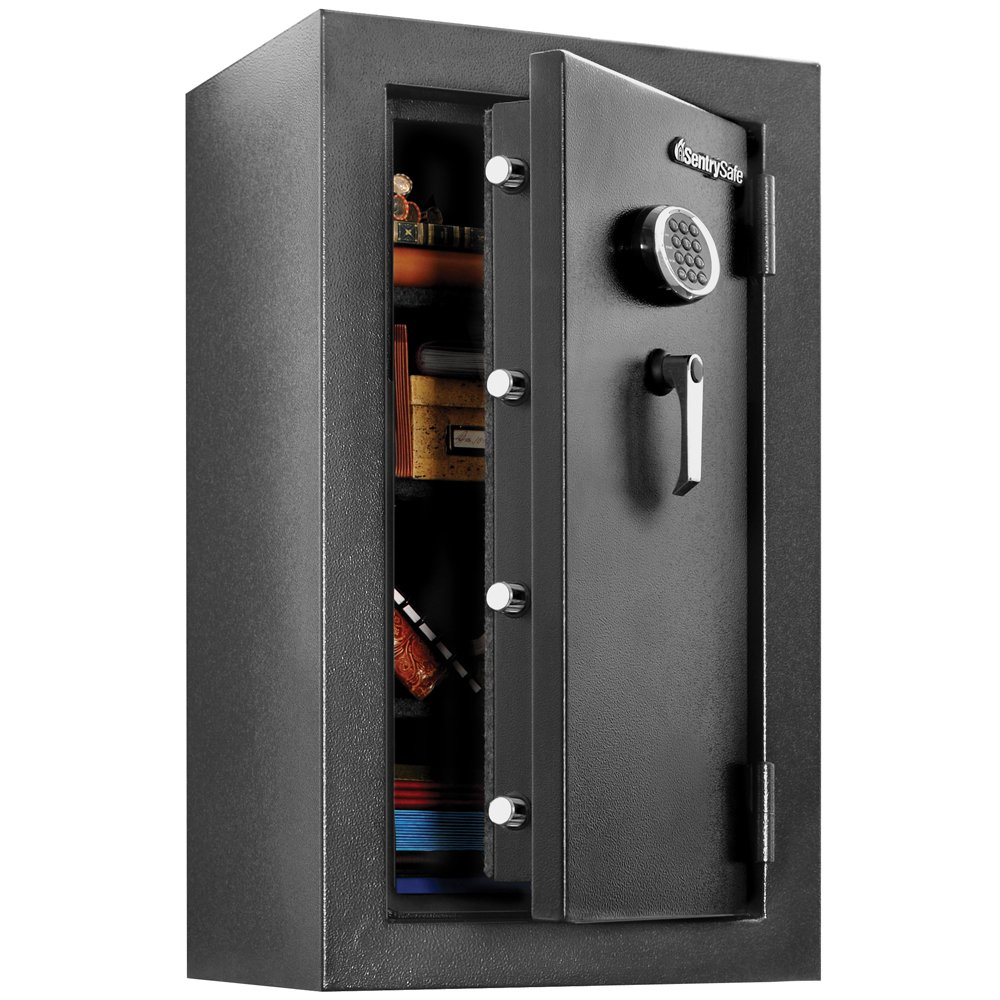
3. Get a fire/water safe.
4. Back up to M-Disc DVD


This is the safe I have: Executive Digital Safe EF4738E
Image
By Dj Bo Sat Mar 30, 2019 10:00 pm
Massproduce201 wrote:Just bought an mpc live and wondering what would be the ideal storage solution I was thinking storing my sample library on a ssd and saving my projects on sd?

What are some of the ways you guys on the forum are doing it I would like to hear your feedback. Thanks.


I use an 128gb SD card. Never failed me since I bought it in 2017 for the MPC Live. Until now just 19 gigs used. I don't use sample packs. I'm glad I've bought an SD card, because last year I also got the MPC X and now I just pop out the SD card, put it in the Live and have all my projects and samples ready to go outside.
I backup the SD content on my computer after a long session. When I'm somewhere else with the Live, I save the projects on the SD and back up on the internal drive (save as) in the Live, so it's at 2 places at that moment, and delete those when I backed it up at home on my computer.
By Dj Bo Sat Mar 30, 2019 10:05 pm
See above. I read a lot of the forums here and GS and never heard anyone complain about their SD cards. But have read some posts of people having problems with an internal drive. But that might be just a couple of people.
By CharlesRandolph Sun Mar 31, 2019 12:28 am
Dj Bo wrote: When I'm somewhere else with the Live, I save the projects on the SD and back up on the internal drive (save as) in the Live, so it's at 2 places at that moment, and delete those when I backed it up at home on my computer.


If you delete the files from the Drive and SD when you back them up to your computer. That means you only have one master copy and no back up. I've had Memory card corruptions happen.
By Dj Bo Sun Mar 31, 2019 4:48 pm
CharlesRandolph wrote:
Dj Bo wrote: When I'm somewhere else with the Live, I save the projects on the SD and back up on the internal drive (save as) in the Live, so it's at 2 places at that moment, and delete those when I backed it up at home on my computer.


If you delete the files from the Drive and SD when you back them up to your computer. That means you only have one master copy and no back up. I've had Memory card corruptions happen.


Yeah I know: when I said 'delete those' I meant delete those on the internal drive. I never delete on the SD card. Always keep my projects on two places at the minimum.
By Dj Bo Sun Mar 31, 2019 4:51 pm
CharlesRandolph wrote:
If you delete the files from the Drive and SD when you back them up to your computer. That means you only have one master copy and no back up. I've had Memory card corruptions happen.


I have a 128 gb Sandisk Extreme Pro, SD, 95 MB/s. almost two years, never any problem. Swapped often between the Live and the X
By CharlesRandolph Mon Apr 01, 2019 6:54 am
Understand. For me there is only two kinds of drives. One that failed and one that are going to fail. Most consumer hdd are not made for long term archiving. This is why a back up to archival m disc dvd as well.
User avatar
By Lampdog Mon Apr 01, 2019 4:20 pm
CharlesRandolph wrote:@lampdog what Archive HDD do you guys use?


PC has 1x 500gb SSD for OS.
1x 3tb internal for workspace
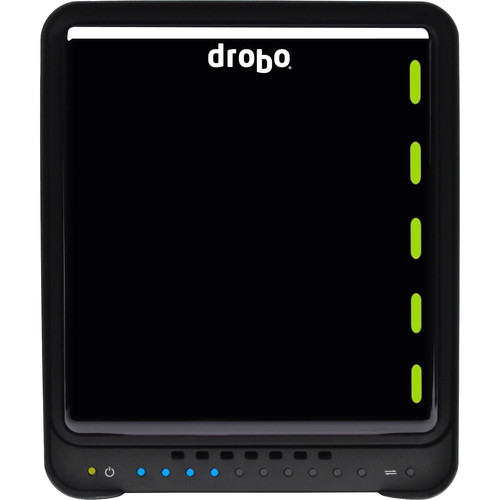
External is Drobo 5C 5-Bay USB 3.0 Type-C Enclosure
w/ 3x WDRED's in it (WD Red Hard Drive, 3 TB - 3.5 Inch - SATA 6 Gb/s - 5400 RPM - 64MB Cache)

Image