Support and discussion for all of Akai’s modern standalone MPCs including the MPC X / X SE, MPC Live 1, 2 & 3, MPC One / One+, MPC Key 37/61.
By firelight Tue Dec 31, 2019 3:41 am
I'm looking into adding a VU meter for my X. I really miss them from my days working in a recording/mastering studio. Anyone here has a VU meter hooked up to the X?

From what I can tell, there isn't any monitor out and you can't duplicate the master output to a secondary stereo out in software (3/4 for ex.). So once calibrated the master volume knob would pretty much be set in stone. Which is unfortunate since I do change the volume quite often (work late).

Any advice or tips?
By CharlesRandolph Tue Dec 31, 2019 4:04 am
firelight wrote:I'm looking into adding a VU meter for my X. I really miss them from my days working in a recording/mastering studio. Anyone here has a VU meter hooked up to the X?

From what I can tell, there isn't any monitor out and you can't duplicate the master output to a secondary stereo out in software (3/4 for ex.). So once calibrated the master volume knob would pretty much be set in stone. Which is unfortunate since I do change the volume quite often (work late).

Any advice or tips?


Check out the following.

American Audio Db Metersoundactivated Rack Light
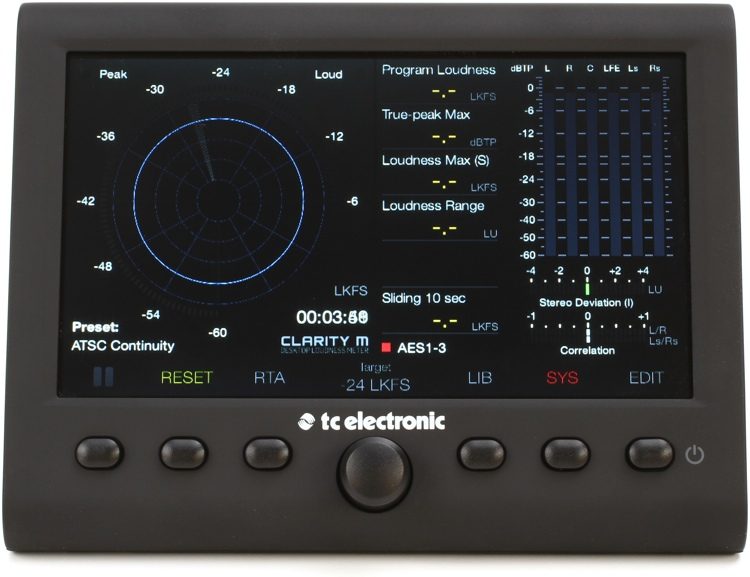
TC Electronic Clarity M Stereo
SM Pro Audio VU800 8-Channel Passive Rackmount VU Meter (If you can find them) Works well, does not add any color. It also has 8 inputs and outputs, that way you can route your 8 out and monitor each channel.
User avatar
By EnochLight Tue Dec 31, 2019 6:00 am
firelight wrote:I'm looking into adding a VU meter for my X. I really miss them from my days working in a recording/mastering studio. Anyone here has a VU meter hooked up to the X?

From what I can tell, there isn't any monitor out and you can't duplicate the master output to a secondary stereo out in software (3/4 for ex.). So once calibrated the master volume knob would pretty much be set in stone. Which is unfortunate since I do change the volume quite often (work late).

Any advice or tips?

You talking hardware or software? If software, iZotope's Insight 2 is second to none, IMHO. It does far more than just being a simple VU, though - it measures loudness standards among other things, and no hardware can compete:

https://www.youtube.com/watch?v=yg06Ir385Ck

By CharlesRandolph Tue Dec 31, 2019 9:48 am
TC Electronic Clarity M Stereo and 5.1 Audio Loudness Meter. TC Electronic Clarity M Stereo and 5.1 Audio Loudness Meter. This is the big brother of the TC Electronic Clarity M Stereo.

Image

Supports stereo and 5.1 surround audio
7" high-res color display provides real-time mix feedback:
Loudness radar shows momentary loudness and loudness history
Real-time analyzer displays audible and superaudible frequency information
Correlation meter looks for phase issues to improve mono compatibility
Loudness range keeps your mixes and masters in compliance with industry standards
True-Peak meter identifies clipping at the DAC and codec levels, even between samples
By firelight Tue Dec 31, 2019 4:36 pm
Thx for all the feedback. Yes it's a hardware setup. I want to go for coleman MBP2, but without a monitor out I don't know if it's such a good idea. It only has audio ins, not passthrough. Though they are the bomb and what I used in the past.

Image

Nobody seems to have an issue with the missing monitor out. Do you add a final gain/fader after your VUs to change your output volume? Or do you guys just mix at the same level always?
By CharlesRandolph Tue Dec 31, 2019 5:23 pm
That's the one of the miscues of the MPC X. I always found it strange, that it did not have two pairs of main outs. You can't use the headphone out because impedance levels are different. You can get two 1/4 Mono to Dual Mono 1/4" cable and split the channels 1 and 2. Then you'll need 1/4 to XLR to connect to the MBP2. That does have XLR inputs right?

Also depending on the cable run, you make lose 1 or 2 db and/or sound quality. You'll have to do and A/B to see the difference.

Image


firelight wrote:Thx for all the feedback. Yes it's a hardware setup. I want to go for coleman MBP2, but without a monitor out I don't know if it's such a good idea. It only has audio ins, not passthrough. Though they are the bomb and what I used in the past.

Image

Nobody seems to have an issue with the missing monitor out. Do you add a final gain/fader after your VUs to change your output volume? Or do you guys just mix at the same level always?
By 40Beatz Tue Dec 31, 2019 5:40 pm
By 40Beatz Tue Dec 31, 2019 6:56 pm
Im Not Sure if you can? Ive never tried to, on mine
By firelight Tue Dec 31, 2019 8:46 pm
@CharlesRandolph You understand my issue 100%. I'm guessing there are no monitor outs because most people route the MPC into a real mixer (and don't mix on it in standalone). Duplicating the master out to other outputs seems like it would be a simple feature to add in an update.

The VUs have xlr ins. They are buffered so "in theory" it shouldn't affect the sound ;)

I think the only option is to split the main output as you mention, and then add a cheapo single fader/line amp after the split inline with my speakers. Since it's role will only be to lower the volume, I'm not worried too much about audio degradation.

In the best of worlds I could adjust volume on the speakers themselves, but they are quite hard to reach with how I set things up.

After calibration, the main volume knob will be set in stone. Seems reasonable.
Thx for the help!
By CharlesRandolph Tue Dec 31, 2019 9:11 pm
Yes once you calibrate your setup, that should work. Check out Speck Electronics Fader 1 Mono Fader Channel they have 3 version. http://www.speck.com/one_fader/onefader.html - I know Aurora made one called the "Stinger" but it's no longer in production. USED is between 1000 and 1500.

Image

firelight wrote:@CharlesRandolph You understand my issue 100%. I'm guessing there are no monitor outs because most people route the MPC into a real mixer (and don't mix on it in standalone). Duplicating the master out to other outputs seems like it would be a simple feature to add in an update.

The VUs have xlr ins. They are buffered so "in theory" it shouldn't affect the sound ;)

I think the only option is to split the main output as you mention, and then add a cheapo single fader/line amp after the split inline with my speakers. Since it's role will only be to lower the volume, I'm not worried too much about audio degradation.

In the best of worlds I could adjust volume on the speakers themselves, but they are quite hard to reach with how I set things up.

After calibration, the main volume knob will be set in stone. Seems reasonable.
Thx for the help!
Last edited by CharlesRandolph on Tue Dec 31, 2019 9:23 pm, edited 1 time in total.
By CharlesRandolph Tue Dec 31, 2019 9:18 pm
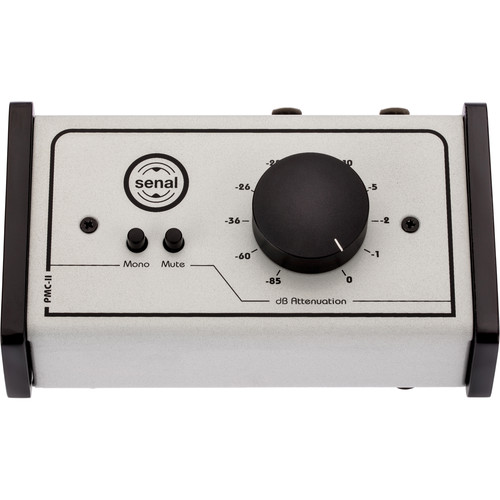
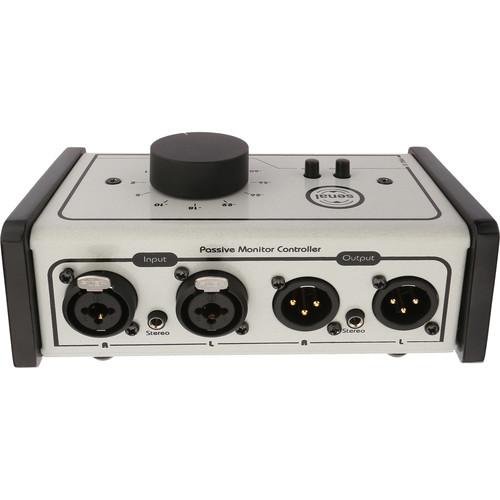
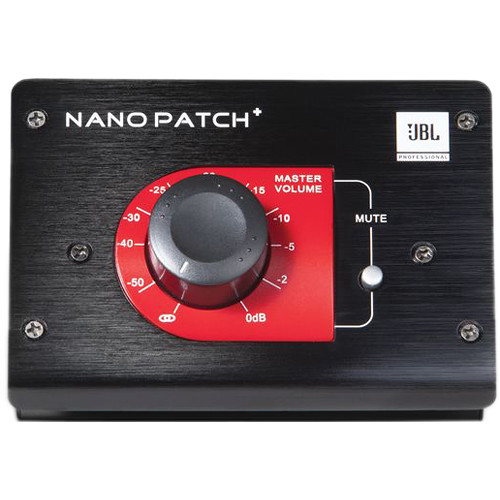
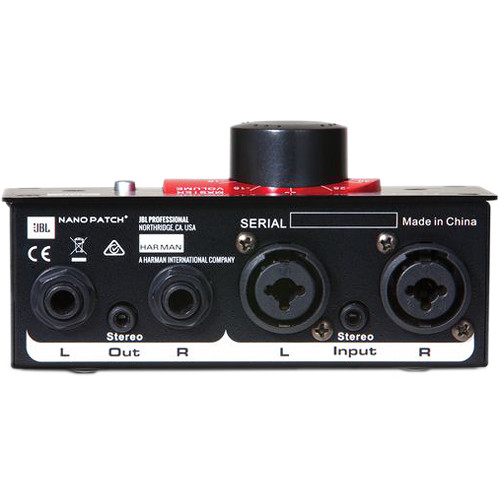
These could also work to go in between the MPC and VU.

Senal PMC-II Passive Monitor Controller

Image
Image


JBL Nano Patch+ Compact 2-Channel Passive Volume Controller

Image

Image
Last edited by CharlesRandolph on Tue Dec 31, 2019 9:23 pm, edited 1 time in total.
By ReidBecker Fri Apr 10, 2020 4:37 pm
Hi...Your operating level on the VU meter is 0vu=-20dBFS
The CD you are playing has an average level of lets say -10dBFS. This means that your VU meter is at +10vu, which as you have noticed is way off the right end of the scale.
You have two options as to how to remedy the problem.
First option, pad the input to the meter so that the program feeding it shows up on the scale. For this pick a different reference level, maybe something like -9 or -10 dBFS and adjust the Coleman to read 0vu. Remember, in this case the meter is a relative measure.