Support and discussion for all of Akai’s modern standalone MPCs including the MPC X / X SE, MPC Live 1, 2 & 3, MPC One / One+, MPC Key 37/61.
User avatar
By Monotremata Mon May 25, 2020 7:52 pm
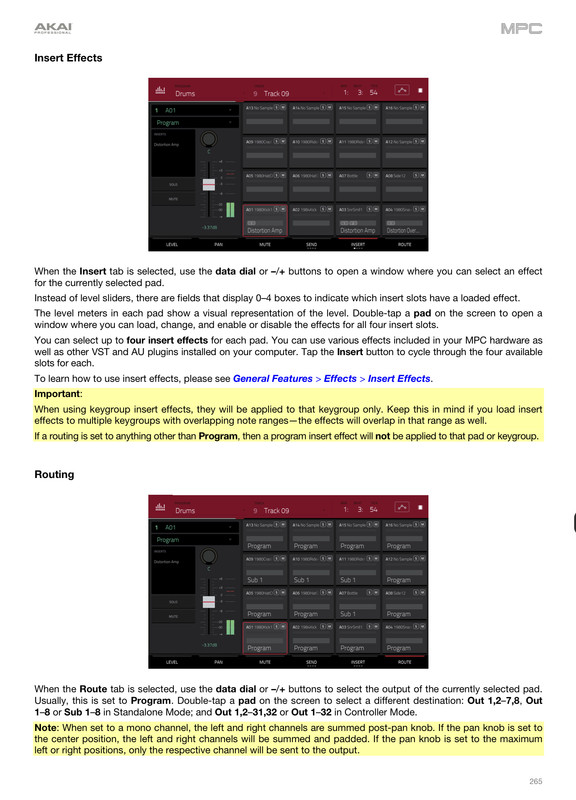
Lampdog wrote:Image

Image


**** even I miss stuff sometimes! Totally missed that note at the very bottom about setting the outputs to mono.. I always use mono samples to begin with but Ive just been leaving everything straight up the center even after I set them to their individual mono outputs. Im gonna have to go play with some stuff now and see if it makes a difference in the sound if I pan em to one side. I finally got a bunch of these tracks Ive been working on into Logic and they sound good, but I still gotta double check..
By CharlesRandolph Mon May 25, 2020 7:53 pm
4Renzic wrote:It does the same thing standalone or controller. I copied the sequence so I wouldn’t mess up my original sequence. I sent in a email request with AKAI.

My first few explodes went fine tho then it started this ****! :hmmm:


When you render it, check inside that folder that you saved it in. To see if there are two file with the same name. If so one will be blank and the other will have the audio.

One will be Audio 001 and the other is Track 001. The audio named file is blank, while the Track named file has the audio. Or it could be the other way around. Point blank these guys need to fix this, instead of adding speakers.
By 4Renzic Mon May 25, 2020 10:25 pm
Thanks guys!!

I’ve done mono stereo everything I can think of and it still does the same damn thing.

It has something to do with the fvcking mutes that I can figure out. This happens when I use the same program on different tracks, which I’m thinking the tracks are independent meaning the mute groups should only come into play on the same track. Am I wrong??
By CharlesRandolph Mon May 25, 2020 11:08 pm
4Renzic wrote:Thanks guys!!

I’ve done mono stereo everything I can think of and it still does the same damn thing.

It has something to do with the fvcking mutes that I can figure out. This happens when I use the same program on different tracks, which I’m thinking the tracks are independent meaning the mute groups should only come into play on the same track. Am I wrong??


Upload that project folder, so we test it.
By 4Renzic Tue May 26, 2020 12:00 am
CharlesRandolph wrote:
4Renzic wrote:Thanks guys!!

I’ve done mono stereo everything I can think of and it still does the same damn thing.

It has something to do with the fvcking mutes that I can figure out. This happens when I use the same program on different tracks, which I’m thinking the tracks are independent meaning the mute groups should only come into play on the same track. Am I wrong??


Upload that project folder, so we test it.


How would I do that?

I’m at my wits end!!
User avatar
By Lampdog Tue May 26, 2020 1:30 am
Behavior of 2.8 mutes are being discussed in a few threads and also frustrating a few people.
User avatar
By Monotremata Tue May 26, 2020 3:42 am
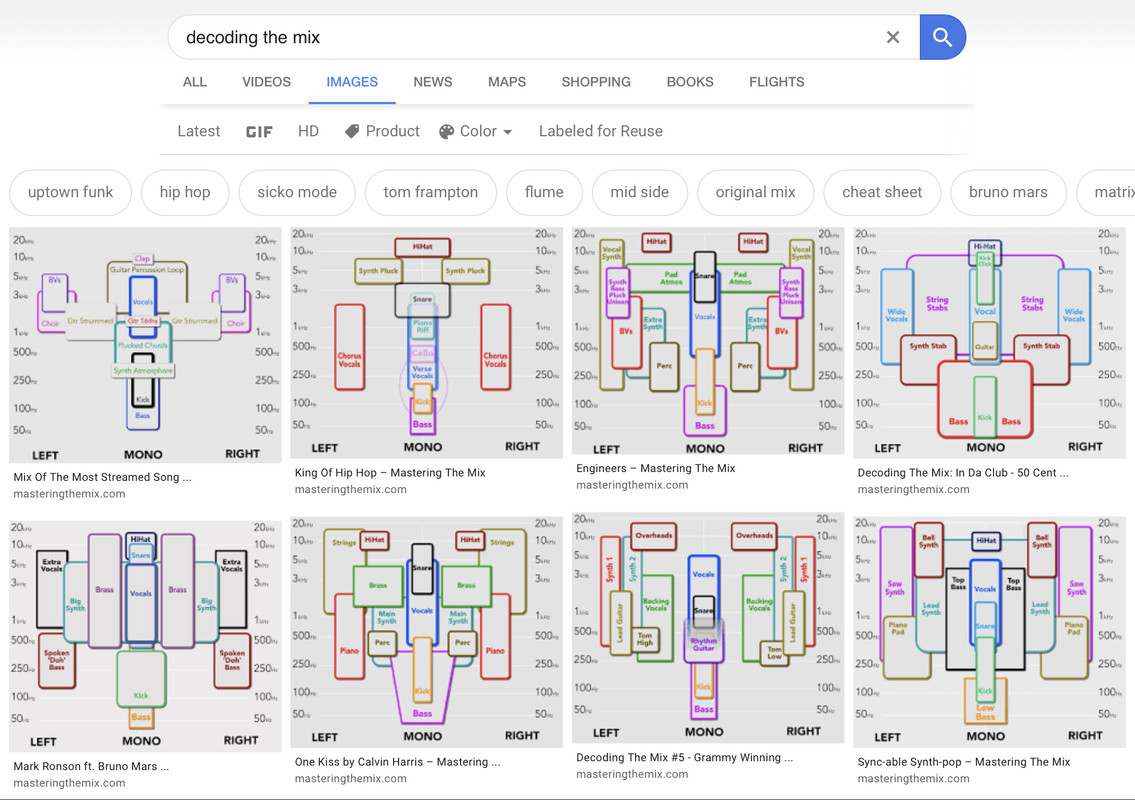
Lampdog wrote:Play with the stereo field sometimes.
Image


That will be a handy one to keep around hehe. I hear you on the stereo field. I send all the MPC outputs into a mixer so stuff gets panned there afterwards. I ran through a couple tracks and yep, big volume difference. No phasing issues or anything I can tell, all the songs Ive tracked so far are ok, but Im redoing a couple just for kicks with everything panned to one side before it hits the output.

Thats the same shit Reaper does. There are no real mono tracks in Reaper. Even a mono audio file is played in dual-mono unless you mess with the width control. Wish they kept it simple like Logic and Cubase, mono or stereo, no mix and match all the channels and side chains you want. Makes some plugins a nightmare to deal with in Reaper.
By CharlesRandolph Tue May 26, 2020 9:30 pm
4Renzic wrote:I've now tried standalone, controller, and now as a plugin in reaper and tracks 4 and 5 still are blank, no audio.

The link below is for the project in question. Check it out and let me know if you have the same issue.

https://drive.google.com/drive/folders/ ... sp=sharing


Okay I had a quick chance to check it and all you need to do is.

1. Open the mixer
2. Send all your programs to Output 1/2
3. Send all pads to Program
4. Press Ctrl + Shift + E to Render
5. Explode Track, WAV, Bit Depth, and Sample Rate.
6. Also when you export, be sure export into a new empty folder.


I also noticed: You have 4 unused audio tracks. Go to Audio Tab on the bottom, click the pencil, under edit click delete the extra.
By 4Renzic Tue May 26, 2020 9:48 pm
CharlesRandolph wrote:
4Renzic wrote:I've now tried standalone, controller, and now as a plugin in reaper and tracks 4 and 5 still are blank, no audio.

The link below is for the project in question. Check it out and let me know if you have the same issue.

https://drive.google.com/drive/folders/ ... sp=sharing


Okay I had a quick chance to check it and all you need to do is.

1. Open the mixer
2. Send all your programs to Output 1/2
3. Send all pads to Program
4. Press Ctrl + Shift + E to Render
5. Explode Track, WAV, Bit Depth, and Sample Rate.
6. Also when you export, be sure export into a new empty folder.


I also noticed: You have 4 unused audio tracks. Go to Audio Tab on the bottom, click the pencil, under edit click delete the extra.


Was some of my outputs other than 1/2?

Those audio tracks were me trying all types sh!t.

I’ll try what you’re saying and report back.
By CharlesRandolph Tue May 26, 2020 10:01 pm
CR wrote:Okay I had a quick chance to check it and all you need to do is.

1. Open the mixer
2. Send all your programs to Output 1/2
3. Send all pads to Program
4. Press Ctrl + Shift + E to Render
5. Explode Track, WAV, Bit Depth, and Sample Rate.
6. Also when you export, be sure export into a new empty folder.


I also noticed: You have 4 unused audio tracks. Go to Audio Tab on the bottom, click the pencil, under edit click delete the extra.


4Renzic wrote:Q: Was some of my outputs other than 1/2?

Those audio tracks were me trying all types sh!t.

I’ll try what you’re saying and report back.


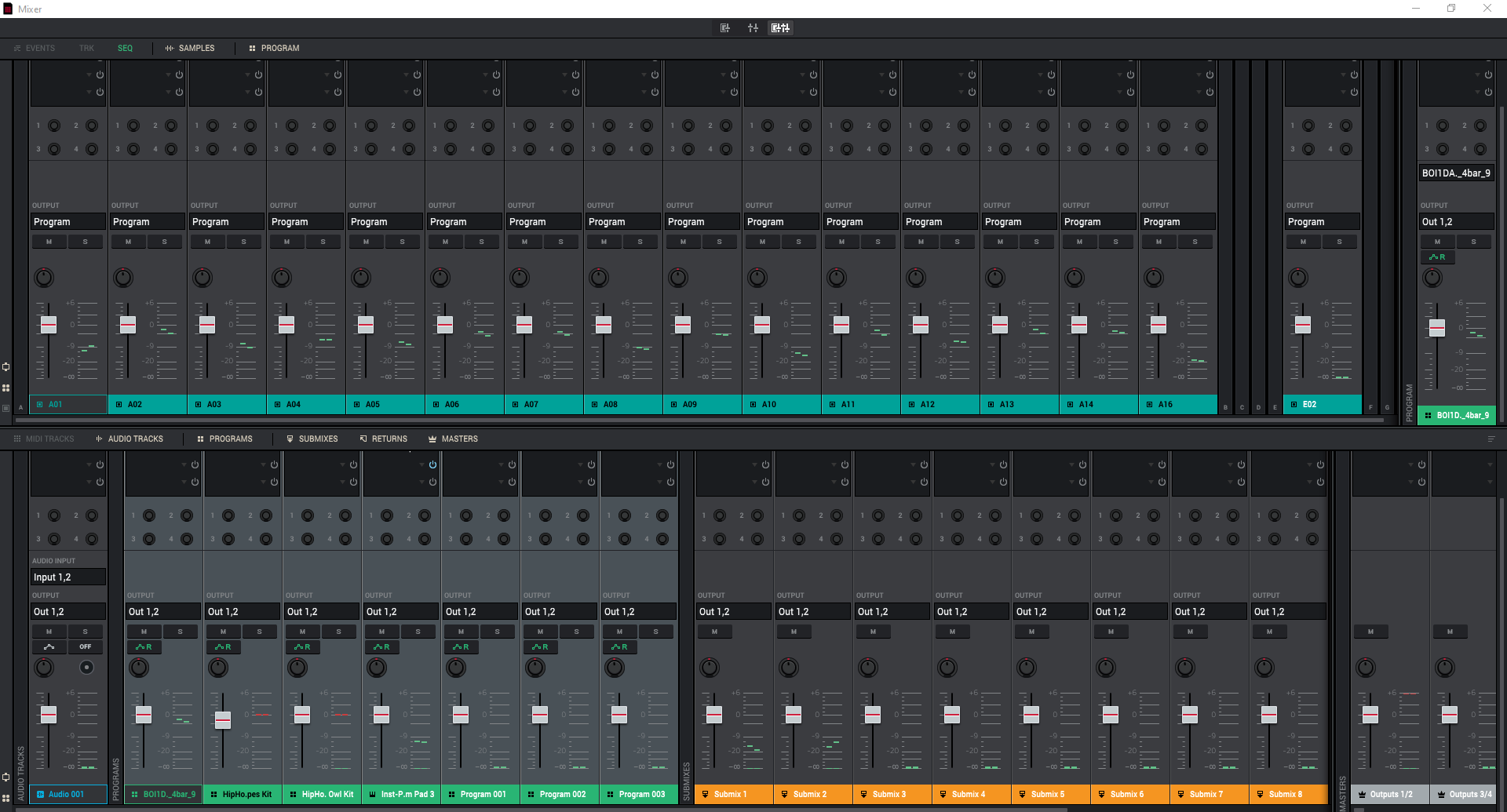
Yes there were routed to other outs. Match your mixer to this one.
Image

Direct Image Link: https://i.ibb.co/sJ6Xj8J/mixer.png