Support and discussion for all of Akai’s modern standalone MPCs including the MPC X / X SE, MPC Live 1, 2 & 3, MPC One / One+, MPC Key 37/61.
User avatar
By chimuelo Sat Aug 22, 2020 5:47 pm
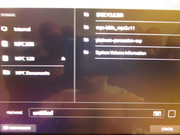
Hardly a deal breaker but noticed Akai has sample filter, etc.
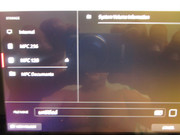
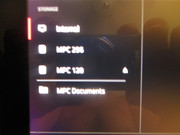
Is there a way to eliminate viewing excess folders like recycle bin and System Volume information on these Drives?

SD is names MPC 128
Samsung Pro named MPC 256.

Want the Internal 256 for everything and the SD Card to transfer software created projects to the MPC Live hardware.

Thanks

Image

Image

Image
By Komatos Records Sat Aug 22, 2020 7:43 pm
Have you tried formatting the SSD/SD card using the MPC (X, One, Live 1, Live 2) itself? Or formatting as an ExFAT drive? My SSD and SD card don’t show those hidden Windows system folders.
User avatar
By chimuelo Sun Aug 23, 2020 1:07 am
No, I have external docks and I only formatted there using ExFAT.

I will try using the hardware, guess it’s good to catch now instead of later when it’s packed with data.

Thanks. :worthy:
User avatar
By chimuelo Sun Aug 23, 2020 1:28 am
Worked like a charm and actually could delete folders manually with SHIFT.
Want everything polished or perfect before I proceed.
I can skip chapters ahead on any synth but this is a niche beast.

Thanks again.
By Komatos Records Sun Aug 23, 2020 1:31 am
You’re welcome. Glad I could actually help someone. :)

FWIW, both Windows and OS X have similar hidden system files/folders (in the case of the Mac and OS X it’s the hidden dot files and trash files).