

Support and discussion for all of Akai’s modern standalone MPCs including the MPC X / X SE, MPC Live 1, 2 & 3, MPC One / One+, MPC Key 37/61.
User avatar
By justineastwick Wed Dec 16, 2020 12:56 pm
I swapped out the internal storage (the little microSD card on the PCB). Instead of 16GB of internal storage, my MPC Live now has 256GB!Image
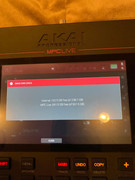
I still have all the factory content and I managed to just download it all onto my computer (just in case anybody deleted their factory content and wants it again).
By Thomey B Wed Dec 16, 2020 6:12 pm
This is dope! So the firmware etc is not on that card and you can swap it with any other micro sd and increase the internal drive? Also, can you just copy what is on it to another one and the MPC still works? I’m so thrilled by this
User avatar
By EnochLight Wed Dec 16, 2020 9:29 pm
justineastwick wrote:I swapped out the internal storage (the little microSD card on the PCB). Instead of 16GB of internal storage, my MPC Live now has 256GB!Image
I still have all the factory content and I managed to just download it all onto my computer (just in case anybody deleted their factory content and wants it again).


:lol:

Image
By Komatos Records Wed Dec 16, 2020 9:40 pm
My question regarding this replacement of the internal MicroSD card: does the Live/Live 2 not get the complete package of built-in sounds that the MPC X has? My X has Essential Instruments 2, The Vault 2, Clips programs and 11 demo tracks and their patterns. From brand new with no additional expansion packs or personal files stored on the internal storage, I have 3 GB free storage (11.5 GB out of 14.5 GB used).

The picture above is only showing 6.2 GB used internally. Which means either (1) Live owners don’t get both internal expansions that X users get; or (2) what EnochLight is saying.

In either case I wouldn’t risk taking apart a $2200 piece of music gear to update its internal memory, especially since I can store everything on an SSD, USB flash drive or SD Card, all of which are readable when connected to a computer, whereas the internal memory isn’t.
User avatar
By justineastwick Wed Dec 16, 2020 11:08 pm
EnochLight wrote:
justineastwick wrote:I swapped out the internal storage (the little microSD card on the PCB). Instead of 16GB of internal storage, my MPC Live now has 256GB!Image
I still have all the factory content and I managed to just download it all onto my computer (just in case anybody deleted their factory content and wants it again).


:lol:

Image

You want a video?
User avatar
By justineastwick Wed Dec 16, 2020 11:10 pm
Komatos Records wrote:My question regarding this replacement of the internal MicroSD card: does the Live/Live 2 not get the complete package of built-in sounds that the MPC X has? My X has Essential Instruments 2, The Vault 2, Clips programs and 11 demo tracks and their patterns. From brand new with no additional expansion packs or personal files stored on the internal storage, I have 3 GB free storage (11.5 GB out of 14.5 GB used).

The picture above is only showing 6.2 GB used internally. Which means either (1) Live owners don’t get both internal expansions that X users get; or (2) what EnochLight is saying.

In either case I wouldn’t risk taking apart a $2200 piece of music gear to update its internal memory, especially since I can store everything on an SSD, USB flash drive or SD Card, all of which are readable when connected to a computer, whereas the internal memory isn’t.

I have a MPC Live. Not sure what everyone else gets. But, my internal files came to about 6.5 GB without the fluff.
By Komatos Records Wed Dec 16, 2020 11:46 pm
justineastwick wrote:I have a MPC Live. Not sure what everyone else gets. But, my internal files came to about 6.5 GB without the fluff.


I believe you man. I kinda figured people like me who bought the most expensive MPC (X) would get the most internal content and add-on expansion packs and software instruments. Which proves that it’s not a good idea sharing the factory restore file here since each model has different factory content. The factory restore file I got from Akai Support was about 9 ½ GB compressed.

My Downloads section on the Akai website consists of the following:

Essential Sound Libraries (Expansion Packs):
The Vault 2.0
Essential Instruments 2.0
MPC 2.0 Clip Launch Pack
MPC 2.0 Demo Projects
MPC 2.0 Deep House
MPC 2.0 Drum N Bass
MPC 2.0 EDM & Future House
MPC 2.0 Tech House
MPC 2.0 Techno

SONiVOX Virtual Instruments:
Session Drums
Silk Road
ATSIA Percussion
Orchestral Companion Strings

Air Instruments for MPC X: (software plugins)
Hybrid 3
LOOM
Vacuum Pro
Velvet
Creative FX Plus
XPAND 2
DB-33
Mini Grand
The Riser

Legacy Expansions:
The Bank
The 809
The Noise
The Wub
By Komatos Records Thu Dec 17, 2020 12:25 am
I know it’s not proper forum protocol to double post but I didn’t want to add this question to the bottom of my long list of software and expansion packs MPC X users get. Sorry.

Justineastwick: is there a particular reason why you did this modification? Just because you wanted to see if it would actually work? Or do you store your expansions, projects, etc. on the internal storage instead of SD Cards, USB flash drives, or add-on internal HD/SSD?

I ask because if there was an actual way of expanding the RAM above the 2 GB soldered on the motherboard I can see how that might help. If the firmware would recognize and be able to access/use more than 2 GB RAM. But having a larger internal storage microSD card only seems to help with storing all your projects, etc. on the built-in memory instead of external sources.
User avatar
By justineastwick Thu Dec 17, 2020 2:22 am
Komatos Records wrote:I know it’s not proper forum protocol to double post but I didn’t want to add this question to the bottom of my long list of software and expansion packs MPC X users get. Sorry.

Justineastwick: is there a particular reason why you did this modification? Just because you wanted to see if it would actually work? Or do you store your expansions, projects, etc. on the internal storage instead of SD Cards, USB flash drives, or add-on internal HD/SSD?

I ask because if there was an actual way of expanding the RAM above the 2 GB soldered on the motherboard I can see how that might help. If the firmware would recognize and be able to access/use more than 2 GB RAM. But having a larger internal storage microSD card only seems to help with storing all your projects, etc. on the built-in memory instead of external sources.
I did it just because I wanted to see if it’ll work. And it did. And it was glorious. LOL. I did it for the options. Now, if I wanted to, I could store my samples on the internal storage.
By CharlesRandolph Thu Dec 17, 2020 4:57 am
Yes, people did this in the past and used a better SD quality card. Which they said actually helped the performance of the machine. How much did you have to dissemble in order to get to the SD card on the board?
User avatar
By EnochLight Thu Dec 17, 2020 3:47 pm
justineastwick wrote:I did it just because I wanted to see if it’ll work. And it did. And it was glorious. LOL. I did it for the options. Now, if I wanted to, I could store my samples on the internal storage.


Is there a reason why you only went with a 256 GB replacement (versus 512 or larger)? Also, did you have to expand the Factory Content image partition when you transferred it, or was this automatic?
User avatar
By justineastwick Fri Dec 18, 2020 10:08 pm
EnochLight wrote:
justineastwick wrote:I did it just because I wanted to see if it’ll work. And it did. And it was glorious. LOL. I did it for the options. Now, if I wanted to, I could store my samples on the internal storage.


Is there a reason why you only went with a 256 GB replacement (versus 512 or larger)? Also, did you have to expand the Factory Content image partition when you transferred it, or was this automatic?


I went with a 256GB microSD card because it was what I had laying around... I would’ve did a 1TB microSD card, but it wasn’t in my budget. I have a auto-run file that I can reinstall the factory content... All I did was format the new microSD card and pop it into the MPC Live and started the auto-run file and it reinstalled everything.