Support and discussion for all of Akai’s modern standalone MPCs including the MPC X / X SE, MPC Live 1, 2 & 3, MPC One / One+, MPC Key 37/61.
By aortan Tue Dec 29, 2020 4:44 pm
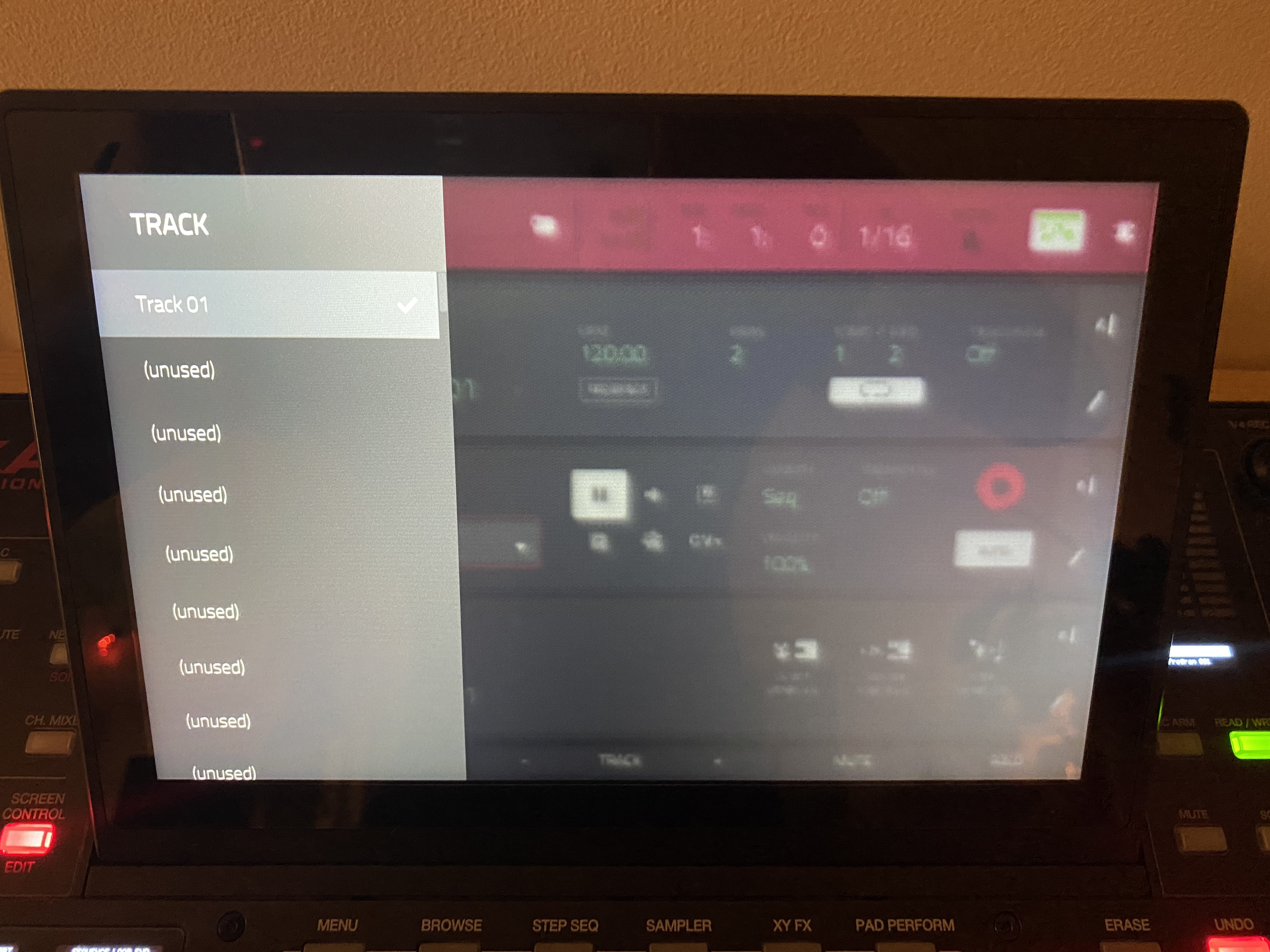
I'm wondering if there is a way to close overlays, without making a selection or having to touch the screen?
Basically looking for a key or key combination similar to the "escape key" of a computer

Any insight around this would be hugely appreciated!
Image
By mpcchiq Tue Dec 29, 2020 7:09 pm
NearTao wrote:On the Live I think you'd push in the data wheel... on the MPC X if I remember correctly you can push the center button between the arrow buttons.


But that would confirm whatever was highlighted. I think the OP is asking for a way to just go back without making a selection.

There's no way to do this i don't think. I agree there should be a back button. Maybe they can do Shift+left direction arrow?
By aortan Tue Dec 29, 2020 7:11 pm
Yes you can but those buttons are for selecting.

I’m looking for an escape button, with the purpose of closing the pop up menu without having to make a choice.

Trying to click ”main” but it only works when triple clicking, going to track view and back. Appears to only work when opening another page than what is currently open.

This is not a big thing at all but would be cool if you could click something like Arrow Right to close the menu :)
By CharlesRandolph Tue Dec 29, 2020 7:23 pm
If you're on that menu page, whatever track is highlighted (check marked) is already selected. So as @Neartao said just press the center button to reconfirm the track that you're already on.
User avatar
By NearTao Tue Dec 29, 2020 7:29 pm
On the Live you can double tap Erase to bring up and close the Erase menu... there is no alt function... but I just confirmed that this doesn't work in all scenarios either... while tapping on the screen seems to have the behavior that you're looking for in a consistent way.
User avatar
By Lampdog Tue Dec 29, 2020 7:31 pm
Tap the screen imo.
By aortan Tue Dec 29, 2020 7:45 pm
Lampdog wrote:Tap the screen imo.


Yeah that's possible as mentioned in the initial question. Not a biggie, but I was looking for a tactile way to do it. New to the X so just wanted to check with you power users if it was possible :)

Anyway, thanks for the answers!
By aortan Tue Dec 29, 2020 7:47 pm
But that would confirm whatever was highlighted. I think the OP is asking for a way to just go back without making a selection.

There's no way to do this i don't think. I agree there should be a back button. Maybe they can do Shift+left direction arrow?


Sorry was already writing a response so missed this. Yeah would be sweet right! Exactly what I thought ;D
By CharlesRandolph Tue Dec 29, 2020 8:03 pm
Lampdog wrote:Tap the screen imo.


Easy and Practical will get you no where in life. :lol:


NearTao wrote:On the Live you can double tap Erase to bring up and close the Erase menu... there is no alt function... but I just confirmed that this doesn't work in all scenarios either... while tapping on the screen seems to have the behavior that you're looking for in a consistent way.


On the One, I just tap the screen or press the dial knob again and keep it on the currently selected track.
By aortan Tue Dec 29, 2020 8:13 pm
Cool.
The question is about any kind of pop-up menu on any screen, not just track list, and you might have scrolled a long way from current selection so ”enter” doesn’t work in those cases.

Screen works (and has the wanted behaviour) but was looking for a tactile button close to the tactile buttons used to get there
By CharlesRandolph Tue Dec 29, 2020 8:14 pm
The reason tapping MAIN again doesn't work is because, the select sequence, track, program is an overlay. The machine is already on the MAIN screen, so it's easier to tap the screen or just reconfirm the track, sequence, or program and press the down the dial knob or enter. (Confirmed on the MPC ONE.)
By aortan Tue Dec 29, 2020 9:00 pm
Thanks for checking CharlesRandolph.

Great to know that there is no button similar to Escape but that the touch screen is the way to go :)
User avatar
By Elpimpo Wed Dec 30, 2020 4:41 am
I asked this on Facebook two days ago lmao.

You CAN go “back” between folders while navigating folders by clicking the left dpad

I’m not near my x to try your scenario but my mind was blow with the folder back trick, might work