


By dec9
Fri Jul 17, 2020 2:15 pm
I have a new MPC X, and an up-to-date windows 10 install.
My MPC firmware is 2.8.0, control surface v0.50
On windows, I think I've installed everything
I have downloaded a MPC-v2.8.1Win installer and I ran it. When I run the 'Install MPC.exe' program it gives options to "re-install MPC Software" and "Re-install MPC X Drive". Both are checked green. The installer window says "MPC Version 2.8.1". So that doesn't totally agree with what my hardware says (it says 2.8.0)
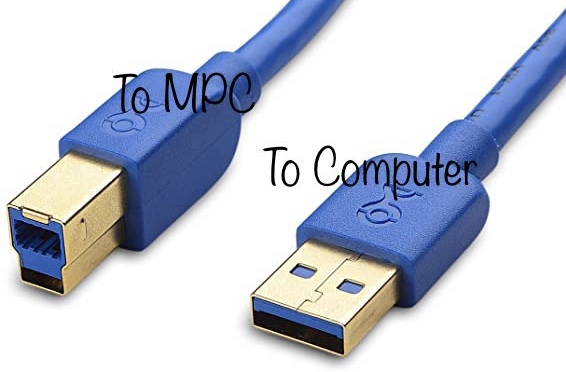
I want to access the onboard drive (I am not using an external drive) of the MPC so that I can transfer some sample over. So I launch an empty project, hit that MPC-chip-type icon, and press controller mode. The USB cable is plugged into my computer (directly plugged in, not via a USB hub). I get an hourglass icon, and a message "looking for computer". Nothing ever follows.
When I look at windows file explorer, I don't see any drive or mpc thing mounted to the file system. I see no messages or updates regarding the mpc at all in fact. And the MPC hardware forever stays in "Looking for Computer" state.
When I look at Device Manager, Under Audio I/O I see many listings for Akai:
Line 1/2 (Akai Professional MPC X Audio)
Line 1/2 (Akai Professional MPC X Audio)
Line 3/4 (Akai Professional MPC X Audio)
Line 3/4 (Akai Professional MPC X Audio)
Line 5/6 (Akai Professional MPC X Audio)
Line 7/8 (Akai Professional MPC X Audio)
Multichannel (Akai Professional MPC X Audio)
Under 'Sound, video and game controllers' I see:
Akai Professional MPC X
Akai Professional MPC X Audio
Akai Professional MPC X MIDI
I cannot find any other mentions in the Device Manager
I have two file folders in the windows menu:
1. Akai
contrains MPC Expansion Builder
2. Akai Professional
contains Akai Professional MPC X Control Panel, Readme.txt, and Uninstall
This is very frustrating that I cannot get the drive mounted. Any ideas what is going on ? To be clear, I was expecting that I can plug this in, and then see the directory of my onboard harddisk visible in windows explorer. I don't actually care to use the controller software to drive the unit.
My MPC firmware is 2.8.0, control surface v0.50
On windows, I think I've installed everything
I have downloaded a MPC-v2.8.1Win installer and I ran it. When I run the 'Install MPC.exe' program it gives options to "re-install MPC Software" and "Re-install MPC X Drive". Both are checked green. The installer window says "MPC Version 2.8.1". So that doesn't totally agree with what my hardware says (it says 2.8.0)
I want to access the onboard drive (I am not using an external drive) of the MPC so that I can transfer some sample over. So I launch an empty project, hit that MPC-chip-type icon, and press controller mode. The USB cable is plugged into my computer (directly plugged in, not via a USB hub). I get an hourglass icon, and a message "looking for computer". Nothing ever follows.
When I look at windows file explorer, I don't see any drive or mpc thing mounted to the file system. I see no messages or updates regarding the mpc at all in fact. And the MPC hardware forever stays in "Looking for Computer" state.
When I look at Device Manager, Under Audio I/O I see many listings for Akai:
Line 1/2 (Akai Professional MPC X Audio)
Line 1/2 (Akai Professional MPC X Audio)
Line 3/4 (Akai Professional MPC X Audio)
Line 3/4 (Akai Professional MPC X Audio)
Line 5/6 (Akai Professional MPC X Audio)
Line 7/8 (Akai Professional MPC X Audio)
Multichannel (Akai Professional MPC X Audio)
Under 'Sound, video and game controllers' I see:
Akai Professional MPC X
Akai Professional MPC X Audio
Akai Professional MPC X MIDI
I cannot find any other mentions in the Device Manager
I have two file folders in the windows menu:
1. Akai
contrains MPC Expansion Builder
2. Akai Professional
contains Akai Professional MPC X Control Panel, Readme.txt, and Uninstall
This is very frustrating that I cannot get the drive mounted. Any ideas what is going on ? To be clear, I was expecting that I can plug this in, and then see the directory of my onboard harddisk visible in windows explorer. I don't actually care to use the controller software to drive the unit.


 but I won't change it, it's a very clean and fast macbook pro from 2009 .... For this reasons I'm unable to upate the driver (need 10.12 at least). I've tryed to reinstall fully from 2.6 ( the driver is still compatible) but I keep being blocked with that "driver install error" . It as working on 2.8 and 2.9 altough I was also unable to update the driver.
