


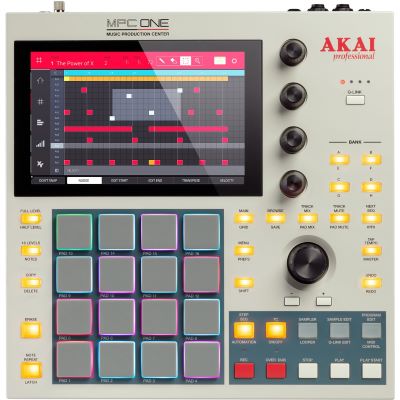
By MPCbruh
Sun Jun 27, 2021 8:08 am
Hi all,
sorry, I guess this is a noob question: in many drum kits there is a bass sound on one of the pads. In the kit demo (what you hear when you audition the preview in the browser) you can hear that sound playing a bassline.
Now of course when I load the kit into a drum program I can only play that one note. When I go to "16 levels" I can choose "tune" and I will be able to play a bassline in a very limited note range.
Is there a way to "create a keygroup from pad" or "make a new track from pad" so I can play that sound e.g. via an external MIDI keyboard? Or do I have to find the sample for that pad and load it into a new keygroup instrument? You see I didn't know how to call that function, so I didn't find it searching the manual...
Thanks!
sorry, I guess this is a noob question: in many drum kits there is a bass sound on one of the pads. In the kit demo (what you hear when you audition the preview in the browser) you can hear that sound playing a bassline.
Now of course when I load the kit into a drum program I can only play that one note. When I go to "16 levels" I can choose "tune" and I will be able to play a bassline in a very limited note range.
Is there a way to "create a keygroup from pad" or "make a new track from pad" so I can play that sound e.g. via an external MIDI keyboard? Or do I have to find the sample for that pad and load it into a new keygroup instrument? You see I didn't know how to call that function, so I didn't find it searching the manual...
Thanks!
Akai Force is with me
MPC One Retro :love:
MPC One Retro :love:


