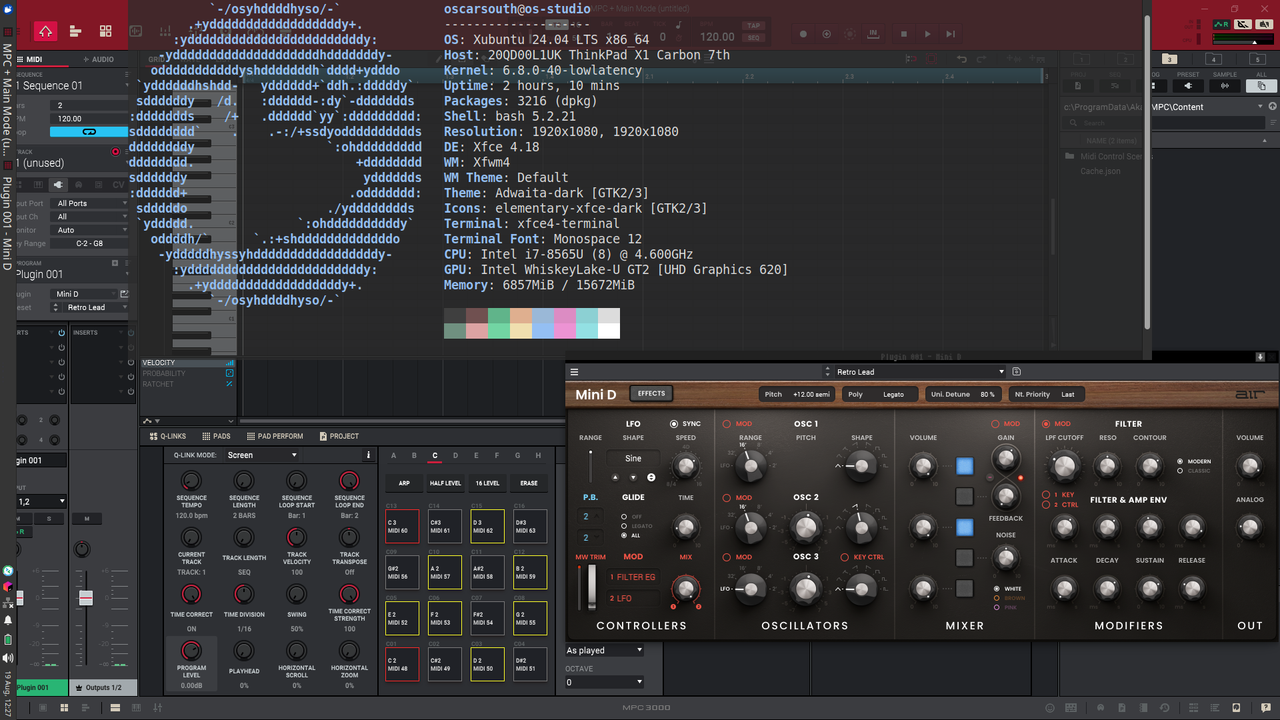
fccoelho wrote:I have good news for my fellow Linux users out there. I have Just bought an MPC-One and proceeded to upgrade the firmware to 2.10. Which worked flawlessly from the SDcard.
Then I wanted to try the MPC sotware but could not find any success story of making it work with WINE.
Luckily I recalled that A wine utility called PlayonLinux manages to install complicated games that cannot be trivially instaled with WINE.
So I Opened PlayonLinux (POL) and selected "Install program" and followed the steps below
- Selected Install unlisted program
- You are asked to create a virtual unit for your program. Do it
- Select the installation file "install MPC.exe"
- The instalation window will pop up asking you to select your type of MPC. Do it.
- Then there will be three installation stages: Install MPC software, Install the Driver and Run MPC. Chose the topmost. It should complete normally.
- Then click on the second installation step, that warns you that after i completes you will need to reboot windows.
- The second installation step failed halfway for me with an uninformative message.
- After rebooting with the command wineboot, and restarting POL. I tried to install the driver again just to see it fail again. But after closing the failed installation window, PLO asked if I wanted to create a shrtcut to the Program I had just installed: MPC. So I did.
- After double clicking the shortcut just created for the MPC program, It opens a window for Software Activation that show a progress bar that goes up to 99% and just never finishes.
And.... That is where I stopped. I'll try more later If anyone manages to go further, let me know!
I got it working on Ubuntu Studio by following these instructions. The status bar sat at 99% for a minute and then completed successfully.
Am able to use the software fully functional and activated, able to activate and install plugins and am able to connect to system audio drivers, receiving MIDI etc. from controllers etc.
Can't connect to the MPC interface in controller mode, but when in controller mode I can both access the MPC audio interface and MPC storage. The only thing I'm (confirmed) missing here is the touch interface, however I never touch the MPC when it is in controller mode and user a different MIDI controller on my desk (which I've been able to map in the software). I haven't tested whether I can route MIDI or in particular CV out from the MPC hardware via the software, I will check at some point but I don't personally need this as I can send CV from my standard audio interface outputs.
This works for me -- the reason I want to run MPC software on Linux is to be able to load and edit MPC programs on the go in an environment with some other Linux specific tools that are fundamental to my workflow when I don't have my MPC with me to use in standalone. This is perfect for that, and I can easily load and save projects to and from the MPC in my studio environment when it's in standalone.