Support and discussion for all of Akai’s modern standalone MPCs including the MPC X / X SE, MPC Live 1, 2 & 3, MPC One / One+, MPC Key 37/61.
By SVBJECT Thu Apr 07, 2022 2:00 pm
Hi all,

Hoping for a bit of help. I'm trying to run some MIDI gear via 5-pin MIDI cable into my MPC One, and cannot get any response from it.
All the guides I've looked at advice I go to MIDI/Sync in the preferences screen but:
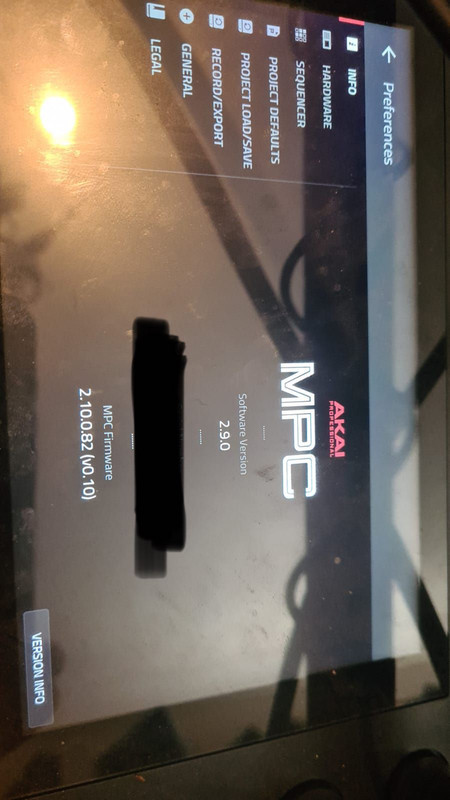
Image

Any help would be great....
User avatar
By Lampdog Thu Apr 07, 2022 2:38 pm
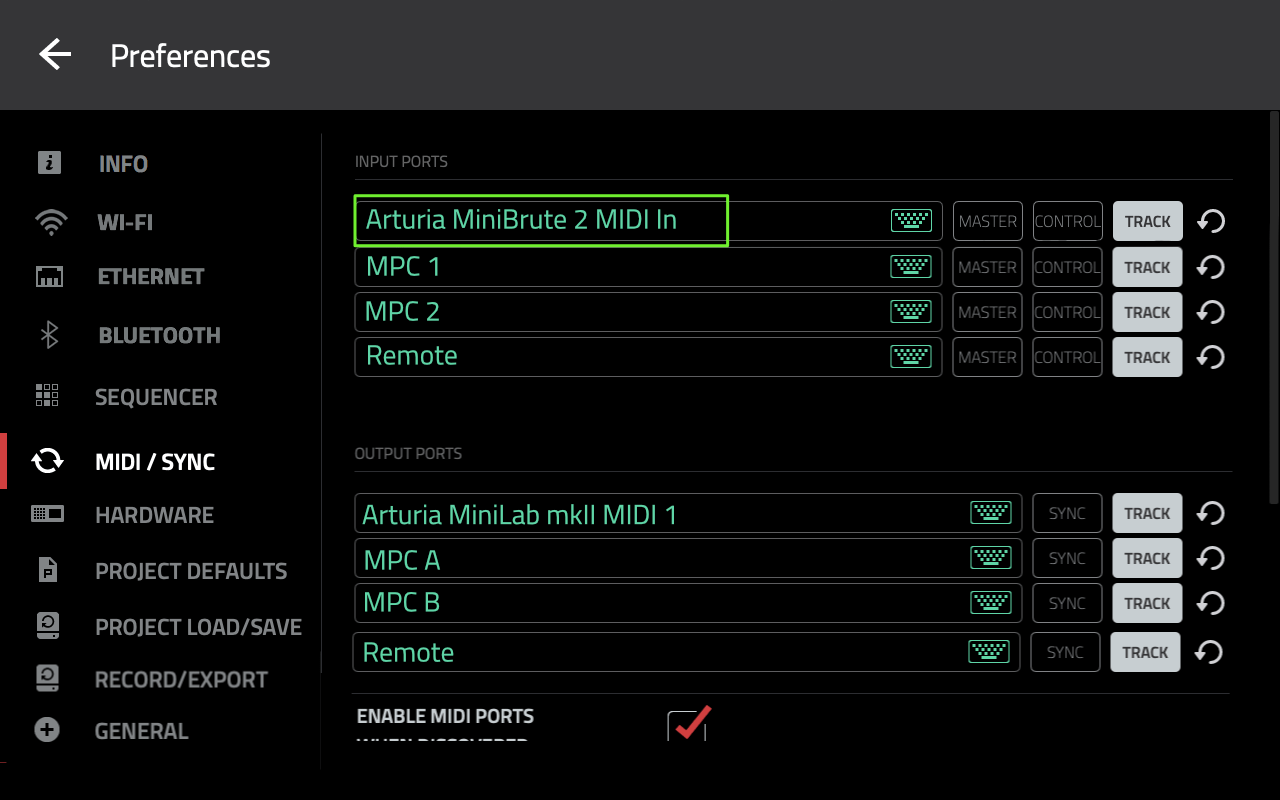
Damn, it looks like your missing a WHOLE menu item there. “MIDI / SYNC”.
Try doing a hardware reset.


Image
User avatar
By NearTao Thu Apr 07, 2022 3:14 pm
Are you in controller mode or in standalone mode?

I don't use controller mode, so assume that's where LEGAL is from, and MIDI is probably missing because the MPC is expecting the OS to handle that.
User avatar
By BostonGreen Thu Apr 07, 2022 4:44 pm
NearTao wrote:Are you in controller mode or in standalone mode?

I don't use controller mode, so assume that's where LEGAL is from, and MIDI is probably missing because the MPC is expecting the OS to handle that.


Not so, midi/sync is available in controller mode.
User avatar
By DeaDeus Thu Apr 07, 2022 5:11 pm
What is this?
My MPCX has a different order of info of the screen you took a pic of.
my one Standalone :
- first "MPC Firmware" 2.10.1 in my case; "Serial Number"; "Control Surface" v0.50
my one Controller Mode:
- Software Version" 2.10.1; "Serial Number"; "MPC Firmware" 2.10.0.83(v0.50)
your one:
"Software Version" 2.9; "Serial Number"; "MPC Firmware" 2.10.0.82(v0.10)

Major diffrence is: I am using the latest Firmware and the Software 83 (85 is the latest) - you are using a 2.9 Software and with 2.10.0.82 with Control Surface v.010

Maybe this is it?!
User avatar
By Lampdog Thu Apr 07, 2022 11:10 pm
The referenced pic is from Tutor’s site, not me personally.
By SVBJECT Mon Apr 11, 2022 11:50 am
Thanks for all the replies!

Thanks mods for editing my picture, didn't even think about the s/n.

DeaDeus wrote:What is this?
My MPCX has a different order of info of the screen you took a pic of.
my one Standalone :
- first "MPC Firmware" 2.10.1 in my case; "Serial Number"; "Control Surface" v0.50
my one Controller Mode:
- Software Version" 2.10.1; "Serial Number"; "MPC Firmware" 2.10.0.83(v0.50)
your one:
"Software Version" 2.9; "Serial Number"; "MPC Firmware" 2.10.0.82(v0.10)

Major diffrence is: I am using the latest Firmware and the Software 83 (85 is the latest) - you are using a 2.9 Software and with 2.10.0.82 with Control Surface v.010

Maybe this is it?!


I'll try these updates first.. and if that doesn't work I'll try :
Lampdog wrote:Damn, it looks like your missing a WHOLE menu item there. “MIDI / SYNC”.
Try doing a hardware reset.


Image


and failing that I'll be back! Thanks!
User avatar
By Lampdog Tue Apr 12, 2022 1:02 am
SVBJECT wrote:Thanks mods for editing my picture, didn't even think about the s/n.


Not a problem at all.
User avatar
By Ultros Tue Apr 12, 2022 3:26 am
also that image is a screen cap from the MPC-X settings menu.
By SVBJECT Tue Apr 12, 2022 3:44 pm
Hmmmm, so having updated, I now get the midi/sync option, but ONLY in standalone.

There seemed to be some disagreement above regarding whether that was a thing a not. Any final word on that?
User avatar
By BostonGreen Tue Apr 12, 2022 4:42 pm
SVBJECT wrote:Hmmmm, so having updated, I now get the midi/sync option, but ONLY in standalone.

There seemed to be some disagreement above regarding whether that was a thing a not. Any final word on that?


Midi/sync should be available in both controller and standalone. It is with my One.