Support and discussion for all of Akai’s modern standalone MPCs including the MPC X / X SE, MPC Live 1, 2 & 3, MPC One / One+, MPC Key 37/61.
By Paddle Mon Jul 11, 2022 9:16 am
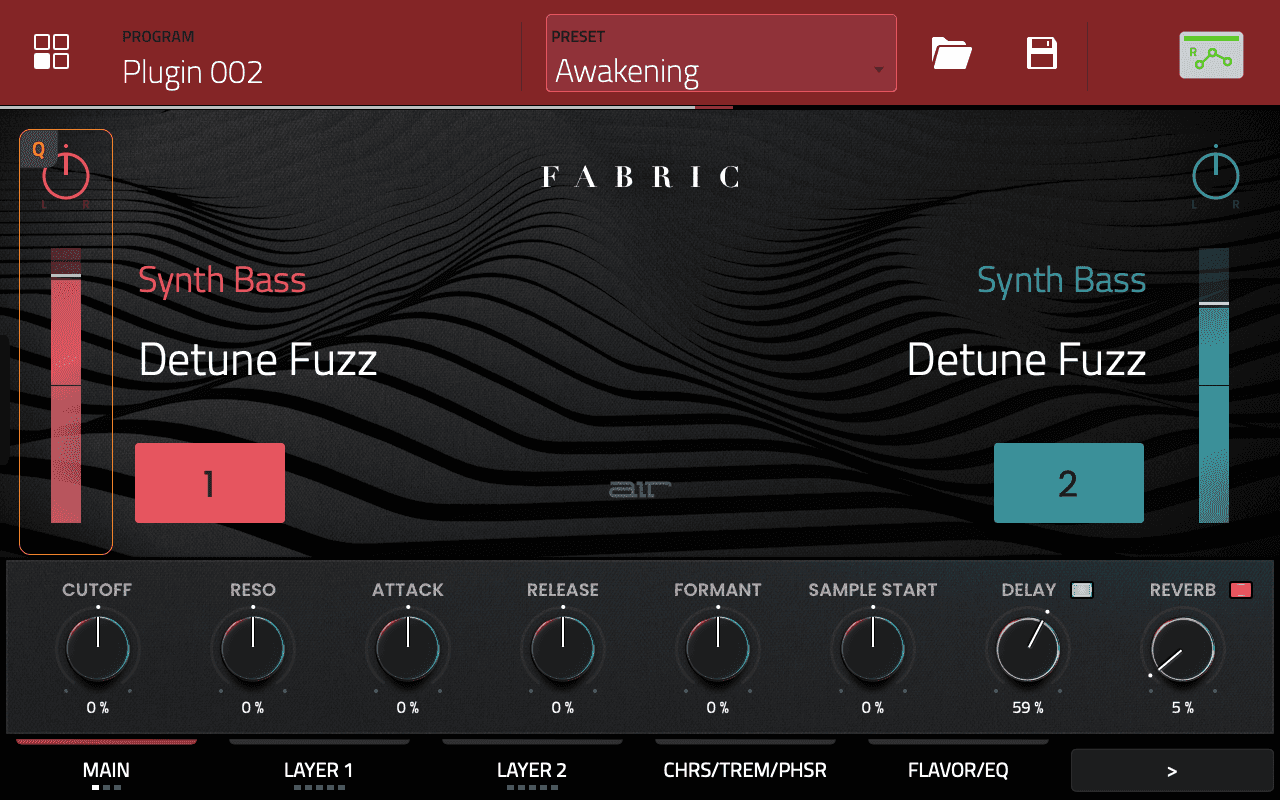
Mpc Tutor, yes i use the icon but i think i don't use the good location for user folder, i don't have a sd card, all is in internal disk on mpc key, i don't see user folder, i search :wink:

Image
By Paddle Mon Jul 11, 2022 9:48 am
Yes Mpc Tutor, Big Thanks !! I see my patch now in the user category :worthy:
User avatar
By zangetsu01 Mon Jul 11, 2022 9:51 am
These prices won’t be coming down anytime soon. First they will have release it for the Akai Force and gain maximum profit out of it..
User avatar
By MPC-Tutor Mon Jul 11, 2022 10:05 am
zangetsu01 wrote:These prices won’t be coming down anytime soon. First they will have release it for the Akai Force and gain maximum profit out of it..


Agreed. Imagine the shit storm if they reduced the price immediately upon launching compatibility with the Force. This has black friday deal written all over it.

BTW, had a little play with promo codes on the Akai store and noticed that non-existent codes give an actual error message 'doesn't exist', but the MPCKEY61 code gives no error, it just does nothing.

Anyway, I tried FORCE50 and this also gives no visible error message, so I suspect this is also a forthcoming code that is currently inactive that will eventually be activated for Force users. SAVE50 also gives no error message (whereas SAVE20 gives an error).

Don't forget, MPCSAVE10 still works for a 10% discount :)
By Paddle Mon Jul 11, 2022 2:14 pm
Hello MT, Sorry i have another question :oops: it's possible to delete an user preset directly on this interface ? i see it's possible for favorites by hold and little menu appear but nothing happend for user, maybe shift + ?
By Drew Hamlett Mon Jul 11, 2022 2:55 pm
If you save presets to the internal user directory how do you ever get the presets off or delete them? Their basically held hostage. I guess you can take the live apart and pull out sd card lol.
User avatar
By EnochLight Mon Jul 11, 2022 3:02 pm
Drew Hamlett wrote:If you save presets to the internal user directory how do you ever get the presets off or delete them? Their basically held hostage.


That is correct, and a glaring problem that we've faced since the new-gen MPC arrived. The internal factory storage isn't easily accessible. That said, to get them off and into any "removable storage" (whether that's an SD Card, a USB Stick/drive, or an installed SSD), just load the user preset from your factory storage and save it again to any removable storage. :wink: Sort of a PITA, but it is what it is.
By Paddle Mon Jul 11, 2022 3:17 pm
I save to internal for the patch appear on the beautiful purple menu, maybe it's possible with another mpc model but with mpc key all is installed on internal, if i want to delete patch i have access to the directory with the yellow icon browser but i prefer if it's possible directly to the purple interface.
User avatar
By MPC-Tutor Mon Jul 11, 2022 3:31 pm
Drew Hamlett wrote:If you save presets to the internal user directory how do you ever get the presets off or delete them? Their basically held hostage. I guess you can take the live apart and pull out sd card lol.


The default location for saving presets is within the MPC Documents folder on the internal drive, This is 100% accessible from the browser. To delete a user preset, go to

MPC Documents > Plugin Presets > Instruments > 'Plugin Name'

Single tap the preset, hold down SHIFT, hit DELETE file.

Image
User avatar
By MPC-Tutor Mon Jul 11, 2022 3:34 pm
Paddle wrote:Hello MT, Sorry i have another question :oops: it's possible to delete an user preset directly on this interface ? i see it's possible for favorites by hold and little menu appear but nothing happend for user, maybe shift + ?

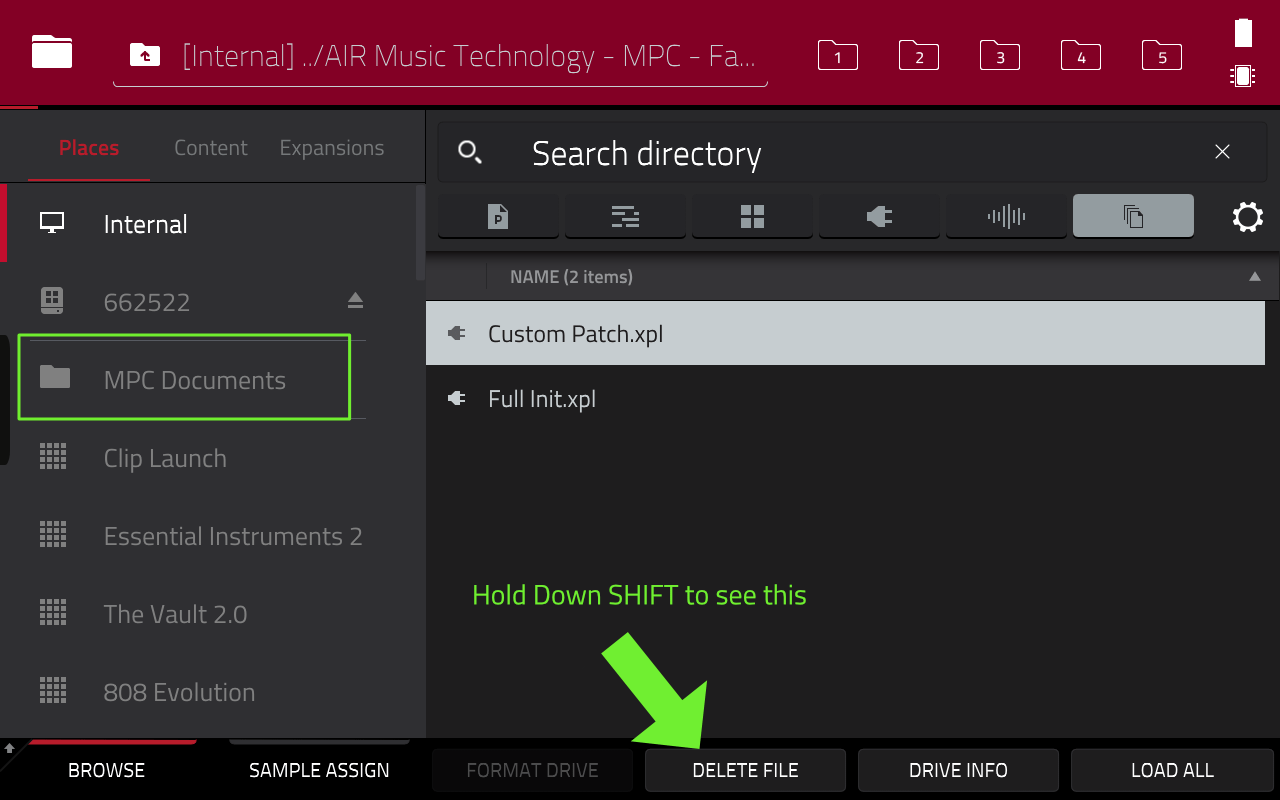
You cannot delete an actual preset file from the Sounds browser.File management is still performed in the standard file browser.
By Paddle Mon Jul 11, 2022 3:39 pm
MPC-Tutor wrote:
Paddle wrote:Hello MT, Sorry i have another question :oops: it's possible to delete an user preset directly on this interface ? i see it's possible for favorites by hold and little menu appear but nothing happend for user, maybe shift + ?


You cannot delete an actual preset file from the Sounds browser.File management is still performed in the standard file browser.


Yes it's not possible (maybe later) Thanks for your answer :wink: