Support and discussion for all of Akai’s modern standalone MPCs including the MPC X / X SE, MPC Live 1, 2 & 3, MPC One / One+, MPC Key 37/61.
User avatar
By bitermc Tue Feb 14, 2023 2:54 pm
Depends on what you want to do, but basically you need a mixer with at least three channels: one for each turntable and one for the MPC.

DJ mixers also have a recording output, you must plug it to the MPC's input if you also want to sample records.
By Delphinus Tue Feb 14, 2023 4:48 pm
The optimal way would be if your mixer has a send/return. If not you have to output the mixer to the input of the MPC in order to sample, the final audio output coming from the MPC. The bad thing about that is you wouldn't be able to hear yourself DJ or anything without the MPC itself being on.

DO NOT run the output of the mixer into the MPC and then the MPC output back into the mixer. That's a feedback loop and blown speakers waiting to happen.

User avatar
By Lampdog Tue Feb 14, 2023 5:47 pm
Delphinus wrote:The optimal way would be if your mixer has a send/return. If not you have to output the mixer to the input of the MPC in order to sample, the final audio output coming from the MPC. The bad thing about that is you wouldn't be able to hear yourself DJ or anything without the MPC itself being on.

DO NOT run the output of the mixer into the MPC and then the MPC output back into the mixer. That's a feedback loop and blown speakers waiting to happen.

X1000
By erikl Tue Feb 14, 2023 7:03 pm
Delphinus wrote:The optimal way would be if your mixer has a send/return. If not you have to output the mixer to the input of the MPC in order to sample, the final audio output coming from the MPC. The bad thing about that is you wouldn't be able to hear yourself DJ or anything without the MPC itself being on.

DO NOT run the output of the mixer into the MPC and then the MPC output back into the mixer. That's a feedback loop and blown speakers waiting to happen.
W

I have a two channel mixer but have an extra mixer. Would it be possible to hook up the MPC and turntable to one mixer and the other turntable to the other mixer and then connect the mixers so that one of the mixers with the MPC is on one channel and then I can use the fader to play both turntables
By Delphinus Tue Feb 14, 2023 8:02 pm
What exactly are you trying to achieve? Do you want to trigger samples while DJing or something? Trying to mix and keep your levels across two separate mixers while DJing sounds like a nightmare to me with one turntable on one mixer and one on the other. You're overcomplicating it.

2 turntables & mixer output ----> MPC input -----> MPC output to audio interface or speakers

When you want to DJ and not have to turn on your MPC just take out the input from the MPC and go directly to the interface or speakers and bypass it entirely.

That's what I would do. Or better yet, find a DJ mixer with a send/return.
By handthrow Wed Feb 15, 2023 6:36 am
I'd say this thing just needs to be figured out personally so i'd suggest just experimenting with it or just drawing different combinations on a piece of paper and figuring out which one is most sensible and trying that out.

10 minutes of brainstorming and you'll have a set of options to go with. If you have no clue about music gear first figure out what line/phono/mic input types mean and then you'll know what can be connected where.

It all depends on what mixer and workflow works for you. One neat thing you can do it to plug one turntable into the X and then X to the mixer channel as X has direct monitoring.
By Atetraxx Wed Feb 15, 2023 7:44 pm
Delphinus wrote:The optimal way would be if your mixer has a send/return. If not you have to output the mixer to the input of the MPC in order to sample, the final audio output coming from the MPC. The bad thing about that is you wouldn't be able to hear yourself DJ or anything without the MPC itself being on.

DO NOT run the output of the mixer into the MPC and then the MPC output back into the mixer. That's a feedback loop and blown speakers waiting to happen.


Could you elaborate on how you do it with the send/return? I have an older analog mixer with an "aux"/send but no return.
User avatar
By Ultros Fri Feb 17, 2023 8:56 am
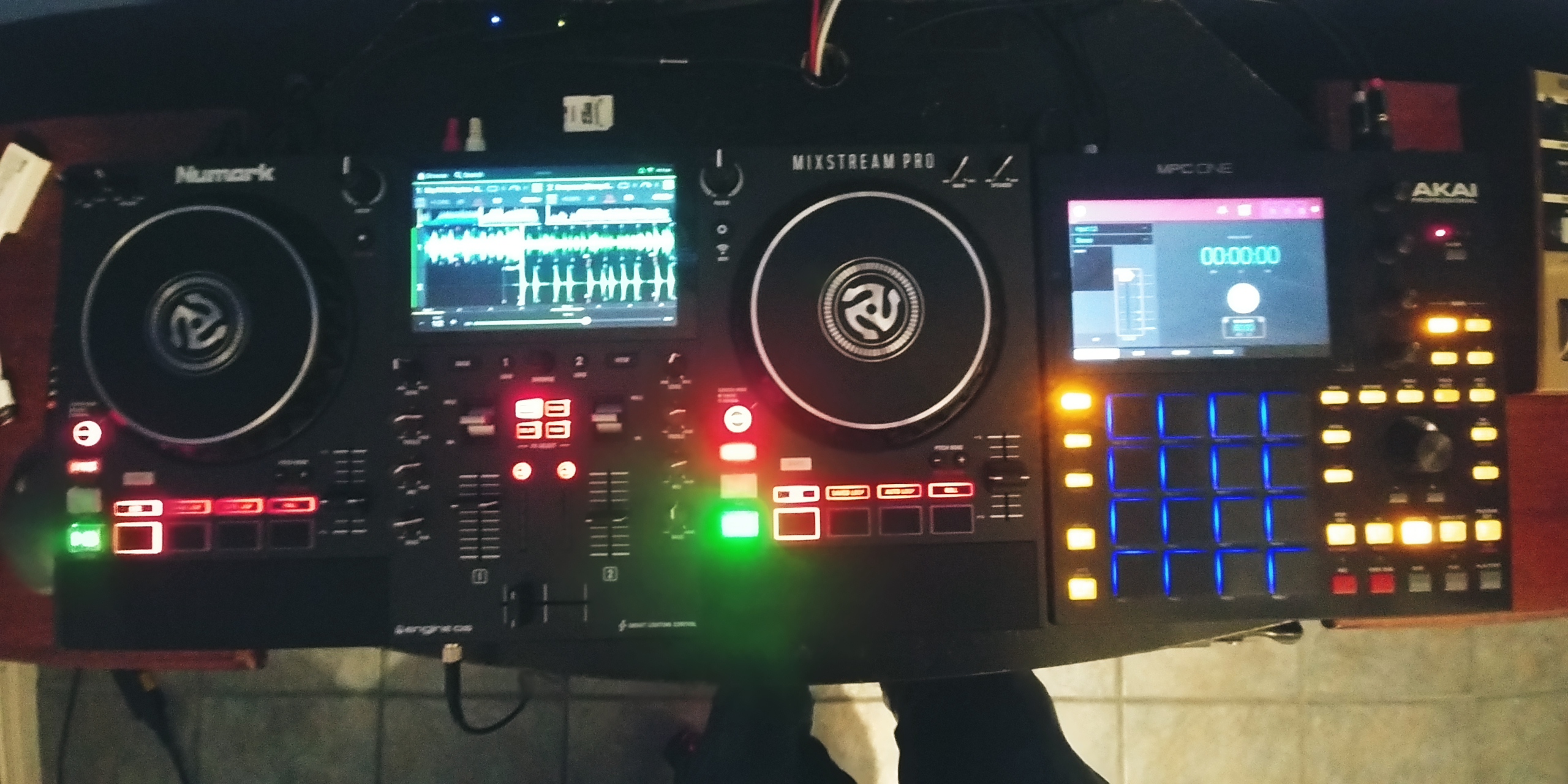
I use my mpc in a different manner with my decks. I plug my mixer's master out into my mpc and then the mpc goes to the monitors. even with my digital set up i run them in series rather than parallel. the mpc cuts down on all that extra shit you used to need beyond the turntables like compressor/limiter, filtering, stereowidth or chrous for that fm radio sound. xyfx on the master of the mix. use it to record sets and with ableton link i can quantize my crud and have everything rocking in time.

Like this, it kinda makes sense this way too... if you're into tablism as a means of production Image

