Support and discussion for all of Akai’s modern standalone MPCs including the MPC X / X SE, MPC Live 1, 2 & 3, MPC One / One+, MPC Key 37/61.
By SocoNaTromba Wed Oct 18, 2023 3:36 am
Image

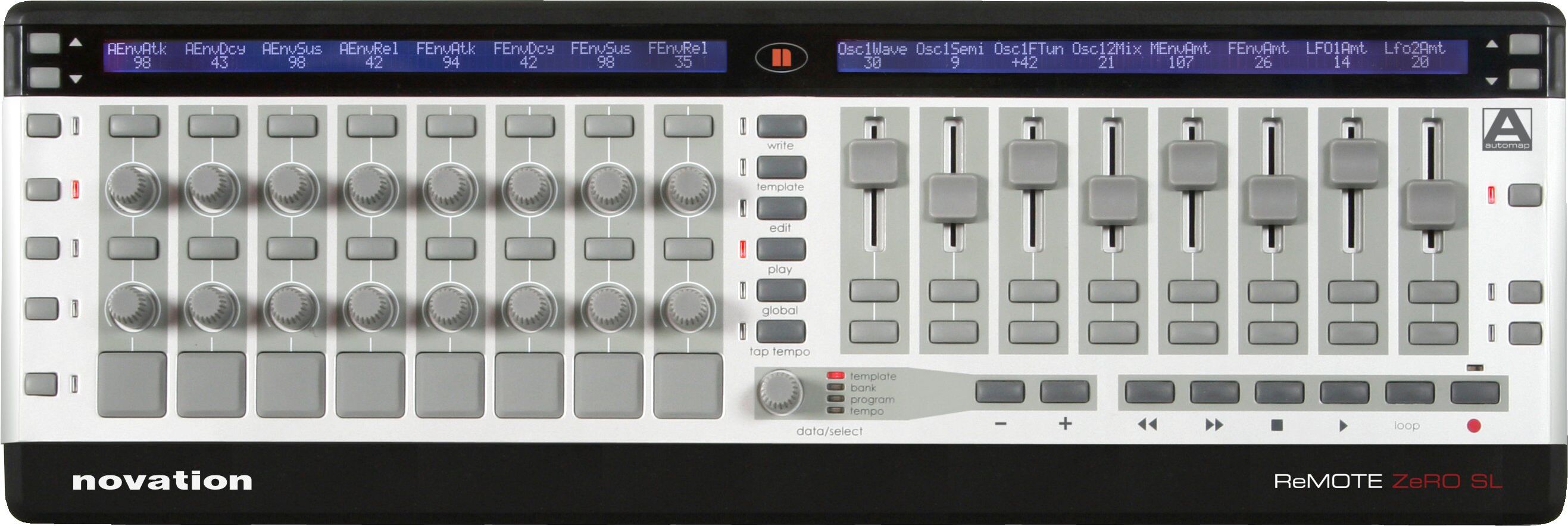
I'created a concept of a controller i'd really want to see it become a reality in the Akai hardware family.

Just the q-link knobs with the screens showing what parameter it is controlling. integrated with the mpc software, and 100% compatible with any mpc in standalone mode.. Essentially, the knobs section of a mpc X, nothing else.

This is what i miss the most when using my mpc live 2.
User avatar
By 83dude Wed Oct 18, 2023 6:00 am
SocoNaTromba wrote:
I'created a concept of a controller i'd really want to see it become a reality in the Akai hardware family.


Cool stuff!
By dustyslices Wed Oct 18, 2023 7:08 am
If Akai could come up with such extender for less than $200 I’d probably get one, but if you want to go via DIY route, you stepping into world of pain as the economy of scale stepping in. I went there a couple years ago and it turned out to be completely not feasible financially :/
First of all, those cheap Amazon 0.91 inch oled displays don’t have programmable i2c addresses so they need to be multiplexed, then you need endless potentiometers (not encoders) which are are quite pricey if you don’t buy them in bulk, then you need pcb, enclouse, a handfull of passive components, and a the end you have to deal with the firmware, as sysex messages for those displays are going through a private port in MPC.
So if you roughly guesstimate the DIY price it would be:

$40 oleds
$40-50 potentiometers
$40-50 passives + microcontroller + multiplexers etc.
$20 pcb manuafacturing
$10 enclousure
$20-30 unaccounted stuff

and most important…. your time.
User avatar
By elstebbano Wed Oct 18, 2023 10:56 am
Nice one.
Forme it is a mystery why akai didn’t release an additional fully compatible controller or q-link expander for the mpc live..
User avatar
By Jean-Marc Liotier Wed Oct 18, 2023 3:53 pm
It is astonishing that even the Akai-Branded Midimix doesn't have default automatic configuration of its obvious functions for the Akai MPC (especially infuriating as it does for **** Ableton). At its 90€ price, I would have bought it long ago !
By SuperKonquer Thu Oct 19, 2023 12:23 am
Building this on your own now is easier and cheaper than ever. You don't need complicated PCB boards and custom firmware. With an arduino and some I2c encoders and oled screens from aliexpress or ebay, you could build this for less 70 dollars. The hardest part is learning Arduino and programming it, but it only takes a couple of weeks to learn the in and outs and most of the code is already written, you just need to adapt it to your preferences.

https://www.adafruit.com/product/5752
By jamos Thu Oct 19, 2023 2:32 am
For everyone who thibks this is "easy"...

How do you connect it to the MPC? How do provide data (parameter names, current page, parameter values) from the MPC to the device?
By dustyslices Thu Oct 19, 2023 4:54 am
SuperKonquer wrote:Building this on your own now is easier and cheaper than ever. You don't need complicated PCB boards and custom firmware. With an arduino and some I2c encoders and oled screens from aliexpress or ebay, you could build this for less 70 dollars. The hardest part is learning Arduino and programming it, but it only takes a couple of weeks to learn the in and outs and most of the code is already written, you just need to adapt it to your preferences.

https://www.adafruit.com/product/5752

lol, earning money is easier than ever. I'm willing to pay you $500 if you pull it off for $70. Heck, I'm willing to make it even easier for you and I won't ask you to assemble it, just send me schematic, BOM, the code and 3d project for enclosure. Once you done, just send me your PayPal :-D
By dustyslices Thu Oct 19, 2023 8:31 am
The only problem is that, no matter what device you post over here Lampdog - without further mpc hacking and the controller device itself, it won’t communicate with mpc on the lower than regular midi commands level, and that is completely not applicable to what OP is asking for.
On the side note - That electra is so nice, I was thinking of getting it, but decided to wait and put more money aside for that Zynthian Project thingy :)
By mpc_fan_2022 Thu Oct 19, 2023 11:29 am
There is no point for any of these controllers with display until the MPC Standalone supports some form of bidirectional communication between the unit and the MIDI controller's screen. Right now there is NONE.

Cheaper, often found for less than $100 used though

Image
By SocoNaTromba Fri Oct 20, 2023 3:11 am
@lampdog thanks for the reference. I didn't know about those, and the form factor of the Faderfox is spot on.

But i'm a lazy guy, and having to assign midi controls for any new project doesn't work for me. If it had full integration with mpc so when i select a different track, it loads all the q-link setup for its plugin, i'd buy it right away.

@dustyslices i totally agree with you. The key here is to have total integration with the mpc and not just a standard midi controller, and that would require an effort from akai. I've no intention to build anything, i'm aware of the energy it takes. It took me 5 minutes to create this mock and it was just to easily describe what I miss the most using the mpc.
User avatar
By Ultros Sat Oct 21, 2023 12:44 pm
Akai midi mix and ssh... custom controller mapping to gain control of all 16 qlinks via the midi mix. (obviously needs custom firmware but it wont cost you an arm and a leg and you can map whatever controller has sufficient extra cc's)
By Wul Mon Oct 23, 2023 7:43 am
I use an original Korg nano kontrol , I have access to all qlinks and everything else that’s mappable . Just need ssh to access the file system .
Thanks to ultros for making that possible.