Akai Force Forum: Everything relating to the Akai Force, the iconic 64 pad, clip-based standalone sampler/groovebox from Akai.
By Seele Tue Feb 20, 2024 4:46 pm
Hello. I apologize if what I am writing is already known, I am a newcomer to FORCE.
As soon as I got FORCE, I was looking for a way to play multiple plugins on one keyboard - to create a split.
I searched online and found information that this functionality is currently available only in MPC, and it is not possible to do something similar in FORCE on one MIDI channel.

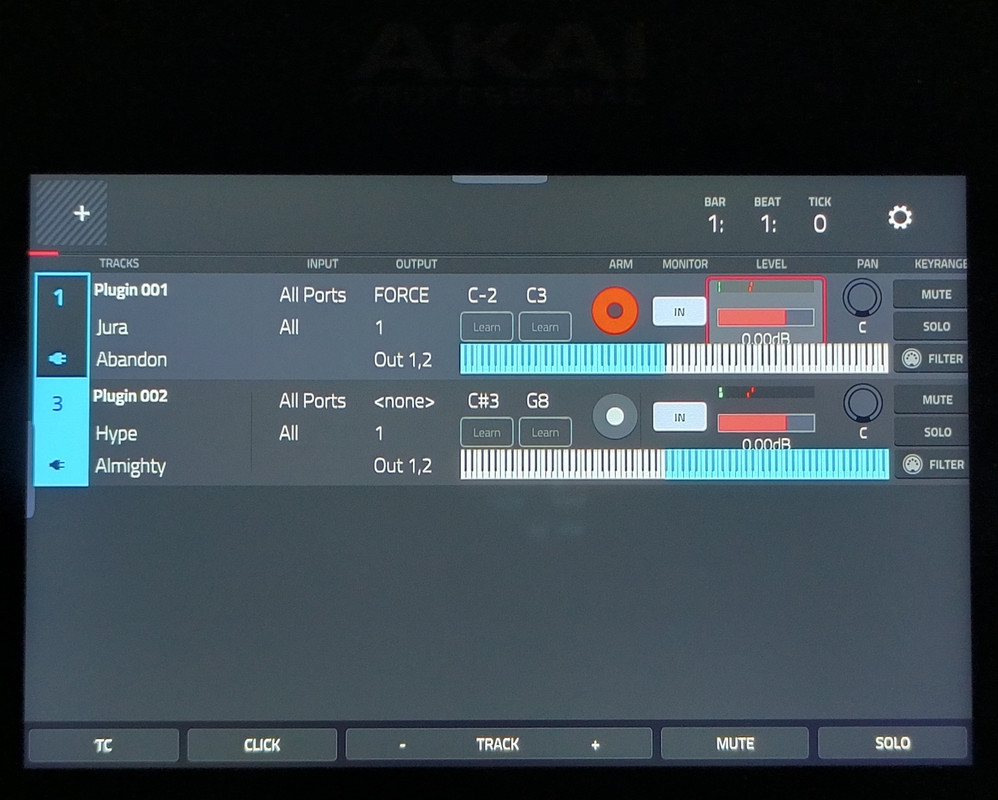
But somehow, when I press the C4 note on 1 MIDI channel in CONTROL mode, this screen opens:
Image

I did not find how to open it in any other way through the FORCE menu.
On this screen, there is a MIDI note filter, and if you set key ranges for two plugins like in the picture, you can create a split - play JURA on the left half of the keyboard, and HYPE on the right half.

Does anyone know how to bring up this screen without pressing a MIDI keyboard note?
By HouseWithoutMouse Tue Feb 20, 2024 5:55 pm
I got these secret modes to pop up once by accident, and I have absolutely no hacks or mods installed. I think it was by pressing a MIDI notes, and I could switch to different screens by pressing different MIDI notes. But after I shut it down and rebooted, I couldn't reproduce it anymore.

By the way, what exactly do you mean by "control mode"? How does one enter that mode, starting from a freshly unboxed powered-off Force?
By Seele Tue Feb 20, 2024 7:14 pm
HouseWithoutMouse wrote:By the way, what exactly do you mean by "control mode"? How does one enter that mode, starting from a freshly unboxed powered-off Force?


I have an old KORG K49 midi keyboard connected via USB

1. Create empty project
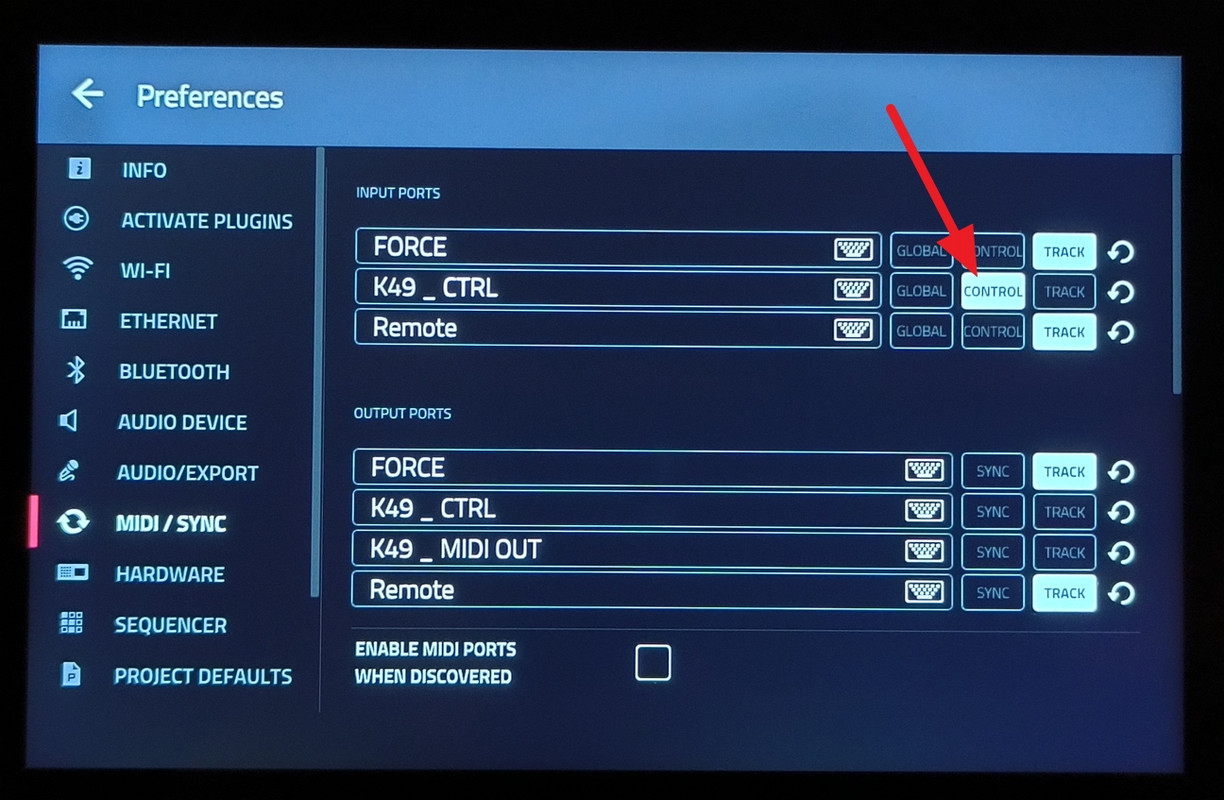
2. MENU -> Preferences -> MIDI/SYNC -> turn on only "CONTROL" in input port:

Image

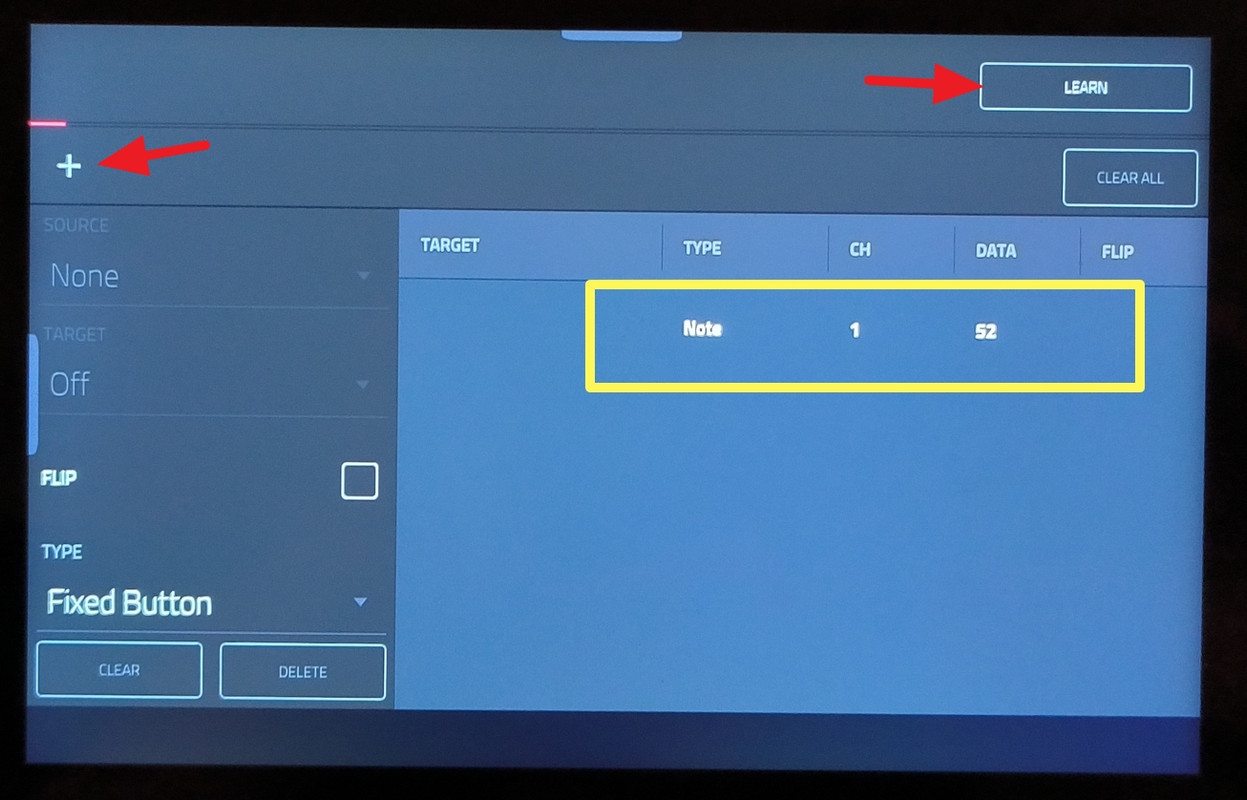
3. MENU -> MIDI Learn - tap "+" sign on the left, then "Learn", and press any key on MIDI keyboard. Press "Learn" again to turn it off

Image

Now some keys change screens (i.e. C4, F#2)

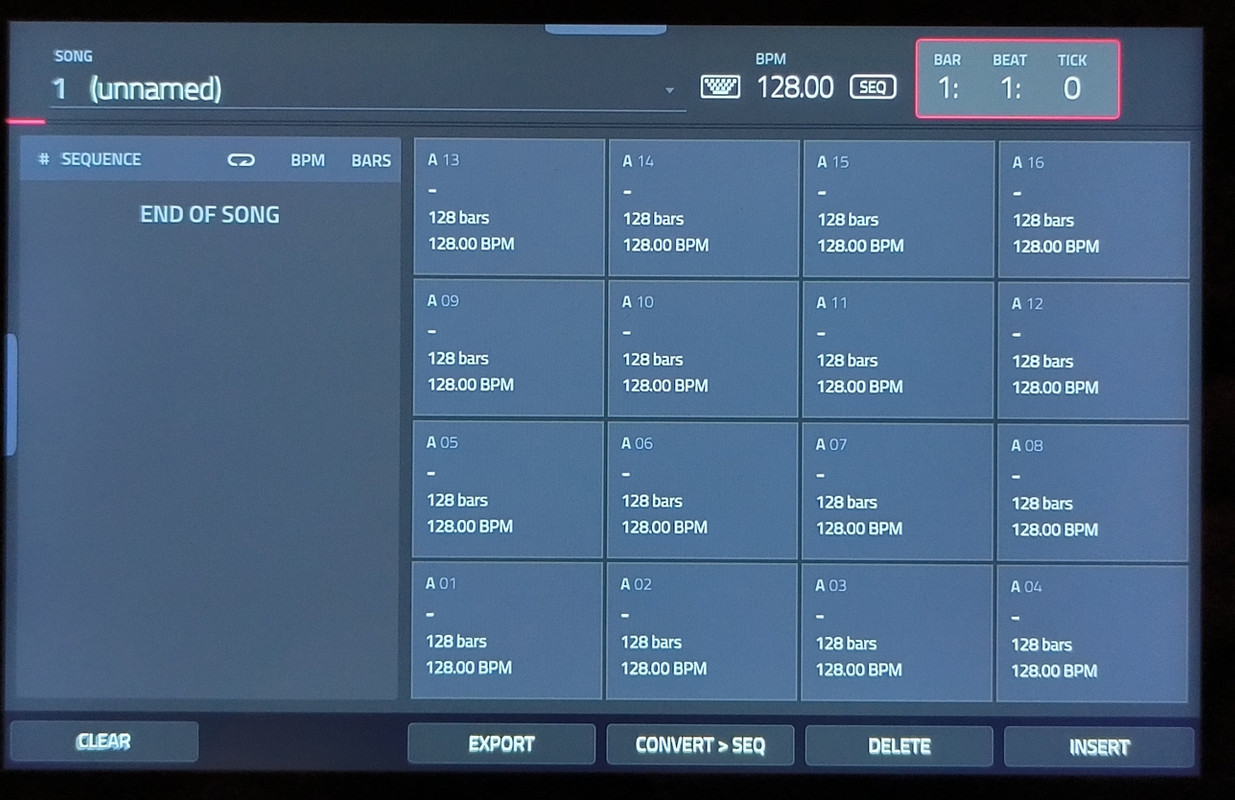
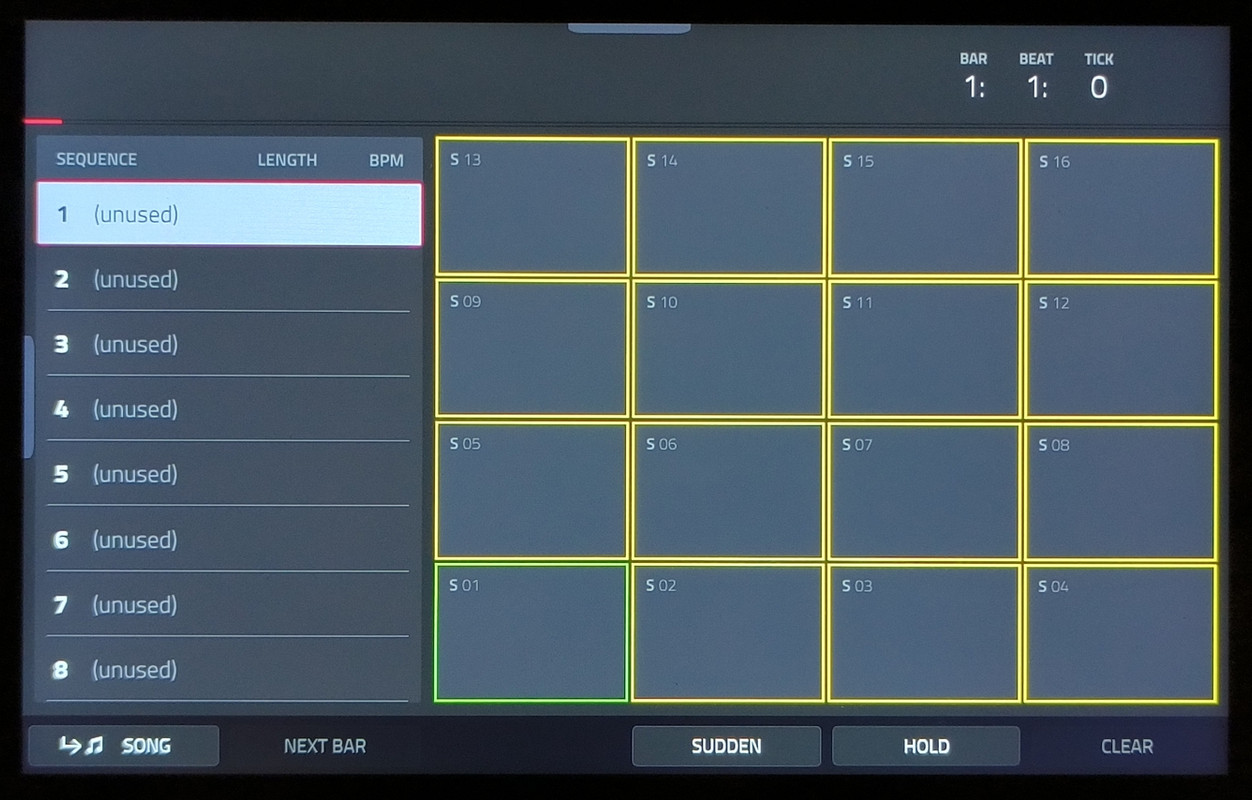
Here are some other screens, that I think are not intended for the FORCE, rather for MPC

Image

Image
By Seele Tue Feb 20, 2024 7:18 pm
I tried to connect a different midi keyboard, and it seems to have broken the screen switching. :( :( :(
I can't replicate it now, it seems to have somehow fixed the bug. I will try to understand the correct steps to reproduce
By HouseWithoutMouse Tue Feb 20, 2024 7:32 pm
I can't get this to work. I tried all sorts of combinations.

I think that your Force will lose this capability if you change the GLOBAL / CONTROL / TRACK settings, or reset settings or reboot, or say the wrong word. ;)

But I had this working once last year! I even took some pictures, but can't find them now.
By MangoPickle Wed Jan 22, 2025 10:08 pm
Hi,

I use Force with 3.3.0 firmware.

I also ran into these hidden screens when using the Akai midi mix in Control mode.

Especially the faders tend to open these hidden screens. Sometimes, the faders also influence Q-link macros that I did not midi map them to.

To me this is a major concern as this makes my mixer quite unpredicatable.

Any suggestion how to prevent it?

Thanks in advance :)
User avatar
By Miyaru Tue Jan 28, 2025 7:50 pm
I had it to tonight with my new MPK mini MK3 in control mode, though not every time, depends on the mood of my Force.....

In control mode, I can use the MPK's eight rotary encoders to control stuff and parameters in the Force like cut off and resonance, but the hidden MIDI screens are not welcome, as not while playing or recording but maybe when you need them with an other way to call them on screen.