





By Neodymium
Fri Aug 30, 2024 12:48 pm
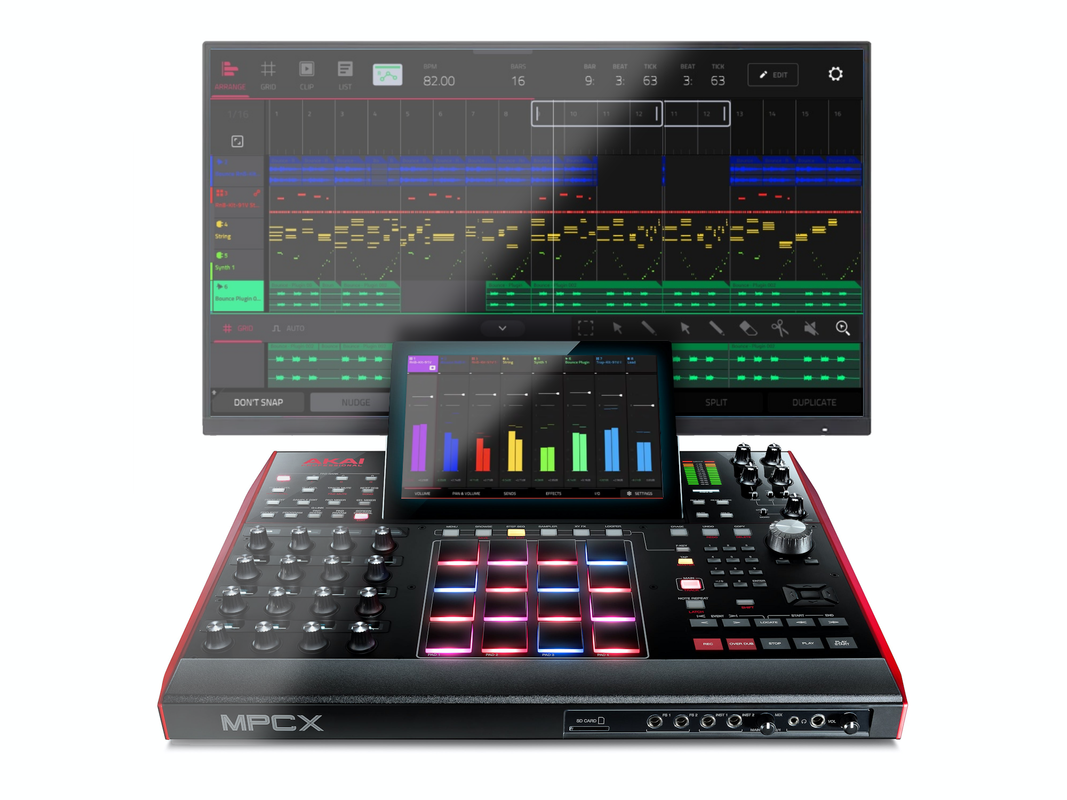
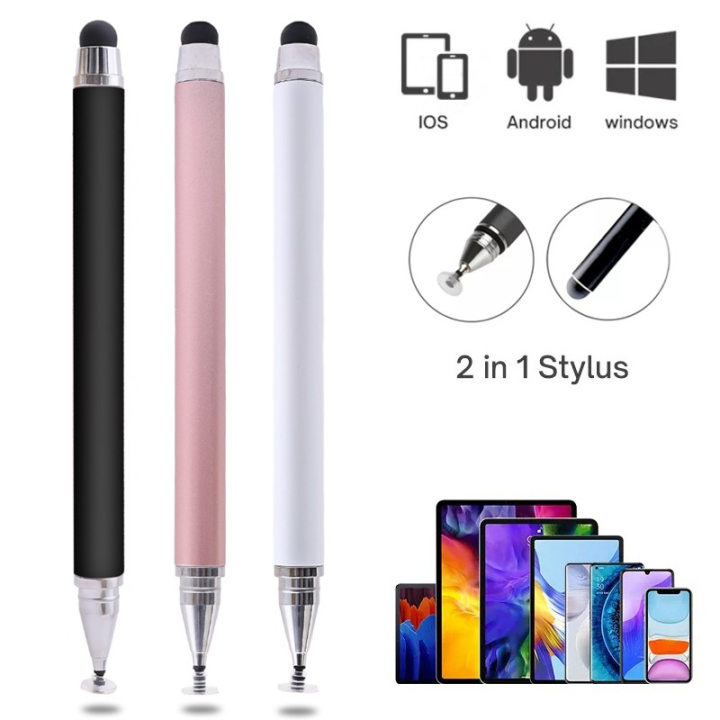
I got some (they were dirt cheap) of these pens this week. I have a touch screen laptop, as well, and they seem to be working well on Laptop, phone and the MPC. Seems to help with some of the more precise edits on the screen than my fat fingers.
By eLuSiVeMiTe
Sun Sep 01, 2024 2:35 pm
Tried various stylus but this one seems to be the best so far. Just needed to slightly sand the nib rounder. Didn't like the point
https://www.amazon.co.uk/dp/B0BXL12X28? ... b_ap_share
https://www.amazon.co.uk/dp/B0BXL12X28? ... b_ap_share

By Jean-Marc Liotier
Sun Sep 01, 2024 6:15 pm
The whole USB HID device class is supported by Linux out of the box and the MPC recognizes and uses USB keyboards without even blinking (though with US keymap, which annoys this French user) - which means that some USB HID input library is part of the system... So why not mice ? The screen and its touch surface are a bit out of a ordinary, with direct framebuffer rendering and therefore no mouse support provided by a windowing environment - so supporting mice needs at the very least futzing with libinput... And then users will ask for UI to set mouse sensitivity etc. Not trivial. But still, not rocket surgery.
By Neodymium
Mon Sep 02, 2024 2:19 am
eLuSiVeMiTe wrote:Tried various stylus but this one seems to be the best so far. Just needed to slightly sand the nib rounder. Didn't like the point
https://www.amazon.co.uk/dp/B0BXL12X28? ... b_ap_share
You pen seems to be powered by USB C. I'm curious about why. The capacitive pen I suggested in un-powered. My laptop came with a battery powered pen (total pain as AAAA which aren't that easy to find here and kept disconnecting) that bluetooth connected to my laptop. I'm looking to replace my laptop pen with a wacom as I ordered an identical replacement pen but it was playing up before I even left the shop.
So I'm curious about your suggestion, what's the power for, does it enable the a charge to make the screen respond in some way, or is it a bluetooth device?
By Neodymium
Mon Sep 02, 2024 2:20 am
Neodymium wrote:eLuSiVeMiTe wrote:Tried various stylus but this one seems to be the best so far. Just needed to slightly sand the nib rounder. Didn't like the point
https://www.amazon.co.uk/dp/B0BXL12X28? ... b_ap_share
You pen seems to be powered by USB C. I'm curious about why. The capacitive pen I suggested in un-powered. My laptop came with a battery powered pen (total pain as AAAA which aren't that easy to find here and kept disconnecting, and I had to unscrew the battery each time, eventually wearing out the aluminium thread) that bluetooth connected to my laptop. I'm looking to replace my laptop pen with a wacom as I ordered an identical replacement pen but it was playing up before I even left the shop.
So I'm curious about your suggestion, what's the power for, does it enable the a charge to make the screen respond in some way, or is it a bluetooth device?
By eLuSiVeMiTe
Mon Sep 02, 2024 3:23 pm
Neodymium wrote:[/quote]
You pen seems to be powered by USB C. I'm curious about why. The capacitive pen I suggested in un-powered. My laptop came with a battery powered pen (total pain as AAAA which aren't that easy to find here and kept disconnecting, and I had to unscrew the battery each time, eventually wearing out the aluminium thread) that bluetooth connected to my laptop. I'm looking to replace my laptop pen with a wacom as I ordered an identical replacement pen but it was playing up before I even left the shop.
So I'm curious about your suggestion, what's the power for, does it enable the a charge to make the screen respond in some way, or is it a bluetooth device?
Most capacitive stylus have large points of contact in comparison and struggled with grid editing. Found it not much better than a finger.
Being active this has a much finer nib and seems much more responsive. Though I did have to slightly round off the very tip of the nib to give better contact initially.
No connection to the mpc just emits an em field to improve accuracy.
No buttons/pressure sensitivity but I'd assume the mpcs have no support for that.
By Neodymium
Mon Sep 02, 2024 5:07 pm
eLuSiVeMiTe wrote:
Most capacitive stylus have large points of contact in comparison and struggled with grid editing. Found it not much better than a finger.
Being active this has a much finer nib and seems much more responsive. Though I did have to slightly round off the very tip of the nib to give better contact initially.
No connection to the mpc just emits an em field to improve accuracy.
No buttons/pressure sensitivity but I'd assume the mpcs have no support for that.[/quote]
The one I posted above which is similar to mine, has the soft dome one end and a disk for the finer point on the other. I'm finding the disc end really useful for finer details, such as the grid, and it move better on the surface for dragging movements than the dome end. Although I like the dome end for simpler pressing. I've been using the disc end for writing in class last week, teaching 6 year olds to move around the alphabet.
I still want to get a wacom pen , as I like the pressure sensitivity I had before, but I seems like your pen is affordable and less messing around with connecting to the laptop so I think I'll get one to try. And it being USB-C rechargeable is far better than AAAA.
By SuperKonquer
Mon Sep 02, 2024 9:14 pm
Using controller mode is not the same as having mouse support on the hardware screen. For many of us, controller mode isn't even stable so a lot of people never even touch it. Also I would like the ability to have fine selection control with my hand sitting on a desk and looking at the hardware screen rather than having to look up at a monitor. The touchscreens on the MPC are ok but not that great. If they were better I would not even think about mouse support but fudging about on the screen trying to get my touches to register sometimes gets annoying. I hate stylus and I have lost the 5 I have tried. I just want a mouse pointer for precise mucking about on the hardware screen.
By Yentz
Thu Sep 05, 2024 7:40 pm
I would love to have mouse support as well. Some people just don’t like touch screens and not having mouse support makes me switch q link cinfig all the time seitching from zoom to edit startpoint, to zoom, to start point etc. Obviously people who don’t want it dont have to use it but I think it would make things much much more easy
By Jean-Marc Liotier
Fri Sep 06, 2024 12:17 pm

I just received this stiley stylus and wow - muuuuch better than my fat fingers: moving notes around the sequencer's grid is pretty close in precision to what I would expect from a mouse. My mouse envy just went down a good bit !

By Lampdog
Fri Sep 06, 2024 12:50 pm
Jean-Marc Liotier wrote:I just received this stiley stylus and wow!
I’ve been using these same ones for years. I’ve posted them in the forums before, they’re nice aren’t they? Make mpc life a lil easier.

Stop getting automatically offended when you see gold letters!
By just charlie
Sat Sep 07, 2024 5:35 am
MPC-Tutor wrote:just charlie wrote:This should definitely be added now that we have arrangement view just to have more precision with selection
Not more precise than you have to be in MPC2. You cannot edit events or audio directly in the actual arranger tracks themselves, you have to double tap to open up a split screen editor which is the same width as the usual grid/audio edit screen, just half screen height.
I understand but it's still unideal in my opinion, I don't like fiddling with the touch screen in arrangement view and would prefer the option to use a mouse. If anyone doesn't want to use a mouse simply don't plug one in.
Capacitive stylus is alright but marginally better than just using your finger so not really a solution to this issue for me personally.

By MPC-Tutor
Sat Sep 07, 2024 5:47 am
I don't have any problem with them enabling mouse support, just pointing out that the introduction of the arranger doesn't make the case for it any more compelling because ultimately you are just interacting with 'grid view' placed in a split screen frame, which is no different to interacting with the grid in mpc2.
But yes, having a mouse option is of course better than not having it, and it is clunky interacting with the grid using your fingers. But it's actually really easy to enable mouse support already, so if you really want it you can just temporarily install a modified 2.15, create the 'dev-mode' folder and then re-install whatever firmware you want, dev-mode remains enabled until that folder is manually deleted, and hence mouse support is always enabled.
But yes, having a mouse option is of course better than not having it, and it is clunky interacting with the grid using your fingers. But it's actually really easy to enable mouse support already, so if you really want it you can just temporarily install a modified 2.15, create the 'dev-mode' folder and then re-install whatever firmware you want, dev-mode remains enabled until that folder is manually deleted, and hence mouse support is always enabled.
just charlie wrote:I understand but it's still unideal in my opinion, I don't like fiddling with the touch screen in arrangement view and would prefer the option to use a mouse. If anyone doesn't want to use a mouse simply don't plug one in.

By dustyslices
Sat Sep 07, 2024 9:12 am
Yeah, Jukka already asked them to move it outside of dev-mode and they said it won't happen :/