Support and discussion for all of Akai’s modern standalone MPCs including the MPC X / X SE, MPC Live 1, 2 & 3, MPC One / One+, MPC Key 37/61.
By B-Wise Mon Jan 26, 2026 5:47 pm
Ultros wrote:
kaydigi wrote:The screws could be a design homage to the 4000.


That makes sense. I hadn't made that connection. Thanks that cleared up that question. it would have been neat if they let you move the layout around.


Can unscrewing them give you quick access to the internals or would still have to unscrew the whole box?
Moving the lay around might be kinda cool.

User avatar
By zangetsu01 Mon Jan 26, 2026 9:37 pm
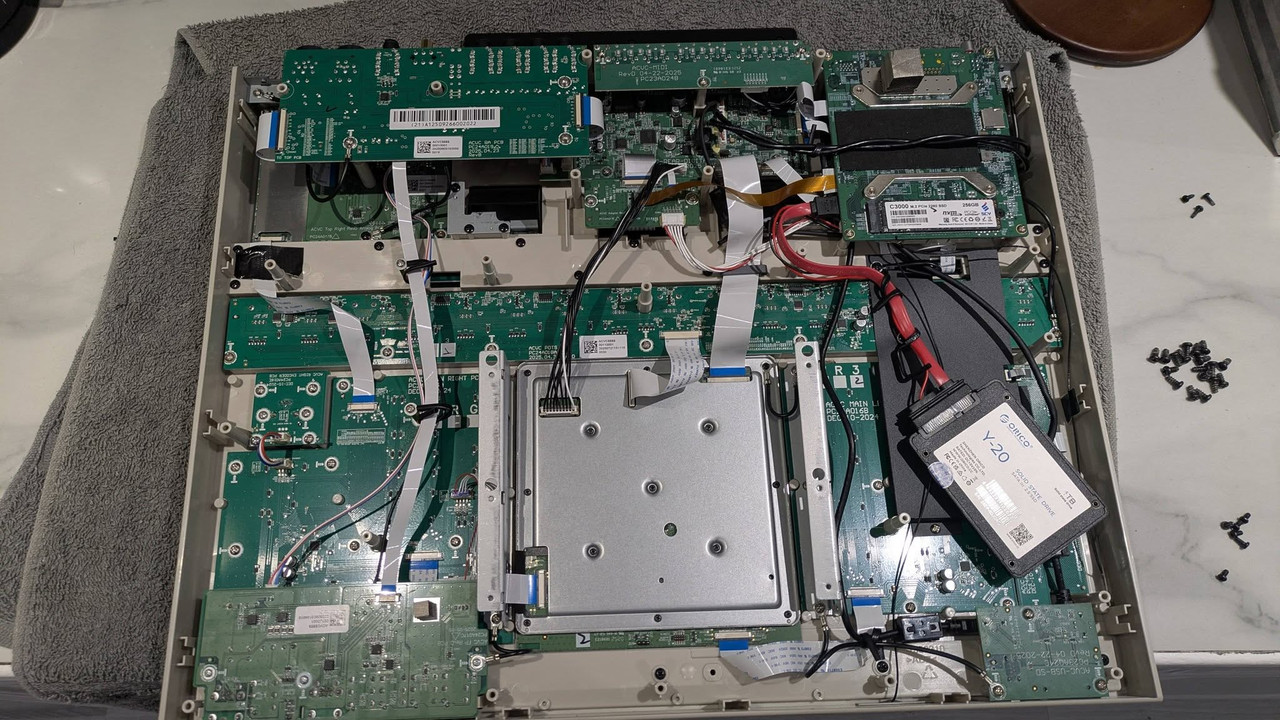
Here are some pictures of the MPC XL internals. One of our Hakai members opened his unit up:

Image

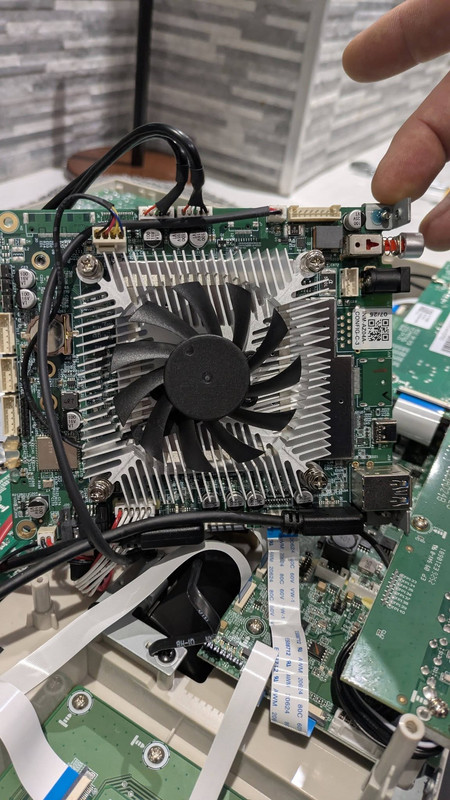
This is the fan you hear when you boot the machine. It will only spin for a few seconds and maybe again under high power load but I've never heard it coming on again after booting the machine:

Image

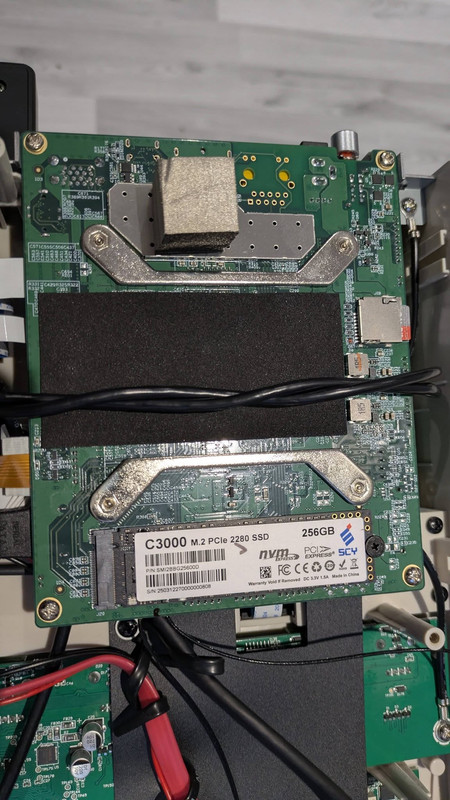
This SSD looks upgradable but I bet you'll have make an image copy first:

Image

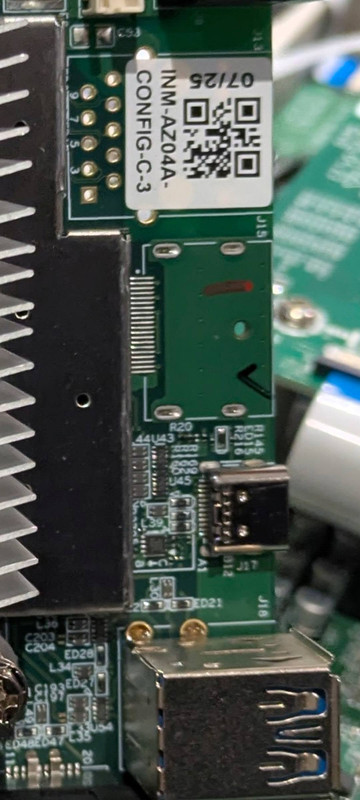
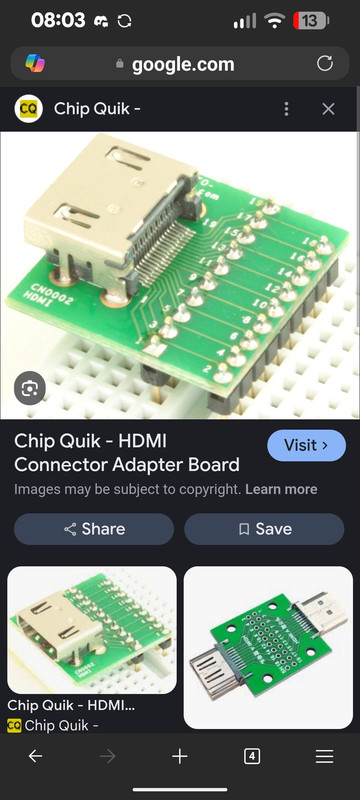
This is where the HDMI port should be fitted:

Image

One of these might do the job:

Image

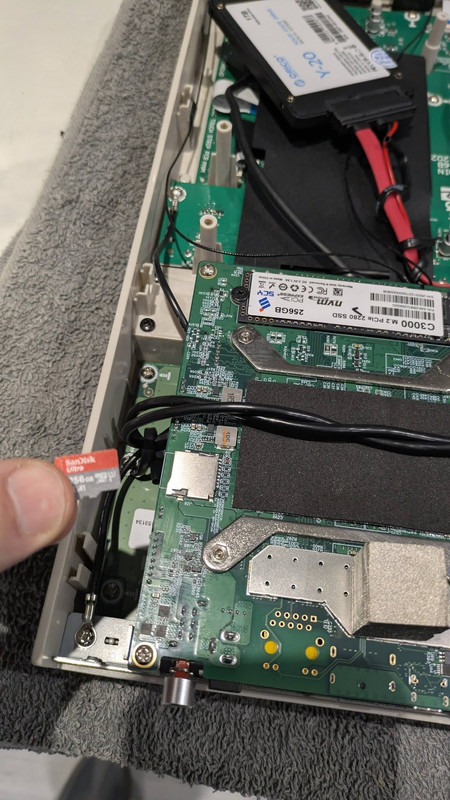
He says that there is a empty SD slot inside:

Image

Ow, and don't try this at home..!!
By B-Wise Mon Jan 26, 2026 11:20 pm
@zangetsu01
I can't tell from the pics but, I asking if the screws on the selection with pads & buttons can be unscrewed to gain access to the internals board?, or would you still have to unscrew the whole box & those screws around the pads are just more for stylish reasons?

I always hated having to unscrew the whole MPC just to change the pads or if I could just unscrew it from the right there would an amazing time & screw saver :lol:
By 40Beatz Tue Jan 27, 2026 2:54 pm
I've been asking for HDMI...For Years Now
User avatar
By zangetsu01 Tue Jan 27, 2026 8:24 pm
B-Wise wrote:@zangetsu01
I can't tell from the pics but, I asking if the screws on the selection with pads & buttons can be unscrewed to gain access to the internals board?, or would you still have to unscrew the whole box & those screws around the pads are just more for stylish reasons?

I always hated having to unscrew the whole MPC just to change the pads or if I could just unscrew it from the right there would an amazing time & screw saver :lol:


I can't tell because it wasn't my unit. When I speak to him again I'll ask him.
By jpeg Tue Jan 27, 2026 10:12 pm
64hz wrote:HDMi out would be so nice for editing the arrangement.

so dat big flip screen is not big enuff for u to arrange on? also whats wrong with just using controller mode if u want a bigger screen for arranging?
User avatar
By 64hz Wed Jan 28, 2026 8:48 pm
jpeg wrote:
64hz wrote:HDMi out would be so nice for editing the arrangement.

so dat big flip screen is not big enuff for u to arrange on? also whats wrong with just using controller mode if u want a bigger screen for arranging?


I don’t understand why some people will never understand some people just don’t want to use a pc to do some basic editing. Which is horrible on the touchscreen. But I have to say I use a force so there is no controller mode. My point still stands though.
By 40Beatz Fri Jan 30, 2026 2:48 pm
Oh Yea....I had get in the Habit of Turning My Touch Strip Off when I'm not using. Bcz my forearm or Sweater will rub against it and Automate some shit while I'm recording :lol:
User avatar

By Lampdog Sat Jan 31, 2026 11:45 pm
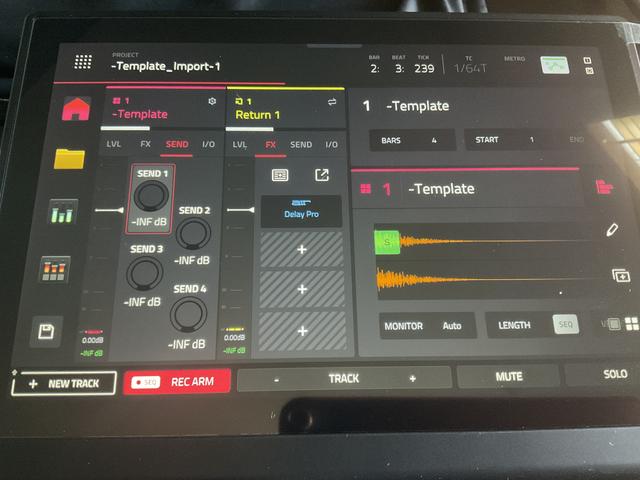
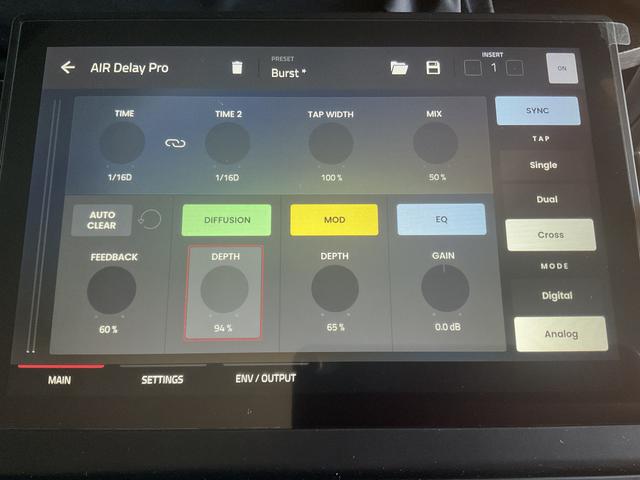
Now that I mess with it more, MPC XL, v3.7.0, placing Delay Pro anywhere, ie; FX, RETURN, SENDS, SUBMIXES, etc, it shows up like this. Is anyone else seeing this?

At first I thought it was maybe a corrupt import from v3.6. I loaded the 91 vocals demo, same thing. I restarted, loaded 91 vocals demo again, same thing. Gonna check Key61, reload the plug-in, try a few other things to see how it shows up.


Image
Image