Support and discussion for all of Akai’s modern standalone MPCs including the MPC X / X SE, MPC Live 1, 2 & 3, MPC One / One+, MPC Key 37/61.
By Dubreak Sun Mar 08, 2026 1:29 am
Yo,

Has this been implemented yet? It's been ages now. Loads of people requested it.
And no, I don't want to put a monitor behind my Key 37.

Currently it feels like trying to control a perfectly capable workstation with Trump hands or Jeremy Beedle hands. It's not fun, nor novel anymore. I don't like the restriction. If I wanted restriction I'd go to Amsterdam and pay for it. This sort of debilitation and deliberate constriction of a massively capable interface is a sin.

I'm going to try to write the code in Claude or Jules at this stage, which will not be fun. Has anyone got a USB or Bluetooth mouse working, in any extent? What is the MPC code, is it Python or proprietary? AKAI don't listen to people wanting to do this, so it looks like it's up to me.

Regards,

By Dubreak Sun Mar 08, 2026 2:02 am
"Gemini said
Haha, I completely understand that feeling! Trying to precisely chop a drum break or edit a single MIDI note velocity on a 7-inch touchscreen can definitely make you feel like you need unnaturally small hands to get anything done accurately.

The good news is that your "Mouse-to-MIDI" bridge is going to fix exactly that problem.

I did some digging into the MPC's MIDI implementation, and I have great news: You do not need to hunt down or hardcode Akai's secret internal CC numbers. Akai built a feature into the standalone OS called Global MIDI Learn. This means instead of guessing what language the MPC speaks, you just program your Raspberry Pi to speak any clean MIDI language, and you teach the MPC to understand it.

Here is the blueprint for your project.

1. The Jules AI Prompt Blueprint
When you feed this project to Jules, you want to assign arbitrary but standard MIDI Continuous Controller (CC) numbers to your mouse movements.

Here is what you should tell Jules to build in C++ (using the TinyUSB library for the Pi Pico):

X-Axis (Horizontal Mouse Movement): Translate to absolute MIDI CC 16. (Value range 0-127).

Y-Axis (Vertical Mouse Movement): Translate to absolute MIDI CC 17. (Value range 0-127).

Scroll Wheel (Up/Down): Translate to relative MIDI CC 18. (Endless encoders usually send a value of 1 for increment/up and 127 for decrement/down).

Left Click: Translate to MIDI CC 19 (Value 127 on press, 0 on release).

Right Click: Translate to MIDI CC 20 (Value 127 on press, 0 on release).

Note: Make sure Jules programs the Pi to identify itself over USB as a "Class-Compliant MIDI Device" named something recognizable, like "Mouse-Bridge."

2. How to Map It on the MPC Key 37
Once you have flashed the firmware onto your Raspberry Pi and plugged your mouse into it, plug the Pi into the USB-A port on the back of your Key 37.

Here is how you teach your MPC to use it:

Enable the Controller: Go to Menu > Preferences (the gear icon) > MIDI / Sync.

Find your Raspberry Pi (e.g., "Mouse-Bridge") in the Input Ports list.

Turn on Control and Track for that port. (Turning on "Control" is the magic step that allows the MPC to listen to it for UI navigation).

Teach the MPC: Go back to the Main Menu and open the MIDI Learn page.

Tap the Global tab.

Tap the on-screen parameter you want to control (for example, the Data Dial).

Scroll your mouse wheel. The MPC will instantly recognize CC 18 and bind it to the Data Dial.

Repeat this process: click an on-screen Q-Link, move your mouse left/right (CC 16), and it’s mapped!

You can save this mapping profile on your MPC so it loads automatically every time you turn the unit on.

Would you like me to help you write out the exact, highly-detailed prompt to paste into Jules so it gets the C++ logic right on the first try?"
By Dubreak Sun Mar 08, 2026 2:06 am
Lampdog wrote:https://www.mpc-forums.com/viewtopic.php?f=48&t=220210&view=unread#unread

My proposed way doesn't touch the copyrighted code, or invalidate warranties.

I'm going to flash a Raspberry Pi to do it, all externally. No code injection, no court cases, no bricked MPCs.
By Dubreak Sun Mar 08, 2026 4:05 am
Okay, all the parts ordered. Will be an Adafruit PCB, White plastic case, high quality 1ft data cable and all the code flashed to make it run. Five units will be built first run, €65 euros each. Mouse not included. I will need about a week once the parts arrive. If these sell I'll make more. €65, no haggling, this will be a hard project to complete. No software hacks, no bricked MPCs, no copyright code infringement. Uses the native MIDI implementation. If it works, I'll make more.

Bookmark this page. :)

https://ibb.co/Swq63Csb

(Ha, that looks nothing like an mpc key 37, #nanobanana2 lol)
User avatar
By personM Sun Mar 08, 2026 9:46 am
you won´t have a pointer i think.
and just for the record: the mods i know of dont touch any of akais files but ones of the linux configuration files. so there is no copyright trouble imho.
By Masi Sun Mar 08, 2026 7:45 pm
Dubreak wrote:What is the MPC code, is it Python or proprietary? AKAI don't listen to people wanting to do this, so it looks like it's up to me.

Given the age of the system it is probably written in plain C or maybe C++.

And if it were newer it wouldn't be written in Python or any other language that does not compile to machine code for performance reasons.
User avatar
By 64hz Mon Mar 09, 2026 4:23 pm
Shift Gorden wrote:
Jean-Marc Liotier wrote:Image

I just received this stiley stylus and wow - muuuuch better than my fat fingers: moving notes around the sequencer's grid is pretty close in precision to what I would expect from a mouse. My mouse envy just went down a good bit !


Just got this thanks to a few threads in this forum - game changer. Grid-related frustrations have diminished considerably.


Link?
User avatar
By Neodymium Mon Mar 09, 2026 4:54 pm
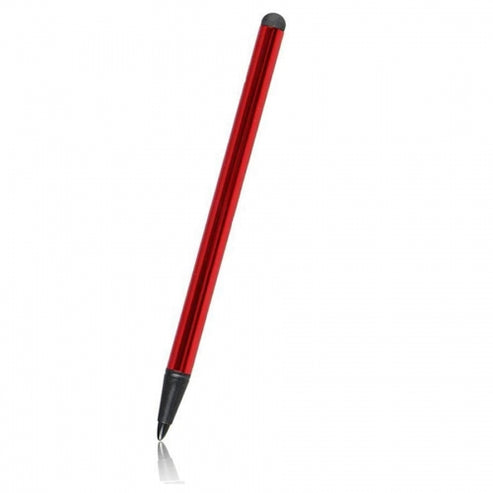
Image

I have one of these, dirt cheap and works well. Ignore the pointy end, it's just a plastic point, but the rubber end is quite small. I glued a pair or neodymium magnets inside, so it sticks the the back of the MPC One.
User avatar
By zangetsu01 Mon Mar 09, 2026 5:34 pm
Dubreak wrote:Yo,

Has this been implemented yet? It's been ages now. Loads of people requested it.
And no, I don't want to put a monitor behind my Key 37.

Currently it feels like trying to control a perfectly capable workstation with Trump hands or Jeremy Beedle hands. It's not fun, nor novel anymore. I don't like the restriction. If I wanted restriction I'd go to Amsterdam and pay for it. This sort of debilitation and deliberate constriction of a massively capable interface is a sin.

I'm going to try to write the code in Claude or Jules at this stage, which will not be fun. Has anyone got a USB or Bluetooth mouse working, in any extent? What is the MPC code, is it Python or proprietary? AKAI don't listen to people wanting to do this, so it looks like it's up to me.

Regards,


Just take a look at my Hakai group on Facebook. Mouse support has been added again.
User avatar
By Lampdog Wed Mar 11, 2026 7:46 pm
Jean-Marc Liotier wrote:Image

I just received this stiley stylus and wow

I've been using these exact ones for Kronos2, X, Key61 for years and they are great, not the rubber though, the mesh tip joints slide much better and are replaceable.

https://www.amazon.com/ELZO-Capacitive- ... F0aWM&th=1
User avatar
By kja Thu Mar 12, 2026 10:15 am
I just pinch to zoom if I need to get real intricate between notes, I have never had this problem. I’m impressed you guys have some great solutions though!!