Forum dedicated to the new portable standalone MPC, the MPC Sample.
User avatar
By MPC-Tutor Mon Mar 30, 2026 6:11 am
Noticed that when you copy a sample to multiple pads on the MPC Sample each pad is not ‘referencing’ the original one sample (as per normal MPC behaviour), instead it makes a unique copy of the sample for each pad. So the same 20MB sample used on 16 different pads in a project = 320MB memory used.

Probably by design, but just thought I’d mention it in case you were wondering where all your memory was disappearing to :)
User avatar
By Lampdog Tue Mar 31, 2026 7:10 am
With 1 track, there’s no room for a keygroup. I understand though, it can’t do “everything” and/or “heavy lifting”, it wasn’t designed to. Any workarounds will just cost memory.
User avatar
By Lampdog Tue Mar 31, 2026 1:55 pm
So in MPC3 software the symbolic copy is made on pads and that maintains/carries over when importing into MPC Sample even though it's not a feature of MPC Sample?
User avatar
By MPC-Tutor Tue Mar 31, 2026 2:14 pm
Lampdog wrote:So in MPC3 software the symbolic copy is made on pads and that maintains/carries over when importing into MPC Sample even though it's not a feature of MPC Sample?


Seems so, basically it's 90% MPC3 under the hood, most of the pad FX also carry over, mod matrix, velocity modulations, randomisation etc.

There's two ways to create kits for it, the first is to use MPC 3.8 beta to export an 'MPC Sample' file. This loads as a project with sequence and a drum track. However in this, all pads are flattened, so no FX or fancy stuff is retained. 1 sample = 1 pad, hence no option to reference one sample on multiple pads.

The other way is to save a standard one DRUM track MPC 3 project and in the MPC Sample select 'load kit'. This will load all the bells and whistles, but doesn't load any MIDI (loading the project fails with an error - this might eventually work though?)

Currently you can combine the two; load the MPC Sample file to get the MIDI, then replace the flattened kit with the bells and whistles one from the MPC3 project file.

Yesterday I twice managed to trigger a bug which made the MPC Sample play at half speed with major audio meltdown. HAsn't happened today yet. I wonder if there's some FX plugins that are not supported.

Also sometimes an imported sequence will exhibit a weird burst of static at a specific sequence time.

But any kit/project that initially loads fine seems to stay that way.

I also get a continual whiney hum from my USB C hub whenever the MPC Sample is connected via USB. Definitely coming from the hub, not the MPC. Nothing else has caused this with the hub. Connecting direct to my macbook is hum-free.

User avatar
By Lampdog Tue Mar 31, 2026 3:37 pm
MPC-Tutor wrote: I also get a continual whiney hum from my USB C hub whenever the MPC Sample is connected via USB. Definitely coming from the hub, not the MPC. Nothing else has caused this with the hub. Connecting direct to my macbook is hum-free.

I had this happen yesterday for the first time. I was wondering where it was coming from.

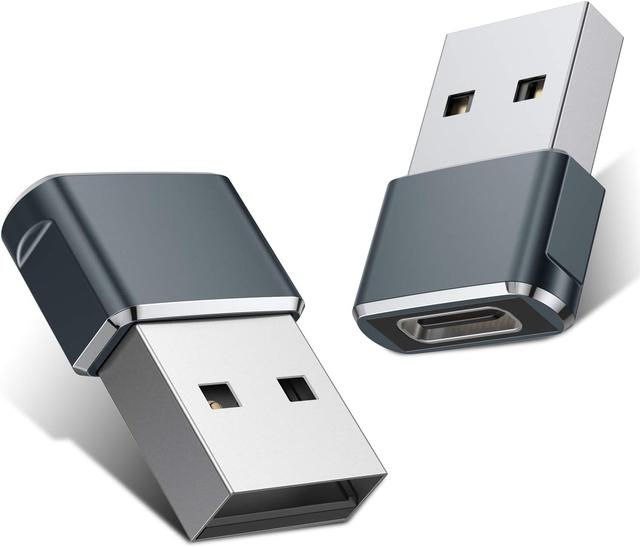
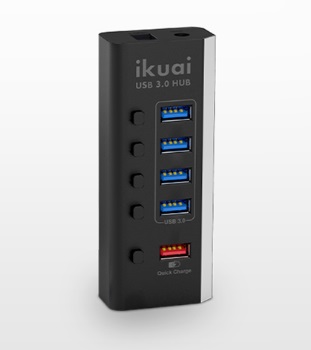
I was using the supplied default usb-c cable <-> usb-c/usb3 adapter <-> usb3 powered hub -> computer (win 11). I took away the hub and went str8 into computer usb-c, hum disappeared.

Seems MPC Sample doesn't like powered hubs maybe?

Using exactly this.


Image
Image