By bliprock
Wed Mar 24, 2021 3:45 am
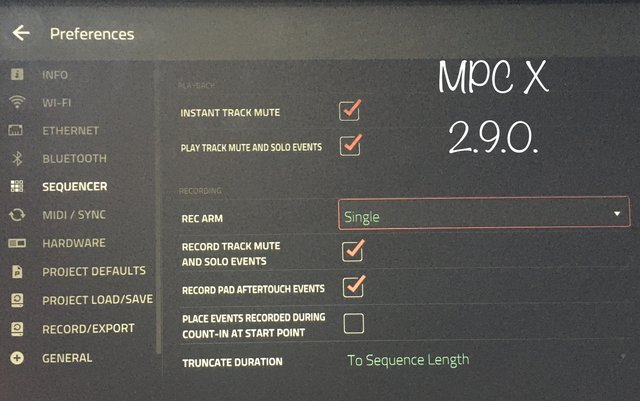
Soooo, if you hit stop and overdub or stop and record, while in track mute window and hit mutes then play, it ignores the mutes you entered and then any tracks you muted in this state then change back on when play is hit.
I want to do precise mute tracks of multiple tracks, say a dozen at once. Now I am not sure, but I think I have to set every track to IN and then because I have a lot of automation that I want to hear I then have to then go back and change every single track to Auto, or merge from memory.
This is just incredibly frustrating when you have more than say a dozen tracks going with automation that you want to hear, then decide I want to mute a stuff, because I have to change the status on every track, and it is so time consuming and also just seems wrong. Am I missing something here?
Also the whole track arm status changes when you go from main window to track view. Is that a bug? or what? And to top all that off, if you hit shift+Arm in track view it wont REC ARM all tracks at all but seems to in main window, but it is hard to tell as it is only showing one track at a time.
So how do I simply record in stop record with automation in track mute screen with lots of tracks and with automation?
Please do not suggest using the sequence list view, it is not conducive to working with say over 16 tracks. Especially when this should be a simple thing that I can do in stop record mode in the track mute screen.
thanks
I want to do precise mute tracks of multiple tracks, say a dozen at once. Now I am not sure, but I think I have to set every track to IN and then because I have a lot of automation that I want to hear I then have to then go back and change every single track to Auto, or merge from memory.
This is just incredibly frustrating when you have more than say a dozen tracks going with automation that you want to hear, then decide I want to mute a stuff, because I have to change the status on every track, and it is so time consuming and also just seems wrong. Am I missing something here?
Also the whole track arm status changes when you go from main window to track view. Is that a bug? or what? And to top all that off, if you hit shift+Arm in track view it wont REC ARM all tracks at all but seems to in main window, but it is hard to tell as it is only showing one track at a time.
So how do I simply record in stop record with automation in track mute screen with lots of tracks and with automation?
Please do not suggest using the sequence list view, it is not conducive to working with say over 16 tracks. Especially when this should be a simple thing that I can do in stop record mode in the track mute screen.
thanks
Bliprockhustler
http://soundcloud.com/bliprockhustler/
http://soundcloud.com/bliprockhustler/
Lampdog wrote: you will never know, never be able to judge unless you hit it for yourself.