By creamofbeats
Wed Jul 13, 2022 12:13 am
I'm new to the X, so be easy.
I've also looked at the manual, checked YouTube, called friends, and used the search function.
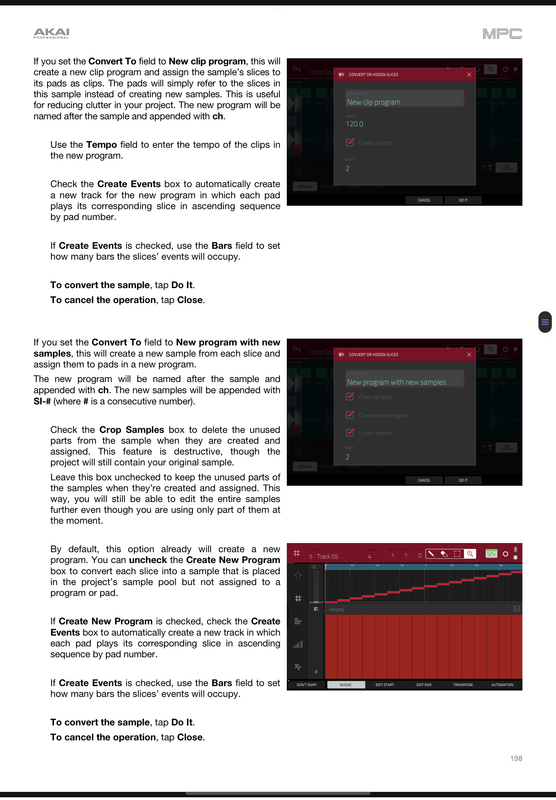
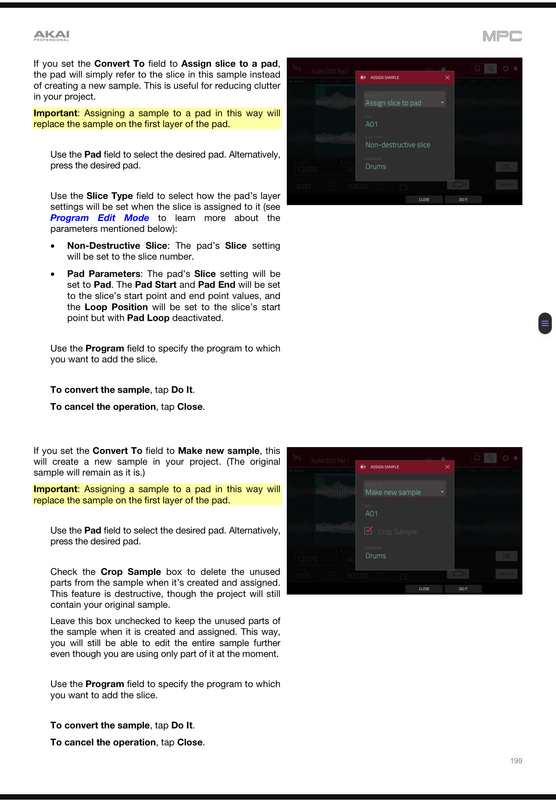
Ok, so I have a sample in the MPC already. I set my slice points, but the convert will only allow me to create a new program. Coming from 2500, I was able to process the slices and assign them to the pads manually. I know there has to be a way to do this. We have 8 banks per program to store samples, so if I only need to create 5 chops, a whole new program seems unnecessary.
Also, the ducking compressor. I know how to use it, but I chop small. A usual beat might have 16+ chops just for the main sample. How can I apply the same ducking settings to all the samples?
CREAM OF BEATS. DETROIT. MPC-X
https://soundcloud.com/cream-of-beats
I've also looked at the manual, checked YouTube, called friends, and used the search function.
Ok, so I have a sample in the MPC already. I set my slice points, but the convert will only allow me to create a new program. Coming from 2500, I was able to process the slices and assign them to the pads manually. I know there has to be a way to do this. We have 8 banks per program to store samples, so if I only need to create 5 chops, a whole new program seems unnecessary.
Also, the ducking compressor. I know how to use it, but I chop small. A usual beat might have 16+ chops just for the main sample. How can I apply the same ducking settings to all the samples?
CREAM OF BEATS. DETROIT. MPC-X
https://soundcloud.com/cream-of-beats